How to become an Airbnb Superhost in 2026: the criteria, and a 90-day plan
Most hosts miss Superhost by one review or one cancellation. Here are Airbnb's published Superhost requirements, what usually breaks each one, and a 90-day plan to fix it.
 Tai Pham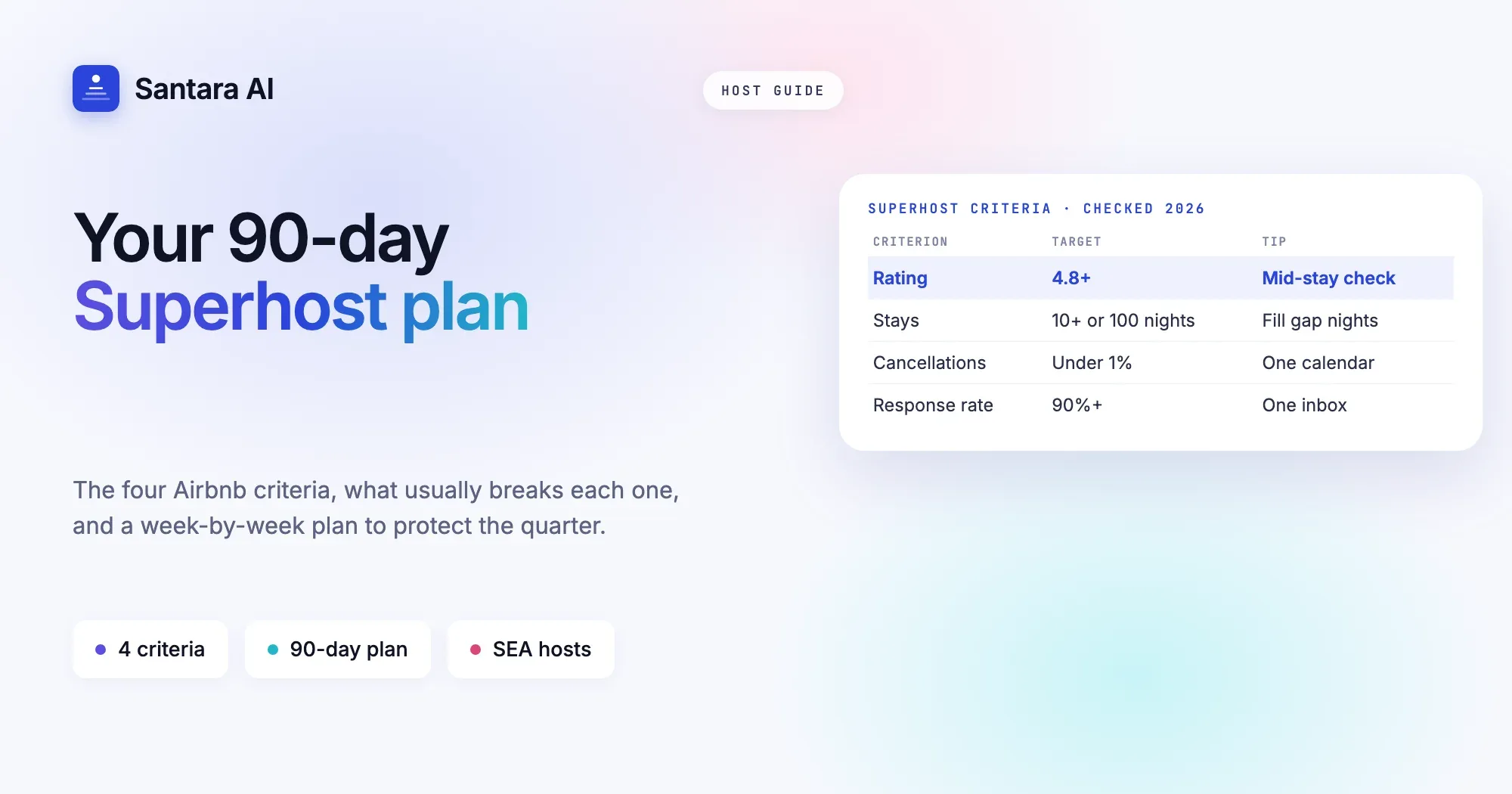
It is the first week of the quarter and Linh opens her Airbnb dashboard in Da Nang expecting the badge. Twelve stays, a 4.86 rating, replies to almost everything. Then she sees it: one cancellation. In August a Booking.com guest took the same weekend as an Airbnb guest, and she had to cancel one of them. One cancellation out of twelve stays is well over 1%. No badge for another three months.
Meanwhile in Bali, Wayan misses by a different route. His villa rating sits at 4.79 because two guests in the rainy season complained about the pool being cloudy, and he never asked his happiest guests for a review. One more five-star review would have tipped him over.
Superhost status is rarely lost to one big disaster. It is lost to small, predictable leaks. This guide explains how to become an Airbnb Superhost: the criteria, what usually breaks each one, and a 90-day plan you can start this week.
Airbnb Superhost requirements at a glance
These are Airbnb's published criteria at the time of writing. Airbnb can change them, so always check the Superhost page in Airbnb's Help Center before you plan around a number.
Airbnb assesses hosts every 3 months (quarterly), looking back over the past 12 months. To qualify you need all four:
| Criterion | Threshold | What usually breaks it | Fix |
| Overall rating | 4.8 or higher | Listing promises the photos cannot keep, small problems found too late | Honest listing, pre-arrival message, mid-stay check |
| Stays | At least 10 stays, or 3 reservations totalling at least 100 nights | Long minimum stays, empty gap nights | Lower minimum stay for short gaps, fill orphan nights |
| Cancellation rate | Under 1% (exceptions for documented extenuating circumstances) | Double bookings across channels, surprise maintenance | One calendar across every channel, planned maintenance blocks |
| Response rate | 90% or higher | Messages spread across apps, inquiries left unanswered | One inbox, templates, alerts |
When you meet all four on the assessment date, you get the Superhost badge on your listing and profile. Miss one, and you wait for the next quarter.
Rating: protect the 4.8
A rating of 4.8 leaves very little room. A few four-star reviews can pull you under, so the goal is not just good stays, it is stays with no unpleasant surprises.
Set expectations in the listing. Most low ratings come from a gap between what the guest expected and what they found. Say clearly that the villa is a 10-minute scooter ride from the beach, that the street has a morning market, that the hot water takes two minutes to warm up. A guest who reads it in advance does not mark you down for it.
Send a pre-arrival message. One or two days before check-in, send the address, a map pin, check-in steps, WiFi and parking. Guests who arrive confused start the stay annoyed. Our guest message playbook covers the ten moments that matter most, with examples.
Do a mid-stay check. On the first morning, a short note: "Is everything working? Anything you need?" This is the single best way to hear about a weak shower or a noisy air-con while you can still fix it, instead of reading about it in the review.
Fix fast, then confirm. When something breaks, reply within minutes, say what you will do and when, then follow up after it is fixed. Guests forgive problems. They rarely forgive silence.
Time the review request. Ask for a review after check-out, while the stay is fresh, and keep it short and warm. Guests who loved their stay often forget to write anything. A friendly reminder is how happy guests turn into five-star reviews.
Keep cleaning consistent. Cleanliness is one of the categories guests rate. A missed hair on the pillow costs more than it should. A clear turnover routine helps, and our guide to a turnover day without chaos shows how to run one for 5 to 50 units.
Stays: reach 10 without chasing them
The stays criterion is either at least 10 stays, or 3 reservations totalling at least 100 nights, over the past 12 months. Newer listings and long-stay apartments often fail here, not because guests do not want them, but because the settings turn guests away.
Check your minimum stay. A 5-night minimum looks safe, but it can block many short bookings. Consider a lower minimum in quieter months, or a shorter one for dates close to today.
Fill gap nights. A 2-night gap between two longer bookings will stay empty if your minimum is 3 nights. Allow short stays that fit exactly into gaps, or offer the gap as an extension to the guest already staying.
Do not block dates you do not need. Personal blocks that were never removed are a common reason a calendar looks fuller than it is. Review the next 90 days once a week.
Long-stay hosts. If you mostly host monthly guests, the 100-night route may suit you better than 10 stays. Three solid long stays can count, as long as they total at least 100 nights.
Cancellations: the criterion one mistake can break
Under 1% is strict. For most small hosts, a single host cancellation is enough to miss a quarter. Airbnb lists exceptions for documented extenuating circumstances, but double bookings and forgotten repairs are not among them.
One calendar across every channel. Most host cancellations in Southeast Asia come from double bookings: the same dates sold on Airbnb and on Booking.com, Agoda or a direct booking. Manual blocking works until the night you are asleep when two bookings land. A tool that syncs every channel to one calendar closes the dates everywhere the moment a booking arrives. If you are not sure what kind of tool you need, read PMS vs channel manager.
Plan maintenance ahead. Repainting, pool work, a new water heater: block those dates before they are sold, not after. Keep a short list of planned jobs and put them on the calendar at the start of each quarter.
Have a backup for emergencies. If the pump fails the day before arrival, a plan B (a technician you trust, a similar unit you can offer) can save the booking. Moving a guest with their agreement is very different from cancelling on them.
Read the policy before you cancel. If something truly outside your control happens, check Airbnb's extenuating circumstances policy and keep your documents. Do not assume a cancellation will be excused.
Response rate: answer everything, even the hard ones
Response rate measures how many new inquiries and booking requests you respond to. You need 90% or higher. The messages that ruin it are usually the ones you meant to answer later.
Reply fast, even if briefly. A quick "Thanks, I will check and confirm within the hour" counts as a response and keeps the guest calm. Declining politely also counts. Ignoring does not.
Put your inbox in one place. Hosts who switch between the Airbnb app, Booking.com extranet, WhatsApp and email miss messages. One inbox for every channel is the simplest fix.
Use templates for common questions. Check-in time, parking, early luggage drop, airport transfer. Write each answer once, then adjust it per guest. Templates save minutes and keep answers consistent.
Turn on alerts. Make sure new messages actually reach your phone, and that a guest who has been waiting a long time gets flagged.
Your 90-day Superhost plan
Ninety days is about one assessment cycle. Here is a plan that fits around running your listings.
Step 1
Weeks 1–2: Audit and fix the basics
Check your current numbers in the Airbnb dashboard against the four criteria. Rewrite anything in the listing that overpromises. Connect all channels to one calendar. Write templates for your top ten questions and set up a pre-arrival message.
Step 2
Weeks 3–6: Raise the floor on every stay
Send a mid-stay check to every guest. Fix issues the same day and follow up. Review your minimum stay and open short gaps. Tighten the cleaning checklist and do spot checks on turnovers.
Step 3
Weeks 7–10: Collect the reviews you have earned
Ask every happy guest for a review after check-out. Reply to every message within the hour where you can. Block planned maintenance dates for the next quarter so nothing gets sold by accident.
Step 4
Weeks 11–13: Protect the quarter
Avoid any host cancellation. Double-check the calendar across channels before the assessment date. Look at which criterion is closest to the line and focus there. If you miss this time, you know exactly what to fix for the next quarter.
Check the source
Superhost criteria and assessment rules belong to Airbnb and can change. Before you plan around a threshold, check the latest version in Airbnb's Help Center.
Common mistakes
- Focusing only on rating. A 4.95 rating does not help if one double booking breaks the cancellation rate.
- Leaving inquiries for later. A guest who asks a question and never gets a reply counts against your response rate, even if they never book.
- Manual calendar blocking across channels. It works until it does not, and one miss can cost a quarter.
- Asking for reviews too late, or not at all. Happy guests are busy guests. Remind them politely.
- Fixing problems without telling the guest. If the guest does not know it was fixed, it still feels broken.
- Assuming the criteria never change. Check Airbnb's Help Center every few months.
How Santara AI helps
Santara AI does not grant Superhost status, Airbnb does. What it does is remove the usual leaks behind each criterion.
One calendar for 54 channels. Santara AI replaces both your PMS and your channel manager. Airbnb, Booking.com, Agoda, Expedia, Trip.com, Traveloka and more sync to one calendar, so a booking on one channel closes the dates everywhere. That is the double booking that most often breaks the cancellation rate.
A unified inbox. Guest messages from Airbnb, Booking.com and Expedia arrive in one inbox, translated, with an AI-drafted reply ready. Nothing is sent until you press Send.
A Daily Brief at 6am. An email with today's arrivals, departures, cleans and guests who need attention, so small problems get handled before they become reviews.
A cleaning board from real bookings. Cleans come from actual check-outs and check-ins. Share the plan to WhatsApp or Zalo in one tap, and cleaners mark jobs done with photos.
A QR guest guidebook. Guests scan to find WiFi, house rules and local tips. The door code only shows after they verify their booking code.
Reviews and upsells in one place. Guest reviews arrive in Santara AI, and calendar-based upsell suggestions point out gap nights and extras worth offering.
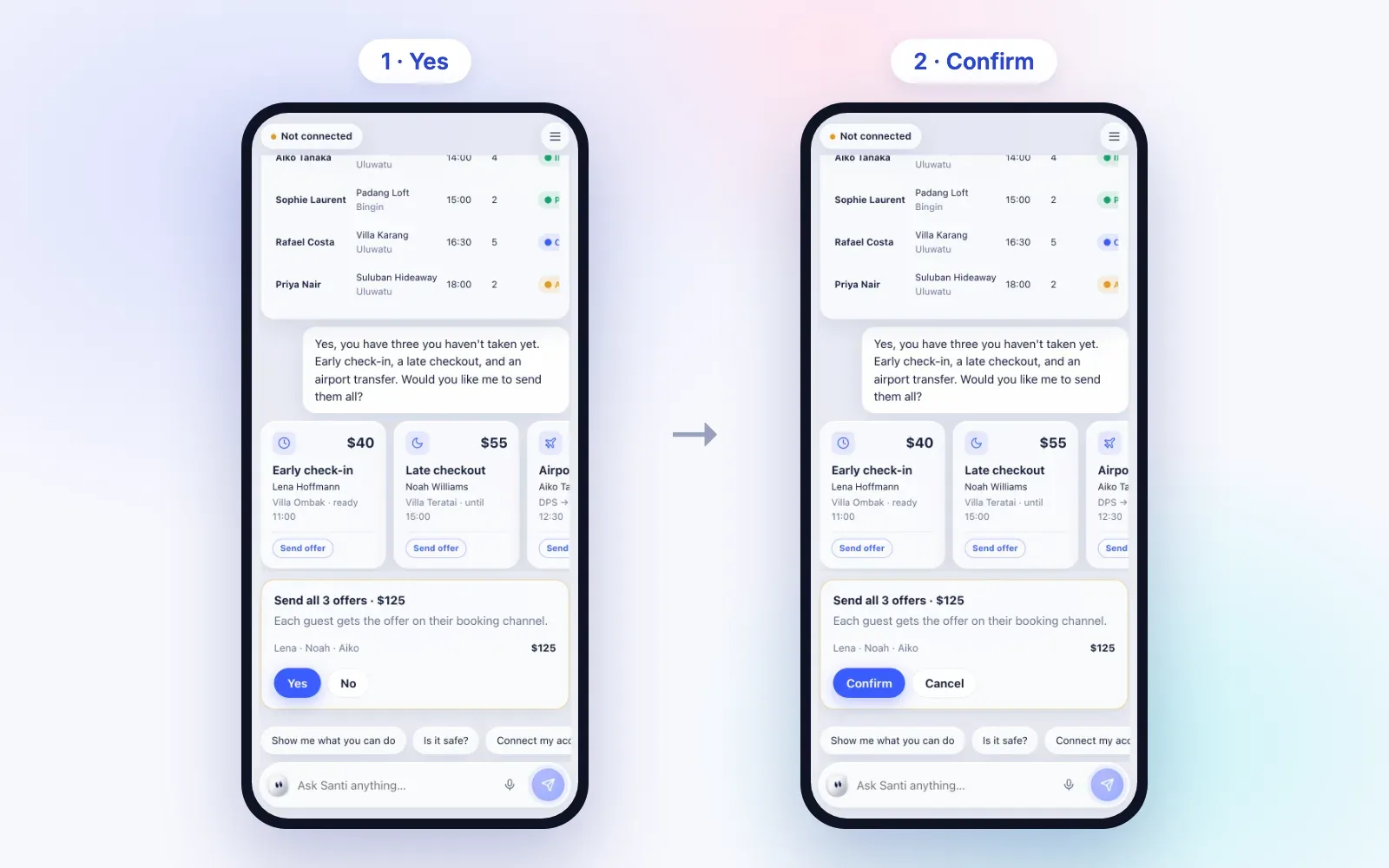
Santi, your AI assistant. Santi can draft replies to reviews and, after you say Yes and then Confirm, send guest replies for you. Santi also notifies you when a guest has been waiting more than 2 hours. Santi is invite-only at santi.santara.ai and talks with hosts in English today, with Vietnamese and Indonesian coming.
FAQ
How often does Airbnb assess Superhost status?
At the time of writing, Airbnb assesses hosts every 3 months, looking at the past 12 months of activity. Check Airbnb's Help Center for the current schedule.
What happens if I lose Superhost status?
You lose the badge until the next assessment. If you meet the criteria again at the next quarterly check, you can earn it back. Look at which criterion you missed and fix that first.
Does Booking.com have a similar badge?
Booking.com has its own review scores and programs. The criteria differ from Airbnb's.
Do cancellations for reasons like natural disasters count?
Airbnb lists exceptions for documented extenuating circumstances. Check Airbnb's policy for what qualifies, and keep your documents in case you need them.
Keep reading
- The guest message playbook: 10 moments that decide your review score
- Voice Assistant for Airbnb Hosts: 20 Things to Say to Santi
- The Upsells Hiding in Your Calendar
Superhost is earned one quarter at a time. Santara AI keeps the calendar, the inbox and the cleans in one place so nothing slips between the cracks. Try it with your own listings.
Your first 3 months are free.
Join For Free