Vacation Rental Upsells: What to Sell and Where Your Calendar Hides It
The best upsells aren't in guest messages. They're in the gaps next to your bookings: five opportunities your calendar already shows, and how to spot each one.
 Tai Pham
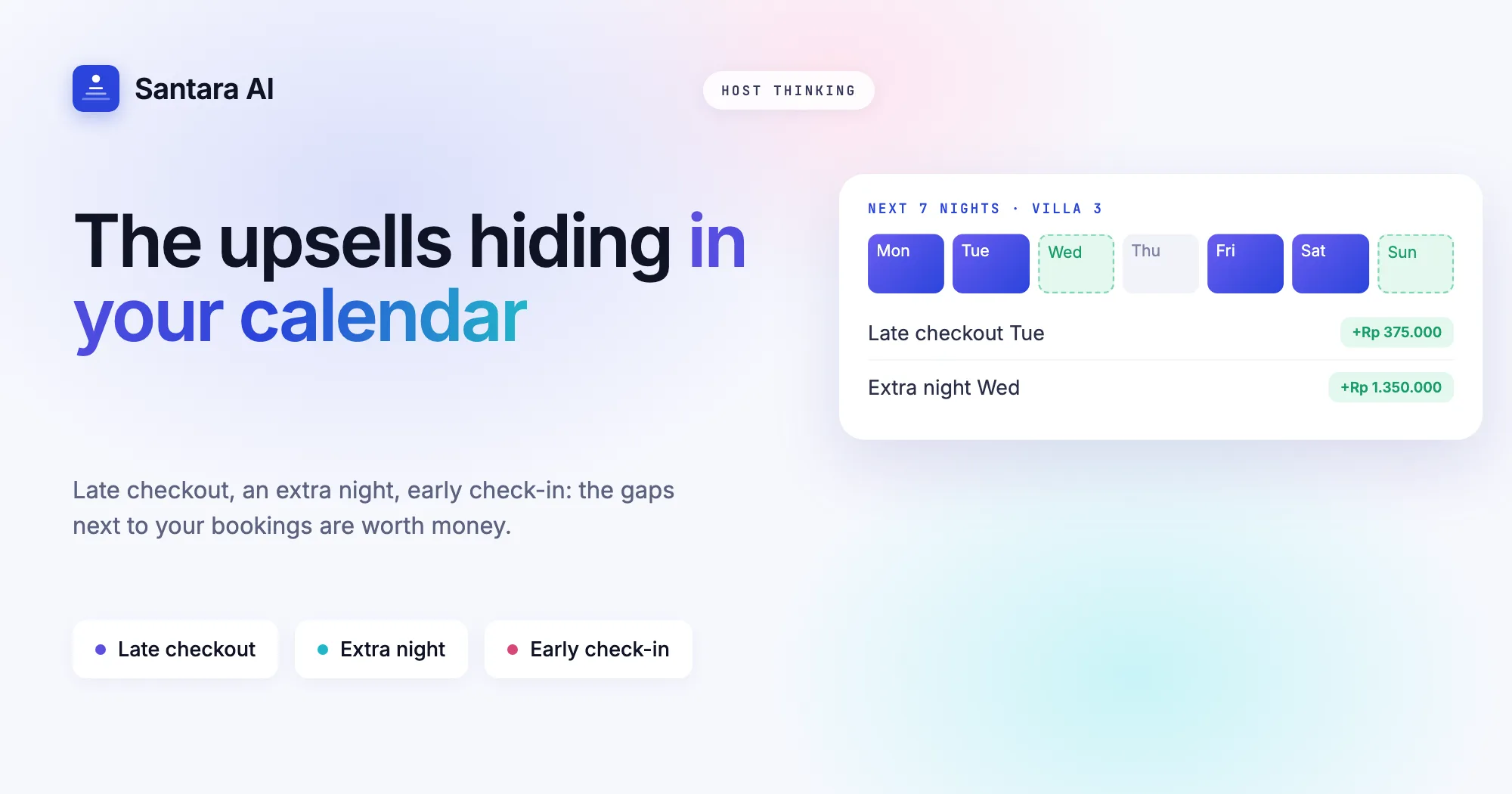
Most hosts look for upsells in the inbox. A guest asks about airport transfers, so you offer a driver. A guest mentions a birthday, so you offer a cake. Fine, but those moments are rare and you can't plan around them.
The vacation rental upsells that pay every week are already sitting in your calendar. They are the empty spaces next to a booking: the morning nobody arrives, the night nobody books, the afternoon the room stood empty the night before. Look at the gaps, not the chat.
This guide is about what to sell and where to find it on the calendar. Once you have spotted an opportunity, the companion guide on when and how to offer upsells covers timing, pricing, message wording and tracking what sells.
Five upsells your calendar already shows
| Upsell | Where it shows on the calendar | What it costs you |
| Late checkout | Checkout day, no arrival in that room | A later clean, same day |
| Extra night | Checkout tomorrow, next night still open | One clean saved, not added |
| Early check-in | Arrival day, room empty the night before | A quick check before 14:00 |
| Gap night | One or two open nights between two stays | Nothing, if a guest on either side takes it |
| Small extras | Long stays, early arrivals that can't check in | Some staff time |
The first three are the everyday ones. The gap night is less frequent but usually the biggest single amount, because it is a whole night. Extras fill in around the rest.
How to spot each one
Late checkout
Look for: a checkout with no arrival in the same room that day.
The guest in Villa Kamboja leaves at 11:00 and the next guest arrives tomorrow. Your cleaner can do the room at 16:00 just as easily as at 12:00. Those five hours are free inventory. Check the room, not the property: a villa with three rooms can have an arrival in Room 1 and a free afternoon in Room 2.
Extra night
Look for: a checkout tomorrow where tomorrow night is still open.
The family in Room 3 leaves Thursday, and Thursday night is still open three days out. It probably won't sell at full price now. An extra night for the guest already in the bed costs you one clean, not two. The closer the checkout, the less likely that night sells to someone new, and the more the offer makes sense.
Early check-in
Look for: an arrival today where the room was empty last night and nobody checks out of it today.
Tonight's guest lands at 08:00 and the room was empty last night. It's already clean. Letting them in at 10:00 instead of 14:00 costs you nothing but a quick check. If someone checked out that morning, it is not an early check-in opportunity; it is a rushed clean.
Gap night between two stays
Look for: one or two open nights squeezed between a checkout and the next arrival.
A one-night gap is often too short to sell on its own, especially if a minimum stay blocks it on the channels. But two guests already touch it: the one leaving can stay a night longer, and the one arriving can come a night early. Offer it to whichever guest is more likely to want it, usually the one with a flight or ferry that fits.
Small extras
Look for: stay length and arrival times rather than empty nights.
A stay of a week or more is where a mid-stay clean or linen change makes sense as a paid extra. An early arrival whose room isn't ready is where a free luggage drop helps; it earns nothing directly but often turns into a late checkout request later, because the guest knows you are flexible.
A worked example: one week, four rooms
Here is a hypothetical week at a four-room guesthouse in Canggu. Read it the way you would read your own calendar.
| Room | What the calendar shows | Upsell |
| Room 1 | Checkout Tuesday, next arrival Thursday | Two gap nights: extend Tuesday's guest or bring Thursday's guest in early |
| Room 2 | Checkout Wednesday, arrival same day 15:00 | None: same-day turnover |
| Room 3 | Empty Friday night, guest lands Saturday 08:00 | Early check-in Saturday |
| Room 4 | 9-night stay, checkout Sunday, nothing booked Sunday | Mid-stay clean, then late checkout Sunday |
Four rooms, one week: a gap to fill, one early check-in, one late checkout and one extra. Room 2 shows the most important skill, which is spotting the days where an upsell would hurt.
When a gap is not an upsell
The gap has to be real, and the turnover has to fit. Check that nothing has been booked or blocked since yesterday, then skip the opportunity when:
- Someone arrives the same day, even late. A 21:00 arrival still needs a clean room, and a 16:00 checkout leaves your cleaner a tight window.
- The empty night is likely to sell at full price. Three days out on a holiday weekend in high season, hold it.
- The cleaning team is already stretched that day. Four checkouts and one cleaner means no late checkouts.
- The guest has been difficult. An upsell is a favour you charge for; you don't owe it to everyone.
- The room was empty last night but has a maintenance job booked for the morning. Fix the tap first, sell the early hours second.
Rule of thumb
If the room would sit empty and the cleaner has time, it's an upsell. If either is false, it's a risk.
Read the calendar in this order
Step 1
Checkouts first
For each checkout in the next two days, ask two questions: does anyone arrive in that room the same day, and is the following night open? That gives you late checkouts and extra nights.
Step 2
Then arrivals
For each arrival, check whether the room was empty the night before and whether anyone leaves it that day. That gives you early check-ins.
Step 3
Then short gaps
Look for one- or two-night holes between stays. Note both neighbouring guests as possible buyers.
Step 4
Then long stays
Flag stays of a week or more for a mid-stay clean or linen change.
Step 5
Cross out what the cleaning plan can't carry
Compare your list with the day's cleans. Anything that doesn't fit comes off the list before you offer it.
Where Santara AI fits
Santara AI Upsells reads your calendar and spots the three everyday opportunities for you. Detection reads the calendar, not guest messages, and no AI guessing is involved:
- Late checkout on checkout day, when nobody arrives in that room that day.
- Extra night the day before checkout, when the next night is free.
- Early check-in on arrival day, when the night before was empty and nobody checks out of that room that day.
Each one is priced from the live nightly rate on the calendar, and it never offers a night that is booked or blocked. The opportunities appear in your Daily Brief email at 6am, next to arrivals, departures and cleans, so you see the cleaning load and the opportunity in one place. Guests can also ask first: in the stay's QR guidebook, a guest who enters their booking code can request early check-in, late checkout or one more night, and you get a notification to confirm.
Gap nights between two stays and extras like mid-stay cleans are still yours to spot with the order above.
FAQ
What are the most common vacation rental upsells?
Late checkout, early check-in and an extra night. They need no supplies or partners, only a room that would otherwise stand empty, and your calendar shows each of them days or hours ahead.
What is a gap night and how do I sell it?
One or two open nights between two bookings, often too short to sell on their own. Offer the night to the guest leaving before it as an extension, or to the guest arriving after it as an early arrival.
Does Santara AI send upsell offers automatically?
No. It spots and prices the opportunity. You decide whether to offer it, and nothing is sent until you press Send.
Does it read guest messages to find upsells?
No. Upsells come from calendar gaps: checkouts, empty nights and vacant nights before arrivals.
Which channels are covered?
One calendar across 54 sales channels, including Airbnb, Booking.com, Agoda, Expedia, Trip.com, Traveloka and Tiket.com.
Keep reading
- The guest message playbook: 10 moments that decide your review score
- Turnover day without chaos: a cleaning system for 5 to 50 units
- PMS vs channel manager: do short-term rental hosts need both?
The first 3 months are free.
Join For Free