PMS vs channel manager: do short-term rental hosts need both?
Most hosts end up paying for two tools that each hold half the truth. Here's what a PMS and a channel manager actually do, where the gaps cause double bookings, and how to decide what you need.
 Tai Pham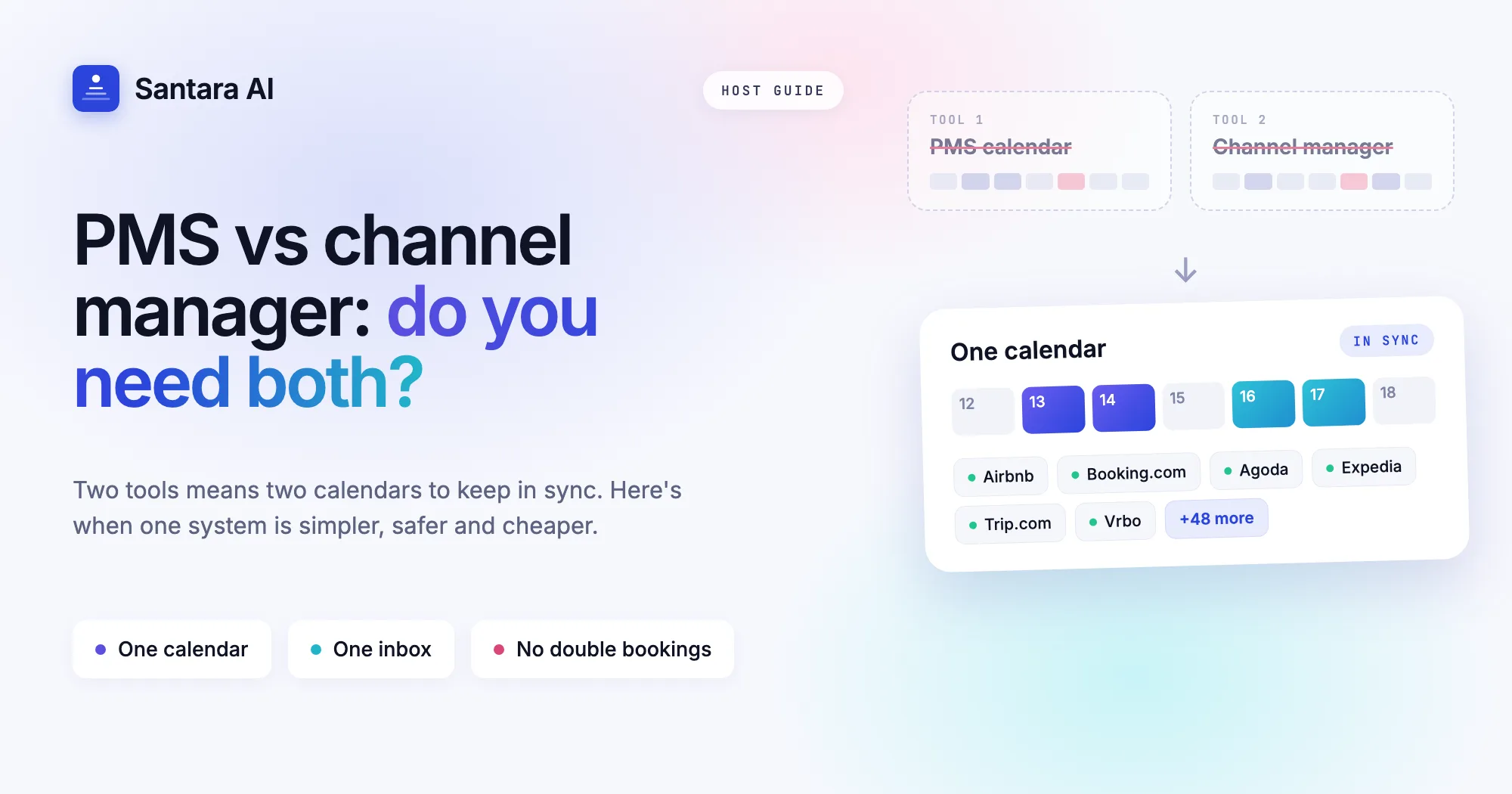
Somewhere around your third listing, the spreadsheet stops working. A booking lands on Booking.com at 2am, the same night is still open on Airbnb, and by breakfast you're apologising to a guest who has already paid.
That's when hosts start shopping for software and meet two categories that sound alike: the property management system (PMS) and the channel manager. Many end up paying for both, plus a messaging tool, and spend mornings checking the three agree.
Here's what each one does, where the gaps cause real problems, and how to decide what you need.
What a channel manager does
A channel manager has one job: keep availability, rates and restrictions identical on every booking site you sell on. When a night sells on one channel, it closes everywhere else. When you change a price, it reaches Airbnb, Booking.com, Agoda and Expedia at once.
What it usually does not do:
- Tell your cleaner which rooms turn over today
- Answer the guest asking for the Wi-Fi password
- Notice that a late checkout request is worth accepting
- Show you whether last month was actually profitable
What a PMS does
A PMS is the operational layer: reservations, guests, housekeeping, payments and reporting.
Many PMS tools connect to a separate channel manager, and that hand-off is where trouble starts: two systems, two copies of your calendar, joined by an integration you don't control.
The real cause of most double bookings
It's rarely one tool failing. It's two tools disagreeing for a few minutes: a block set in one, a sync that ran late in the other. Every extra copy of your calendar is another place for that to happen.
Side by side
| Channel manager | PMS | One combined system | |
| Syncs availability across OTAs | Yes | Usually through a partner | Yes |
| Pushes rates and minimum stays | Yes | Usually through a partner | Yes |
| Guest messaging inbox | Rarely | Sometimes | Yes |
| Cleaning and turnover tasks | No | Yes | Yes |
| Revenue and owner reporting | No | Yes | Yes |
| Copies of your calendar to keep in sync | 1 | 2 or more | 1 |
When running two tools makes sense
Two tools still make sense if you run a large hotel whose staff know their PMS well, need trust accounting, or are locked into a long contract. If so, make sure only one system can change prices and availability. Let the other read, never write.
When one system is the better answer
For most independent hosts and small management companies, two tools is overhead without payoff: you pay twice to keep two calendars in agreement. A combined system removes the hand-off. One calendar, one price per night, pushed to every channel.
That's the approach we took with Santara AI. It replaces both the PMS and the channel manager:
- 54 sales channels connect from one calendar, including Airbnb, Booking.com, Agoda, Expedia, Trip.com and Vrbo
- One inbox for guest messages from Airbnb, Booking.com and Expedia, with replies drafted for you and nothing sent until you press Send
- Cleaning and turnover tasks generated from real check-outs and check-ins, shareable with your team on WhatsApp or Zalo
- A Daily Brief in your inbox at 6am with today's arrivals, departures, cleans and the guests who need attention
How to choose: five questions
Step 1
How many copies of your calendar exist today?
Count every tool that stores availability, spreadsheets included.
Step 2
Which system is allowed to change prices?
If it's more than one, fix that first.
Step 3
Where do guest messages live?
If you hop between the Airbnb app and the Booking.com extranet to answer guests, the inbox matters as much as the calendar.
Step 4
How does your cleaner find out what to do today?
If you message them every morning, software should be doing it.
Step 5
What does it cost per listing, all in?
Add up every subscription and commission, then compare.
Moving over without losing bookings
Four rules keep a switch safe:
Step 1
Bring your existing accounts.
Listings, reviews and history stay where they are.
Step 2
Import before you push.
Pull in reservations and rates, check the calendar, then let updates flow.
Step 3
Switch one channel at a time.
Start with your biggest, watch it a few days, then add the rest.
Step 4
Turn the old sync off.
Two systems pushing to one channel is the conflict you're escaping.
Is a channel manager the same as a PMS?
No. A channel manager syncs availability and rates across booking sites; a PMS runs operations. Some systems, Santara AI among them, do both.
Do I need a channel manager if I only use Airbnb?
Not strictly. Once you add a second channel, you need something that closes sold nights everywhere automatically.
Can I keep my existing Airbnb and Booking.com listings?
Yes. You connect the accounts you already have.
How long does it take to switch?
Most hosts connect their first channel in an afternoon, then move the rest one at a time over a week or two.
The short version
A channel manager keeps your calendar honest; a PMS runs your day. For most growing hosts, one system that does both is simpler and safer than two tools and a sync. Try it with your own listings: your first 3 months are free.
Join For Free