ChatGPT for Airbnb hosts: 10 prompts, and when you need an AI agent
ChatGPT is a great writing partner for hosts. Here are 10 copy-ready prompts, an honest look at where a general chatbot stops, and when an AI agent like Santi that works on your real bookings is the better tool.
 Tai Pham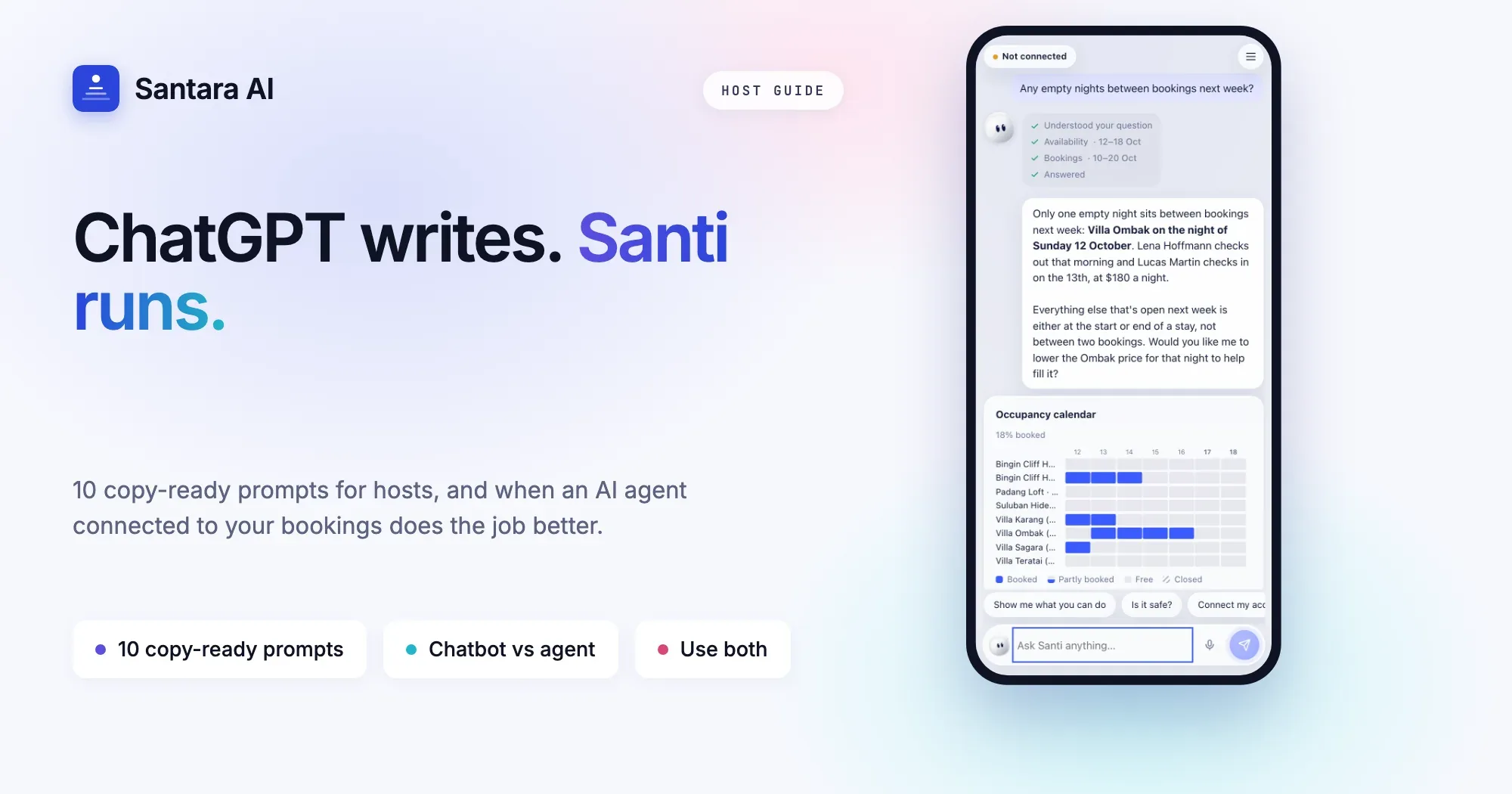
It is 11:48 pm in Canggu. A guest from Seoul has asked, for the second time, whether early check-in is possible, and you have a villa full of arrivals tomorrow. So you do what thousands of hosts do every night: copy the message, open ChatGPT, paste it in, type "translate and write a polite reply", copy the answer, switch back to Airbnb, paste, send. It works. Then you remember you never checked whether the cleaner can finish by noon.
This guide is for that host. ChatGPT is genuinely useful for running rentals, and we will show you exactly how to get more out of it, with copy-ready prompts you can use tonight. We will also be honest about where a general chatbot stops, and when an AI agent that works inside your business, like Santi, is the better tool for the job.
What ChatGPT is great at for Airbnb hosts
A general chatbot is a brilliant writing partner. It never gets tired of rewording, it handles most languages your guests speak, and it turns a messy bullet list into something a guest actually enjoys reading. For hosts in Southeast Asia, where one week can bring guests from Korea, Australia, Germany and Jakarta, that matters.
Here is where it shines:
- Listing descriptions. Turn your notes about the rice-field view and the 4-minute walk to the beach into a description with a clear hook, scannable highlights and honest details.
- House rules. Rewrite rules so they sound welcoming instead of strict, without losing the rule.
- Translating a message you paste. Understand what a guest really asked, and reply in their language.
- Review replies. Draft a calm, gracious reply to a 3-star review before you send something you regret.
- Welcome guides. Turn your WhatsApp voice notes into a tidy arrival guide: parking, scooter rental, where to buy water, the best warung nearby.
- Pricing brainstorms. Think through seasonality, local holidays and length-of-stay discounts, as long as you bring the numbers.
10 copy-ready ChatGPT prompts for Airbnb hosts
Copy these, replace the parts in brackets, and paste in your own text. The more context you give (property type, location, guest profile), the better the answer.
1. Listing description
Write an Airbnb listing description for [2-bedroom villa with private pool in Canggu, 5 minutes by scooter to Batu Bolong beach]. Audience: couples and digital nomads. Start with a one-line hook, then 5 short highlights, then an honest "good to know" section that mentions [road noise in the morning]. Under 180 words, no exaggerated adjectives.
2. Warm but firm house rule
Rewrite this house rule so it sounds warm but firm, keeps the rule exactly the same, and is under 40 words: [No parties or outside guests after 10 pm. Fine of 2,000,000 IDR.]
3. Translate and reply
Translate this guest message to English. Then suggest a reply in the guest's language, under 60 words, that confirms 2 pm check-in and offers free luggage storage from 11 am: [paste message]
4. Review reply
Here is a 3-star review of my homestay: [paste review]. Write a public reply under 80 words. Thank the guest, acknowledge the hot water issue without making excuses, say what we fixed, and do not argue about the other points.
5. Welcome guide
Turn these notes into a friendly welcome guide with short headings: arrival, WiFi, parking, rubbish, nearby food, emergencies. Keep each section to 2 or 3 lines. Notes: [paste notes]. Leave placeholders like [DOOR CODE] instead of real codes.
6. Pre-arrival message template
Write a pre-arrival message template I can send 2 days before check-in. Include placeholders for [guest name], [check-in time] and [driver contact]. Friendly, under 90 words, and ask one question: what time their flight lands.
7. Saying no politely
A guest asked for a 50% discount for a 3-night stay in high season. Write a polite reply under 60 words that declines the discount but offers [a free airport pickup] if they book this week.
8. Pricing brainstorm
I run [3 villas in Ubud]. My average nightly rate is [X] in low season and [Y] in high season. List 8 dates or periods in the next 12 months that could justify higher prices in Bali, and suggest a minimum-stay idea for each. Flag anything you are unsure about.
9. Upsell ideas
Suggest 10 upsells for a [family villa near the beach] that guests actually value, such as early check-in or a private chef night. For each, give a fair price range and the best moment to offer it.
10. Cleaner checklist
Turn this list into a turnover checklist for my cleaning team, grouped by room, in simple English and Bahasa Indonesia side by side: [paste list]
Tip: save your best prompts
Keep a note with the 5 prompts you use most, already filled with your property details. That alone saves a few minutes per message. For a full set of message templates by guest stage, see our guest message playbook.
Where a general chatbot stops
None of this is a criticism of ChatGPT. It is a general tool, and out of the box it only knows what you paste into the chat. That is the whole story of where it stops for hosts.
- It does not see your calendar. Ask "is Villa 2 free on the 14th?" and it cannot know, unless you connect it to your systems.
- It does not know your bookings, guests or cleaners. It cannot tell that the guest asking about early check-in is a repeat guest, or that the room is still being cleaned at 1 pm.
- It cannot act. It will not block dates, change a price, assign a clean or send a reply on Airbnb. You do that by hand, in another app.
- Copy-paste is the workflow. Every answer means switching between the chatbot, your inbox and your calendar, and copying in both directions. With one villa that is fine. With ten units it is your evening.
- It cannot tell who is waiting longest. It sees one message at a time, never your whole inbox.
- Privacy is on you. Every paste is guest data leaving your system. Names, phone numbers and sometimes much more.
So a chatbot helps you write. It does not help you run the business. For that you need something that can see the business.
ChatGPT vs an AI agent for vacation rentals
| Task | ChatGPT (copy-paste) | Santi (connected to your Santara AI workspace) |
| Write a listing description | Great at it | Not its main job, use a chatbot |
| Translate a guest message | Yes, if you paste it | Reads the thread itself and drafts in the guest's language |
| Who is waiting longest for a reply | Cannot see your inbox | Lists threads by waiting time |
| Is Villa 2 free next weekend | Cannot see your calendar | Checks real availability |
| Block dates on every channel | No | Prepares it, you approve |
| Revenue by channel, vs last year | Only if you paste a spreadsheet | Reads your real bookings |
| Assign tomorrow's clean | No | Prepares it, you approve |
| Gap nights in the next 30 days | No | Finds 1 to 3 night gaps |
| Send a reply on Airbnb | You copy and paste | Sends after your Yes and Confirm |
The difference is not about which one is "smarter". It is about what each one is connected to.
What an AI agent adds
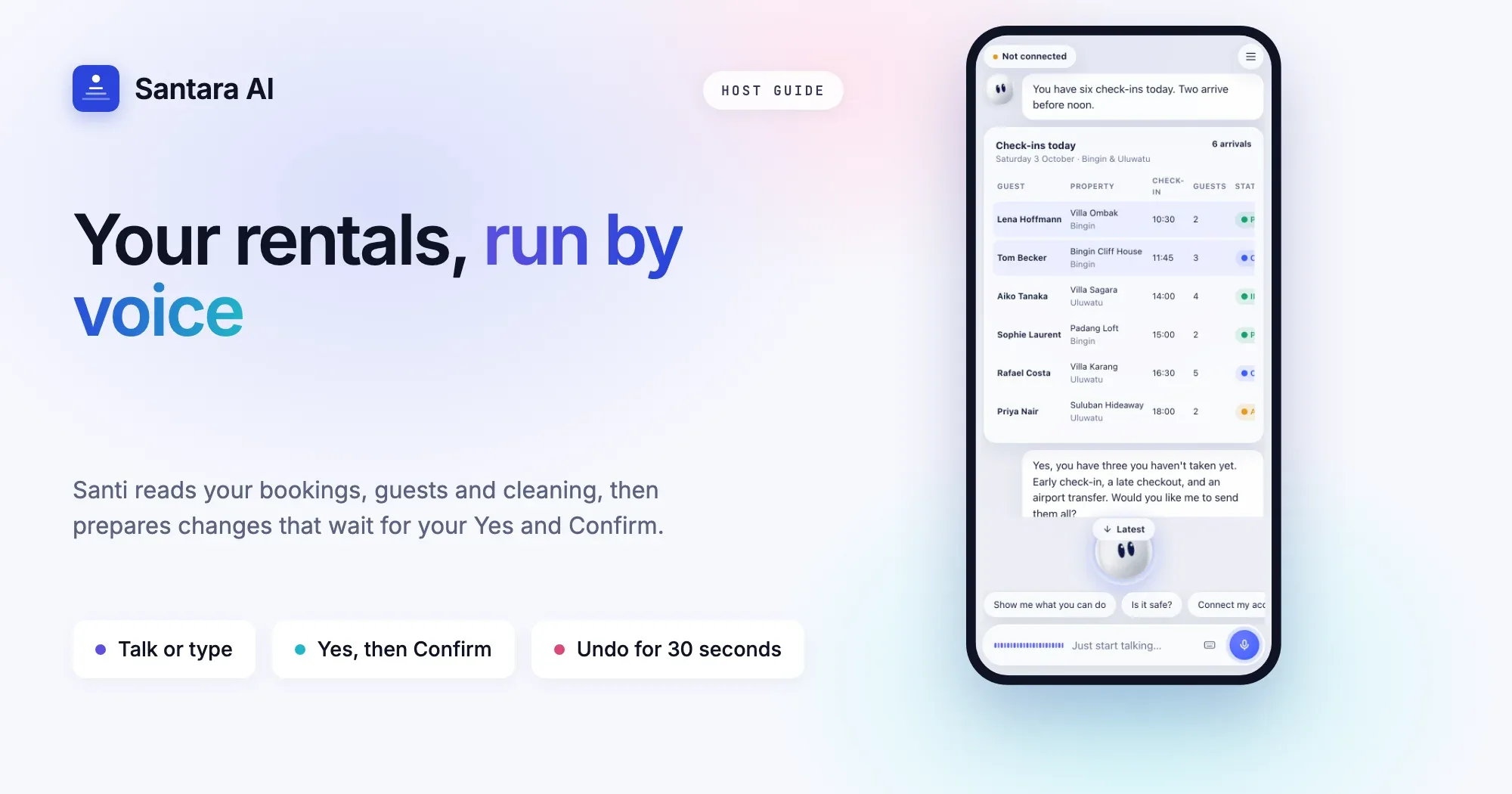
Santi is the AI agent from Santara AI, the platform that replaces your PMS and channel manager across 54 channels. You connect with "Continue with Santara AI", Santi never sees your password, and you can disconnect anytime in Santara AI → Settings. From that moment, Santi works on your real data instead of whatever you remember to paste.
It reads your whole business. Ask in chat or by voice: today's overview, your Daily Brief, bookings, availability, guests and their language, inbox threads and who has waited longest, cleaning tasks and tickets, reviews and channel health.
It drafts replies with context. Say "reply to Aiko" and Santi reads the thread, her booking and her profile, then drafts in her language. Nothing is sent until you approve.
It answers money questions with your numbers. Revenue by channel or room, occupancy, average nightly rate, comparison with last year, pacing, profit after expenses, gap nights in the next 30 days and upsell ideas. Pricing comes as advice; any change is yours to approve.
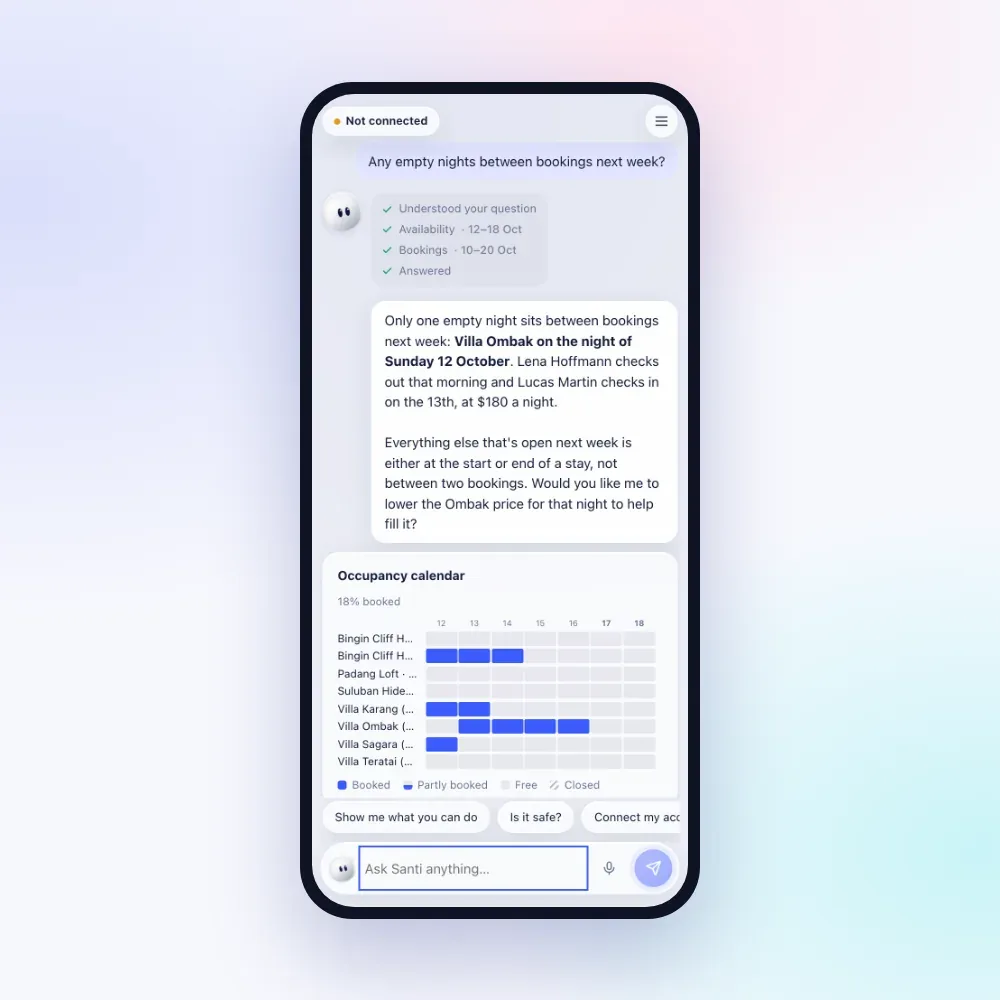
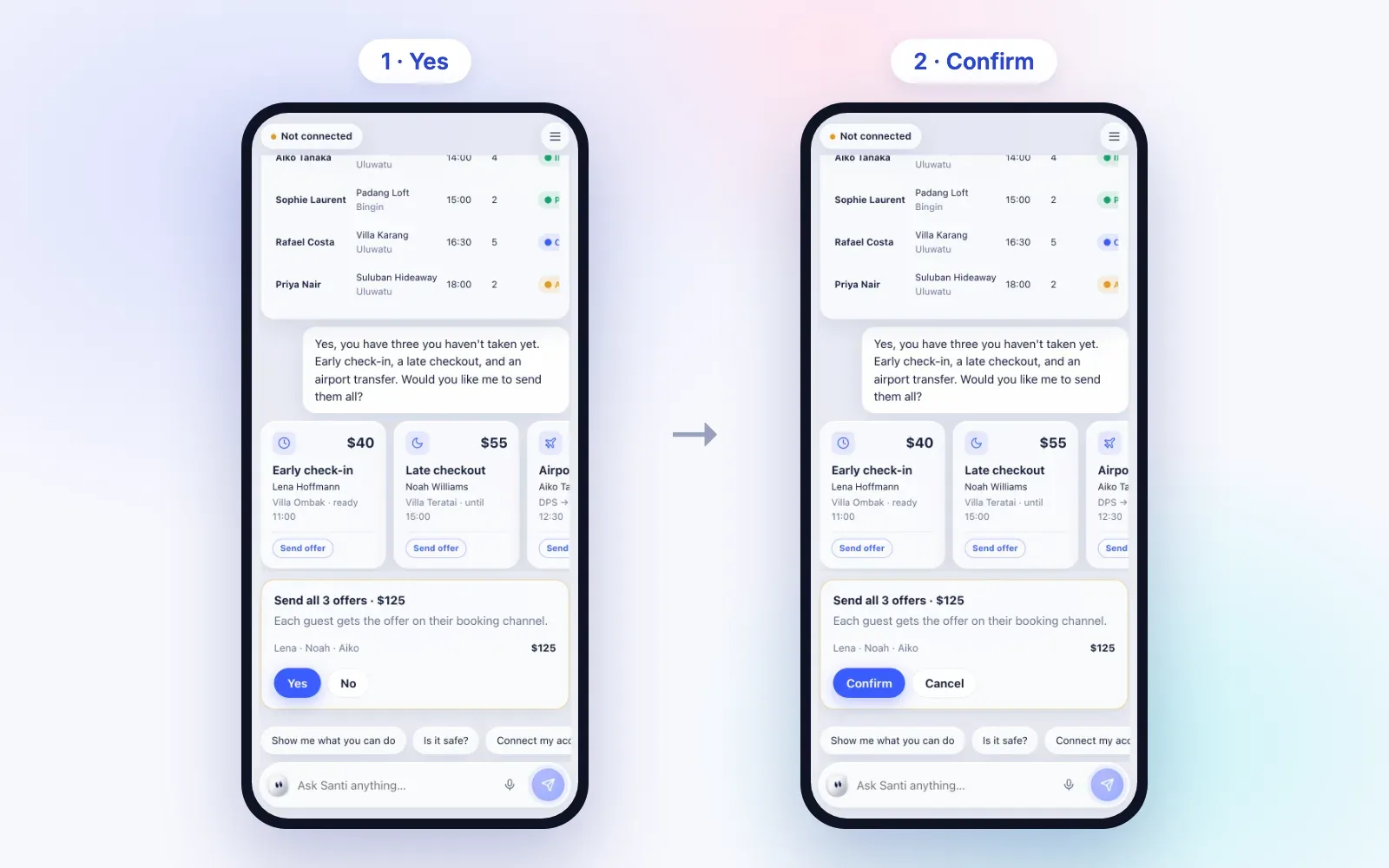
It prepares actions, and you decide. Santi can block or unblock dates on all channels, set prices for many rooms in one change, set minimum stays, create, change or cancel direct bookings, send guest replies in your Airbnb, Booking.com and Expedia inbox, reply to reviews, assign or complete cleans, handle tickets, add expenses and send an upsell offer.
Step 1
You ask
"Block Villa 2 this weekend" or "+10% for New Year on all sea-view rooms".
Step 2
Santi shows the exact change
Which rooms, which dates, the price before and after.
Step 3
You say Yes, then Confirm
Risky changes, like cancelling a direct booking, a price change over 30% or one message to many guests, need a press-and-hold. Date blocks and ticket updates can be undone for 30 seconds, and a prepared change expires after 5 minutes.
It knows its limits. Santi will not act without your approval, will not follow instructions hidden in guest messages, will not volunteer door codes or WiFi passwords, will not store secrets as memories, and will not change or cancel Airbnb or Booking.com reservations. You can see and delete what it remembers about your business. It can also notify you about new bookings, cancellations, guests waiting more than 2 hours, and a 7:00 summary.
Want to see it hour by hour? Read a day with Santi.
Use both: the honest answer
You do not have to choose. Most hosts will get the best result from both tools, each doing what it is good at.
- Use ChatGPT for writing and marketing: listing copy, photo captions, social posts, your welcome guide, brainstorming a new package.
- Use Santi for daily operations: who needs a reply, what is happening today, which dates to block, how last month went, who cleans tomorrow.
The rule of thumb: if the task needs your real calendar, bookings or guests, a connected agent saves you the copy-paste. If it is a blank page that needs good words, a chatbot is perfect.
FAQ
Can ChatGPT reply to my Airbnb guests automatically?
Not out of the box. It writes a draft from what you paste, and you copy it into Airbnb yourself. An agent connected to your workspace, like Santi, can send the reply in your inbox after you approve it.
What are the best AI prompts for Airbnb hosts?
Prompts that give context and limits: who the guest is, what you want to say, the tone and a word limit. Start with the 10 prompts above and save the ones you use every week.
Is it safe to paste guest data into ChatGPT?
Be careful. Avoid pasting personal data such as passport numbers, phone numbers, payment details or door codes, and replace them with placeholders. Check your provider's data and privacy settings, and only share what the task needs.
Do I still need ChatGPT if I use Santi?
Probably yes, for writing. Santi focuses on running your rentals with your real data; a general chatbot is still a great partner for listing copy and marketing.
Santi is invite-only for now. To ask for access, email hello@santara.ai or write to us on the contact page.
Try Santi