Trip.com channel manager: reach Asian guests without double bookings
Trip.com brings travellers from China and wider Asia. What to check before you connect it, how to prepare for these guests, and the pitfalls to avoid.
 Tai Pham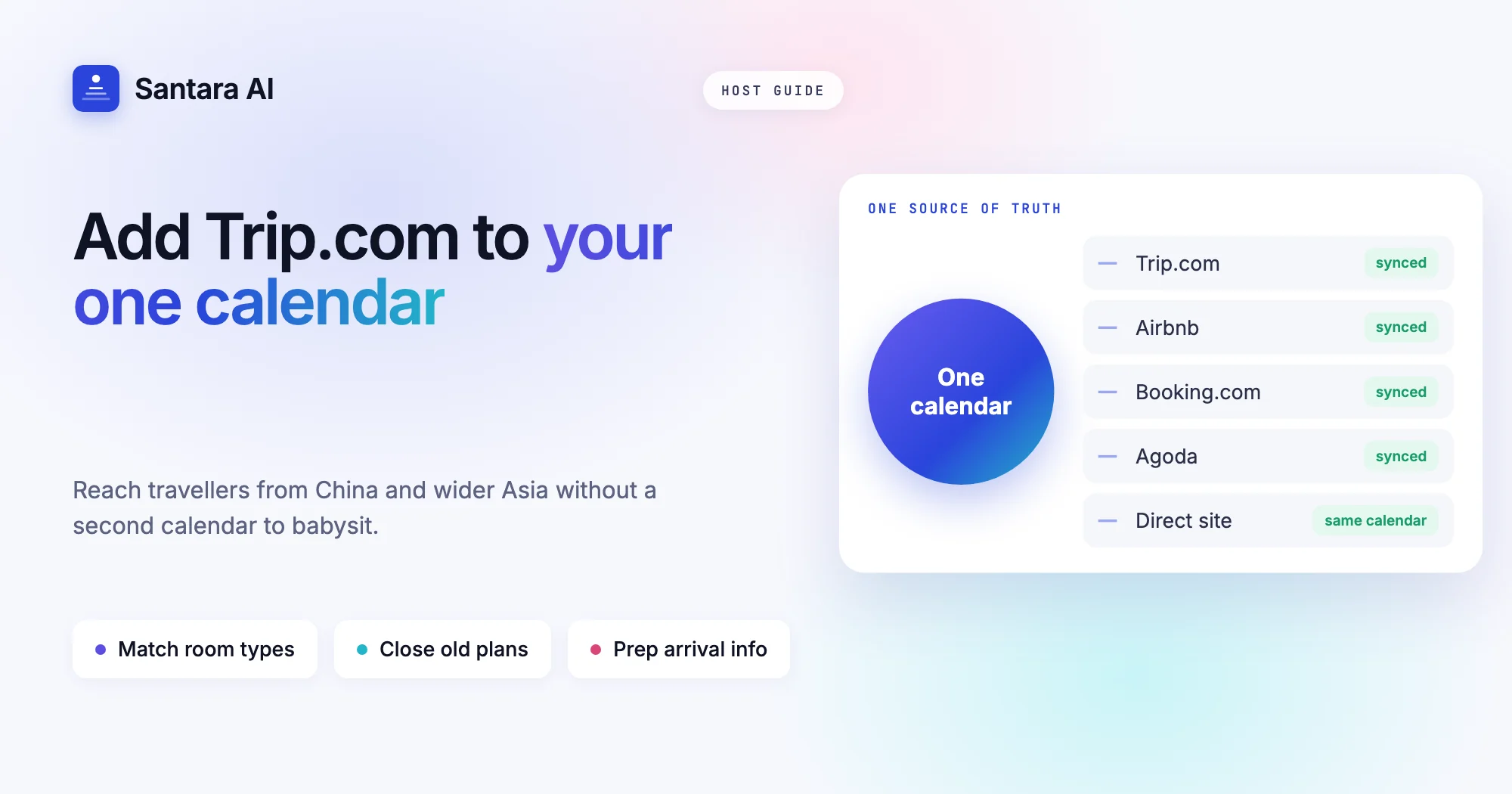
If you host in Southeast Asia, some of your next guests may never open Airbnb. They book through Trip.com, the travel app many Chinese travellers know as Ctrip, and which travellers across Asia use for flights, trains and hotels. A Trip.com channel manager lets you add that audience without adding a second calendar to babysit.
The catch is that Trip.com behaves differently from the platforms most hosts start on. It thinks in rooms and rate plans, it attracts guests with different habits and questions, and when it falls out of step with your other channels, the result is the same as anywhere else: a night sold twice.
This guide covers why Trip.com is worth a look for villas, homestays and apartments in the region, what to check before you connect it, how to prepare your listing for the guests it brings, the pitfalls specific to this channel, and how Santara AI handles the connection, including what it does not do.
Why Trip.com matters for Southeast Asian hosts
Trip.com is one of the largest travel booking platforms in Asia. In mainland China the same group is known as Ctrip, and many travellers use it as their default app for an entire trip, booking the flight, the airport transfer and the stay in one place. Outside China, Trip.com also has a following among travellers from Hong Kong, Taiwan, Singapore, Korea and other Asian markets.
For a host in Bali, Phuket or Da Nang, that means a group of guests you may not reach on Airbnb or Booking.com. Some of these travellers simply do not use Western apps by habit. Others pick Trip.com because the interface, support and payment methods are in their language.
That does not mean Trip.com will fill your calendar on its own. Results vary by location, property type and price. Think of it as one more door into the same rooms: worth opening if you can keep it in sync, risky if you cannot.
What to check before you connect Trip.com
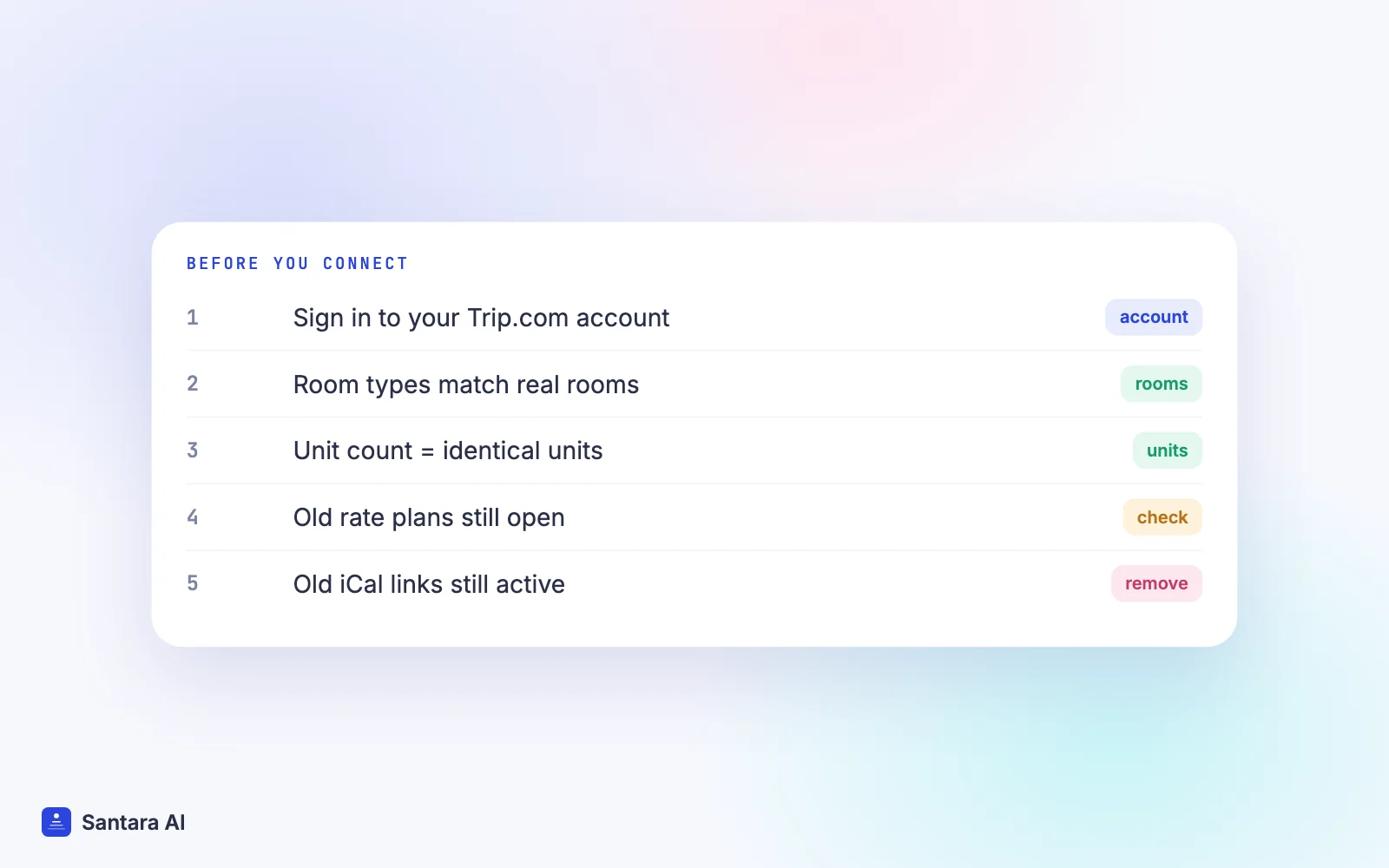
Before you list your property on any new channel, a few basics decide whether it will run smoothly or cause weekly trouble. Go through this list first.
| Check | Why it matters | What good looks like |
| Your Trip.com account | You connect the account you already have | You can sign in and see your property |
| Room setup | Trip.com sells room types, each with a number of units | Each room type matches a real, identical group of rooms |
| Unit counts | Too many units means selling rooms you do not have | The count equals your real identical units |
| Rate plans | Extra plans with old prices can still sell | Only the plans you want to sell are active |
| Cancellation policy | Guests read it closely before paying | Same spirit as your other channels |
| Old iCal or manual blocks | Leftover links fight the real sync | Removed once the connection is live |
| Who holds the login | Setup may need the property owner | The owner is available for the setup call |
If your rooms on Trip.com do not line up with the rooms on Airbnb and Booking.com, fix that first. A channel manager can only keep calendars aligned when each channel describes the same real room. If you want the background on how one calendar feeds several channels, read what a channel manager is and how calendar sync works.
Preparing your listing for guests from China and wider Asia
Connecting a channel only moves availability and prices. What wins the booking is the listing itself, and what keeps the review good is the stay. A few things help with Trip.com guests in particular.
Write key information in Chinese as well as English. Check-in time, how to find the gate, house rules, Wi-Fi and the nearest landmark are the questions every guest has. If you have a reliable translation of those basics, guests arrive with fewer surprises. Keep it short and plain. A badly machine-translated paragraph can be worse than clear English, so have a native speaker check it if you can.
Be careful with assumptions about messaging apps. Many travellers from mainland China rely on WeChat for everyday messaging and payments, and some will ask whether they can reach you there. Others are used to WhatsApp or the platform's own messages. Do not promise a channel you will not answer. Decide which contact method you support and say so clearly in the listing.
Think about payment and receipts. Guests may ask how they paid, whether tax is included, or whether you can provide a receipt or invoice for a company trip. Know who collects payment for each booking and what document you can honestly provide. If you are unsure about tax rules in your country, ask a local accountant instead of guessing in a message.
Describe arrival in detail. Many Trip.com guests arrive straight from a flight booked in the same app, sometimes late at night. A clear arrival note, photos of the entrance and a self check-in option where possible remove most of the stress.
Mind the small comforts. Slippers, a kettle, hot water and a clear note about drinking water are small details that many guests from the region notice. You do not need to redesign your villa, just check that the basics are there and described.
Trip.com channel manager pitfalls to avoid
Even with a good setup, a few mistakes come up again and again when hosts add Trip.com to their channel mix.
Step 1
Leaving extra rate plans open
Trip.com accounts often have more than one rate plan, sometimes created long ago. If an old plan with an old price stays active and is not connected, it can still sell. Close what you do not use.
Step 2
Mismatched room types
If Trip.com has "Pool Villa, 3 units" and your other channels have three separate listings, those must add up to the same three villas. Mismatches are the most common cause of double bookings on a new channel.
Step 3
Blocking dates in the Trip.com app
A block made directly on Trip.com stays on Trip.com. Your other channels never hear about it, and the next update from your main calendar may reopen it. Make blocks in your own calendar.
Step 4
Promotions that undercut your rules
Platform promotions can change what a guest pays or which nights are attractive. Review any promotion you join so it does not clash with your minimum stays or your pricing elsewhere.
Step 5
Missing guest messages
Trip.com guests may write through the platform before arrival. If you do not check the Trip.com messages regularly, a simple question about the gate code can turn into a poor first impression.
How Santara AI connects Trip.com
Santara AI replaces both the PMS and the channel manager, so it also works as your Trip.com channel manager. Each room has one calendar, and every connected channel is fed from it. Trip.com is one of the 54 sales channels, next to Airbnb, Booking.com, Agoda, Expedia and Google Vacation Rentals. You can see the full list on the integrations page.
To connect, open the channel catalogue inside Santara AI, search for Trip.com and follow the guided setup. You bring your existing Trip.com account; Santara AI never creates OTA listings for you. Future reservations are imported, and you map each Trip.com room to the matching room in Santara AI, the same room your Airbnb or Booking.com listing feeds.
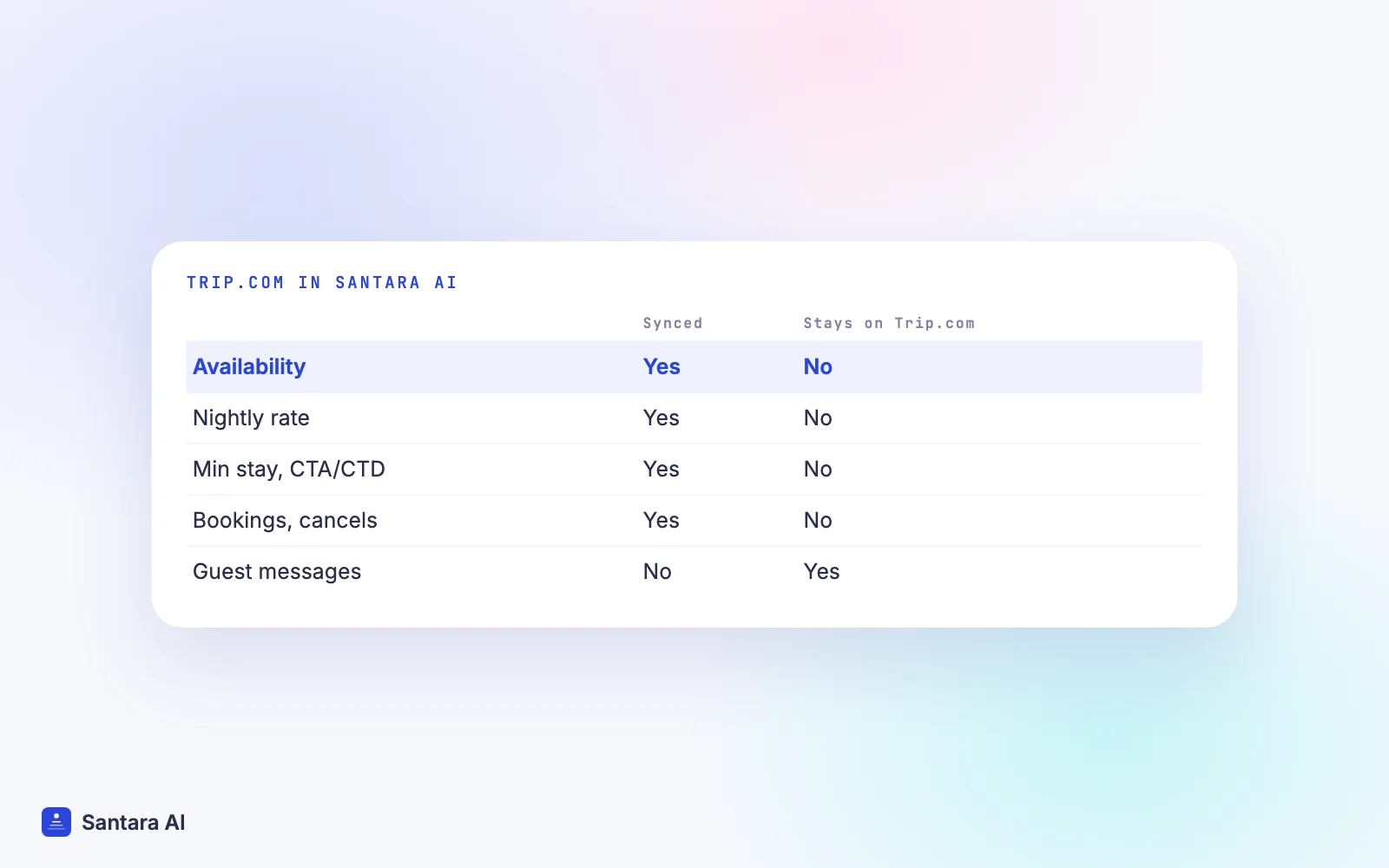
Going live is your step. You confirm how many identical units each room sells before anything is pushed to a live listing, and availability is capped at that number. After that, changes in Santara AI push to Trip.com: availability, nightly rate, minimum stay, closed to arrival, closed to departure and stop sell. A zero or placeholder price is never pushed.
Bookings, modifications and cancellations from Trip.com land on the same calendar as every other channel, and a Trip.com booking lowers availability on all the others. New bookings create cleaning tasks, and the Daily Brief at 6am lists the day's arrivals, departures and cleans. Updates go through a queue with retries, and if Trip.com rejects one it is recorded so you can see it, not silently dropped.
Connecting makes double bookings rare, not impossible. Two guests can still book the same night on two channels within the short window before an update reaches the other side, and wrong unit counts or leftover iCal links will cause trouble in any system.
What we don't do with Trip.com
Trip.com guest messages do not come into the Santara AI inbox. Today only Airbnb, Booking.com and Expedia messages arrive there, with AI drafts for you to approve. For Trip.com guests, keep answering in Trip.com's own tools. Santara AI also sends the same price and minimum stay to every channel, so it does not set Trip.com-only prices or stay rules, and it does not push photos or descriptions to your Trip.com listing. Disconnecting stops sync but never deletes your listing or its reservations.
FAQ
What is a Trip.com channel manager?
It is software that keeps your Trip.com availability, prices and stay rules in step with your other channels from one calendar, so a night sold anywhere closes on Trip.com too.
Are Trip.com and Ctrip the same platform?
They belong to the same travel group. Ctrip is the name widely used in mainland China, while Trip.com is the international brand. You connect the Trip.com property account you already have.
Do I need a Chinese-language listing to get bookings from China?
It is not required, but clear Chinese basics such as check-in, house rules and directions help guests decide and arrive without confusion. Have a native speaker check them if you can.
Can I answer Trip.com messages in Santara AI?
Not today. Trip.com bookings and calendar updates sync, but guest messages stay in Trip.com's own tools. Airbnb, Booking.com and Expedia messages do arrive in the Santara AI inbox.
Keep reading
- Airbnb and Booking.com without double bookings
- Sync prices and minimum stays across channels
- The guest message playbook
Your first 3 months are free.
Join For Free