Booking.com channel manager: how the connection really works
How Booking.com connectivity works from the host side: the extranet step, Hotel ID, room mapping, what to check before choosing a tool, and the pitfalls after go-live.
 Tai Pham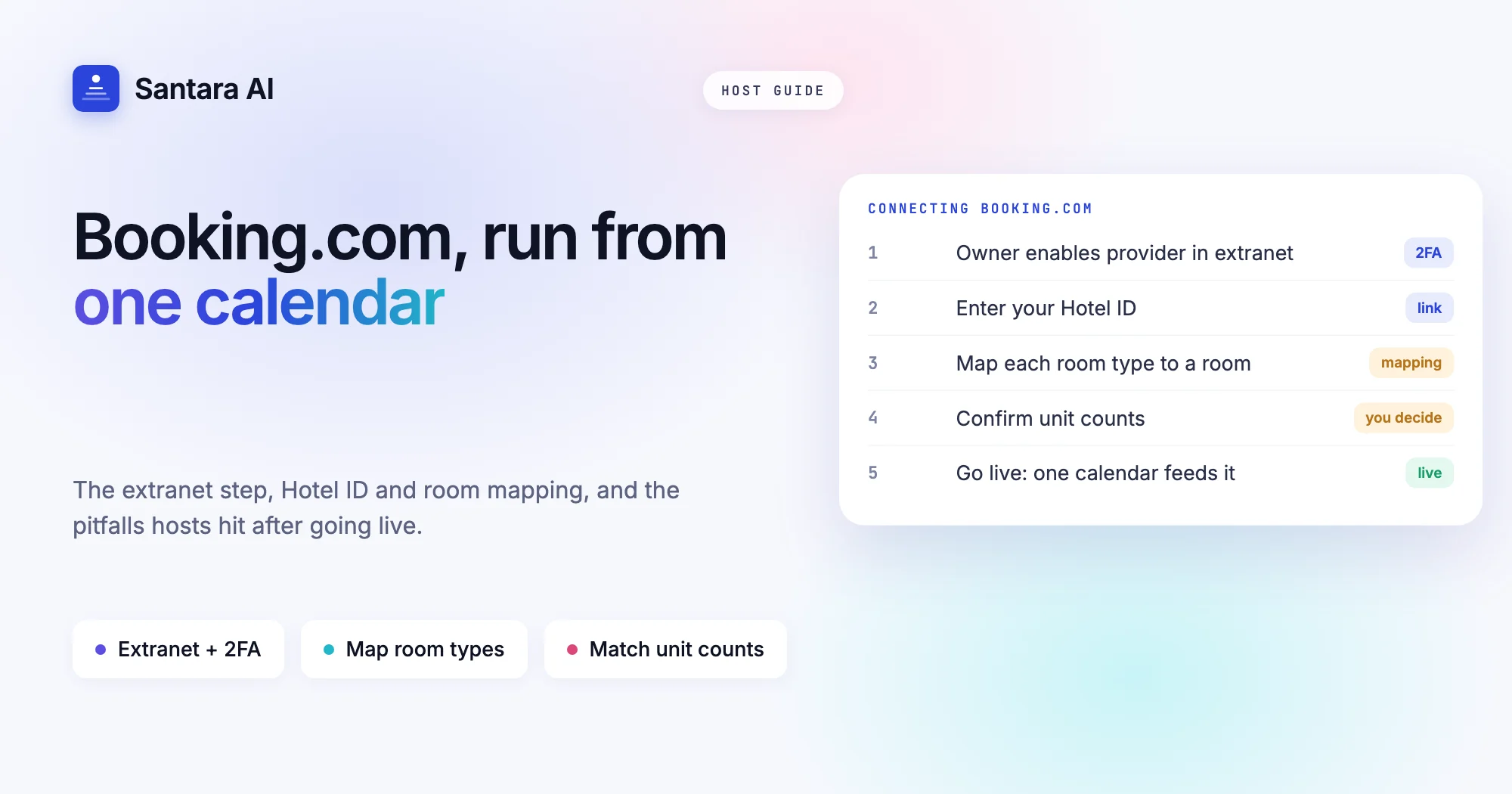
If Booking.com is one of your main sales channels, sooner or later you will search for a Booking.com channel manager. Maybe you are tired of copying closed dates from Airbnb into the extranet by hand. Maybe a guest arrived for a room that was already taken. Either way, you want one place where availability and prices are set, and Booking.com updated from it.
Booking.com is not hard to connect, but it works differently from Airbnb, and most problems after connecting come from those differences. It thinks in room types and units, not single listings. It sells through rate plans. It keeps its own extranet where anyone with a login can still close rooms by hand.
This guide explains how Booking.com connectivity works from the host side, what to check before you choose a tool, the Booking.com pitfalls that cause trouble after go-live, and how Santara AI handles the connection.
How Booking.com connectivity works
A channel manager does not "log in" to Booking.com for you. Booking.com lets approved software update a property only after the property itself gives permission, and that permission is granted inside the extranet. In practice, connecting always follows the same shape.
The extranet step. Someone with access to the property's Booking.com extranet opens the connectivity settings and selects the software that will manage availability and rates. The extranet uses two-factor verification, so this step needs the property owner or whoever holds that login and phone. If you are a co-host or manager running villas for owners, plan it with them in advance. It takes a few minutes, but nobody else can do it.
The Hotel ID. Every Booking.com property has a numeric Hotel ID, shown at the top of the extranet. You give this number to the channel manager so it knows which property it has been allowed to update.
Room and rate mapping. Once the connection is accepted, the channel manager can read the property's room types. You then tell it which Booking.com room matches which room in your own calendar. This is the step that decides whether the sync is correct, so take it slowly.
Going live. After mapping, the tool starts sending availability and prices. A good Booking.com channel manager waits for you to confirm before it pushes anything to a live property.
If you want the full background on how one calendar feeds many channels, start with what a channel manager is and how calendar sync works.
Booking.com rooms are not Airbnb listings
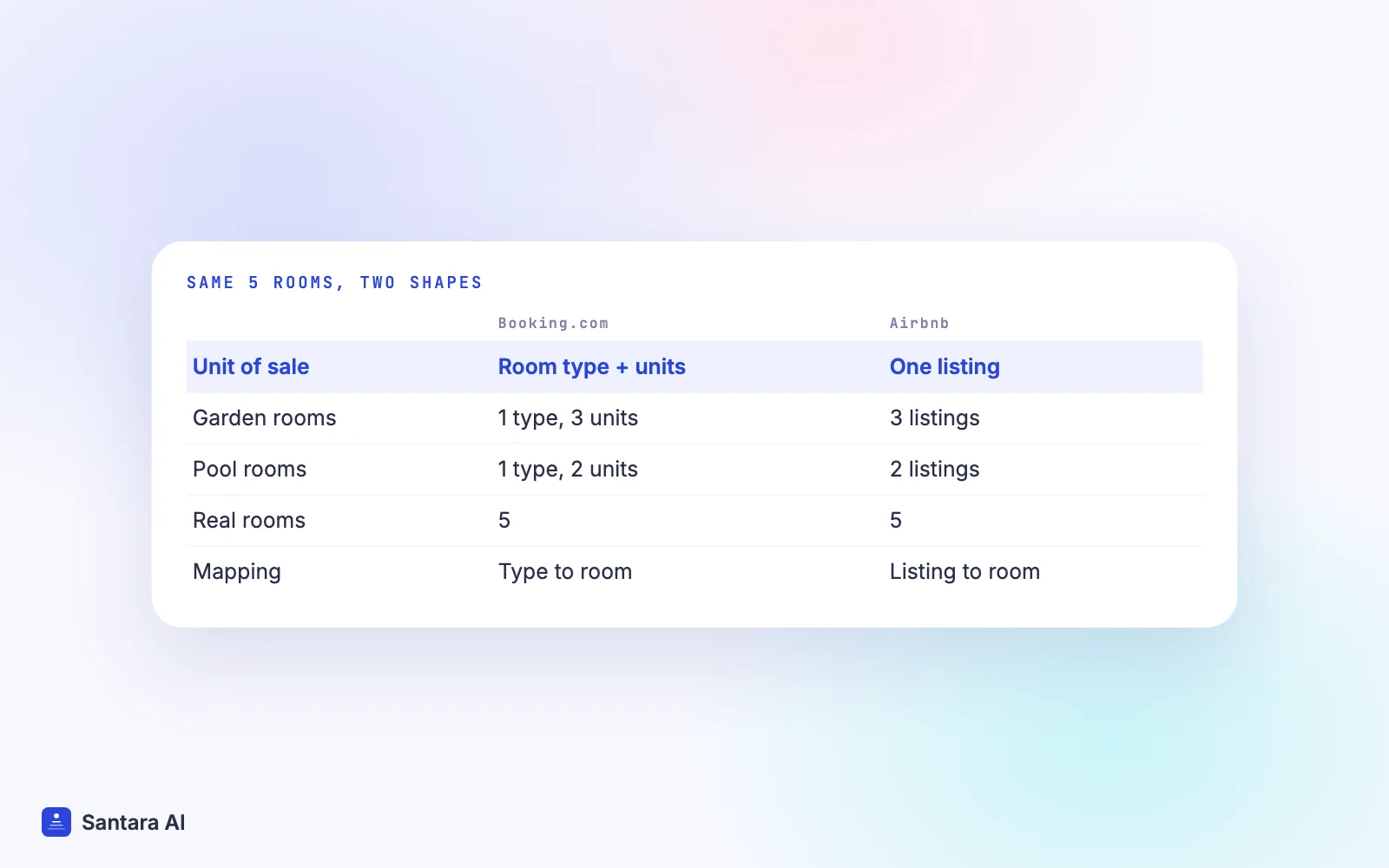
This is the difference that trips up most hosts. On Airbnb, one listing is usually one home with one calendar. On Booking.com, a property has room types, and each room type has a number of rooms to sell.
Say you run five bungalows in Ubud: three identical garden bungalows and two pool bungalows. On Airbnb you may have five listings. On Booking.com you probably have two room types: "Garden Bungalow" with 3 units and "Pool Bungalow" with 2 units. Your channel manager has to understand both shapes and still end up with five real bungalows, never six.
That is why the unit count matters so much. If the room type says 3 units but one bungalow is closed for repairs, Booking.com will keep selling three unless your calendar says otherwise. If you list each bungalow separately on Booking.com instead, each room type has 1 unit, and mapping is one-to-one.
What to check before choosing a Booking.com channel manager
Most tools say they connect to Booking.com. The useful questions are about what the connection actually does. Use this table when you compare options, including Santara AI.
| Question to ask | Why it matters for Booking.com |
| Is it a real connection or iCal? | iCal only carries blocked dates, with no prices or minimum stays, and refreshes on the OTA's own schedule |
| Can you map room types with several units? | Booking.com sells "3 units of one room type", so a one-room-one-calendar tool may oversell |
| What exactly syncs out? | Look for availability, rate, min stay, max stay, closed to arrival, closed to departure and stop sell |
| Do modifications and cancellations come back in? | Booking.com guests change and cancel often; each change must reopen or close nights on other channels |
| Does it push before you confirm? | A tool that pushes on connect can overwrite good prices or open closed dates |
| Are guest messages included? | Otherwise you still open the extranet every day to answer guests |
| What happens when you disconnect? | You want sync to stop, not your property or reservations to disappear |
Two more things are worth asking about your own setup. How does the tool handle occupancy pricing, if your Booking.com rates differ by number of guests? And which of your rate plans will it update? Plans that are not connected will not get new prices.
Common Booking.com pitfalls after you connect
A connection makes double bookings on Booking.com rare. These are the problems that remain, and nearly all of them come from setup, not from the sync itself.
Room types that don't match physical units. The most common one. A room type with 4 units when you have 3 real rooms will sell the fourth. Count your rooms, then set the unit count to match.
Too many rate plans. Many properties carry a standard rate, a non-refundable rate and a few promotional plans. Each plan you keep must be connected or derived from one that is, or it will show old prices. Before connecting, archive the plans you no longer use.
Occupancy settings. Booking.com can price by number of guests. If your extranet expects a different price for two guests than for four, check how your channel manager sends prices before you go live, and look at a test date after.
Closing rooms in the extranet by hand. Once a channel manager controls availability, a room you close directly in the extranet is not known to your calendar. The next update can reopen it, or your calendar shows nights as free that Booking.com treats as closed. Close dates in your own calendar instead, and ask everyone with extranet access to do the same.
Two tools connected at once. If an old channel manager is still selected in the extranet, two systems push different numbers. Remove the old one before you go live with the new one.
Free-cancellation bookings. They cancel more often. That is fine as long as the cancellation comes back into your calendar and reopens the nights everywhere else, so check that your tool imports cancellations, not only new bookings.
If you also sell on Airbnb, our guide to running Airbnb and Booking.com without double bookings covers how the two platforms clash day to day.
How Santara AI connects to Booking.com
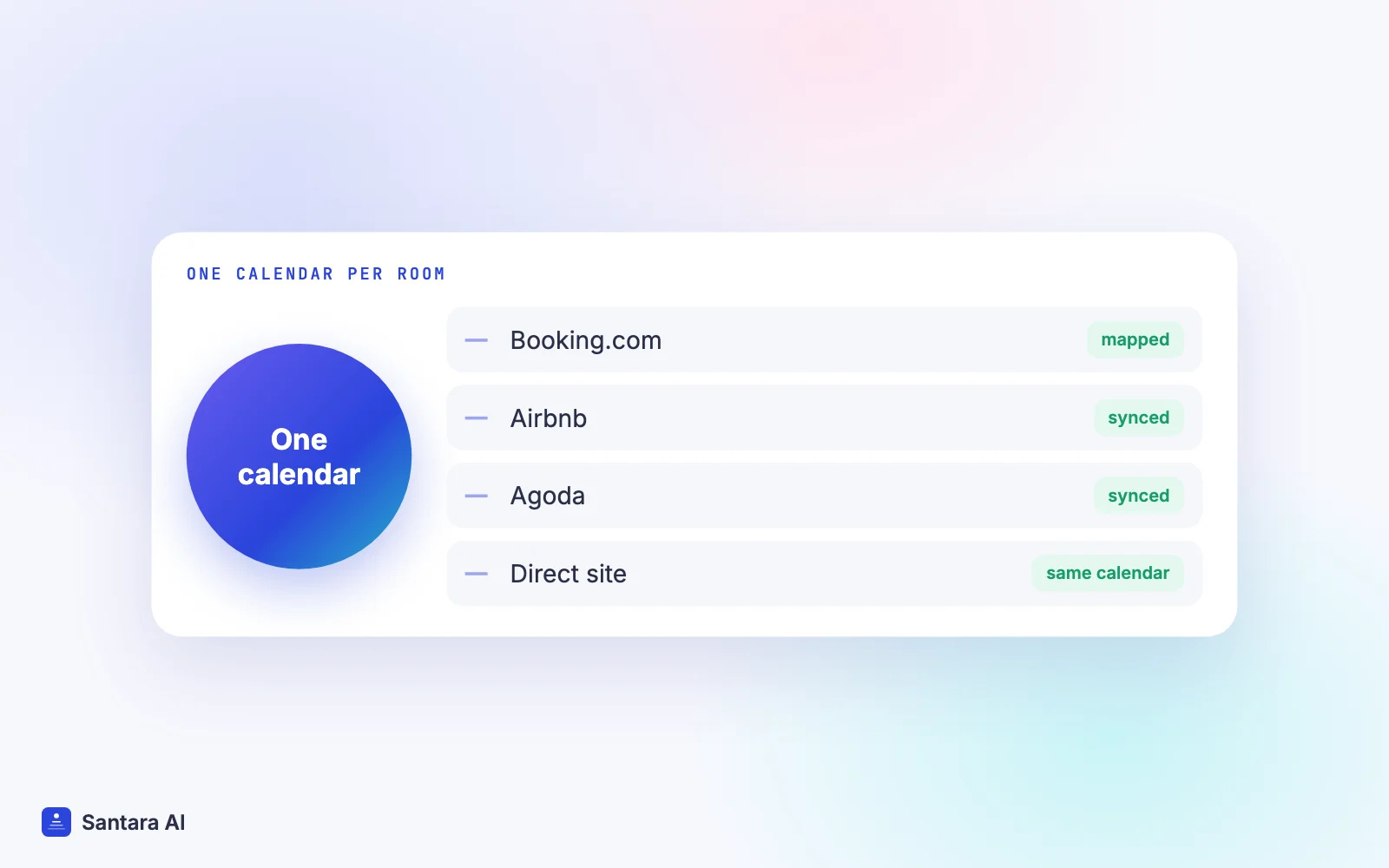
Santara AI replaces both the PMS and the channel manager. Each room has one calendar, and Booking.com is one of the channels fed from it, alongside Airbnb, Agoda, Expedia, Trip.com, Google Vacation Rentals and the rest of the 54 channels on the integrations page. Here is how the Booking.com connection works.
Step 1
Enable the connectivity provider in your extranet
In the Booking.com extranet, enable the connectivity provider shown in the Santara AI connect dialog. This needs the extranet login with two-factor verification, so the property owner usually does it.
Step 2
Enter your Hotel ID
Type the property's Hotel ID into Santara AI. That links the property; there is no separate Booking.com password to share with us.
Step 3
Map each Booking.com room
Your Booking.com rooms load. Map each one to a room in Santara AI. If the same real room also has an Airbnb listing, map it to that same room, so one calendar feeds both.
Step 4
Check imported reservations
Future Booking.com reservations are imported onto the calendar. Compare them with the extranet before going further.
Step 5
Confirm unit counts and go live
Nothing is pushed to Booking.com until you confirm each room's unit count and go live. Availability is capped at that count, so a 1-unit room is never offered as 2.
After go-live, changes in Santara AI push to Booking.com: availability, nightly rate, minimum stay, maximum stay, closed to arrival, closed to departure and stop sell. You set weekday defaults and per-date overrides on one rates calendar. New bookings, modifications and cancellations from Booking.com land on the same calendar, and a booking there lowers availability on every other connected channel.
Updates go through a queue with retries. If Booking.com rejects an update, it is recorded so you can see it, not silently dropped. A zero or placeholder price is never pushed.
Booking.com guest messages arrive in the same Santara AI inbox as your other channels. AI drafts a reply, and nothing is sent until you press Send. If you decide to stop, disconnecting ends the sync. It never deletes your Booking.com property or its reservations.
What we don't do
Santara AI sends the same price and minimum stay to every channel; it does not set Booking.com-only prices, markups or stay rules. It does not create or edit your Booking.com property, photos or descriptions: you connect the property you already have. And no sync can promise that two guests will never book the same night at the same moment on two channels. When that rare case happens, both bookings sit on one calendar where you can see them and move a guest before arrival.
FAQ
Do I need a channel manager for Booking.com?
If Booking.com is your only channel, the extranet is enough. Once you also sell on Airbnb, a direct site or another OTA, a Booking.com channel manager keeps one calendar in charge so a night sold elsewhere closes on Booking.com.
Why does connecting Booking.com need the property owner's login?
Booking.com only allows software to update a property after permission is given inside the extranet, and the extranet uses two-factor verification. The person who holds that login has to enable the connection.
Where do I find my Booking.com Hotel ID?
It is the property number shown at the top of the Booking.com extranet, next to the property name. You enter it in your channel manager after enabling the connection.
Can I still close rooms in the Booking.com extranet after connecting?
You can, but you shouldn't. Your calendar won't know about it, and the next update may reopen the room. Close dates in your channel manager so every channel closes together.
Keep reading
- Switch channel manager without losing bookings
- Sync prices and minimum stay across channels
- The guest message playbook
Your first 3 months are free.
Join For Free