Channel manager for vacation rentals: how calendar sync really works
What a channel manager syncs, what it leaves alone, and the real reasons double bookings still happen with calendar sync turned on.
 Tai Pham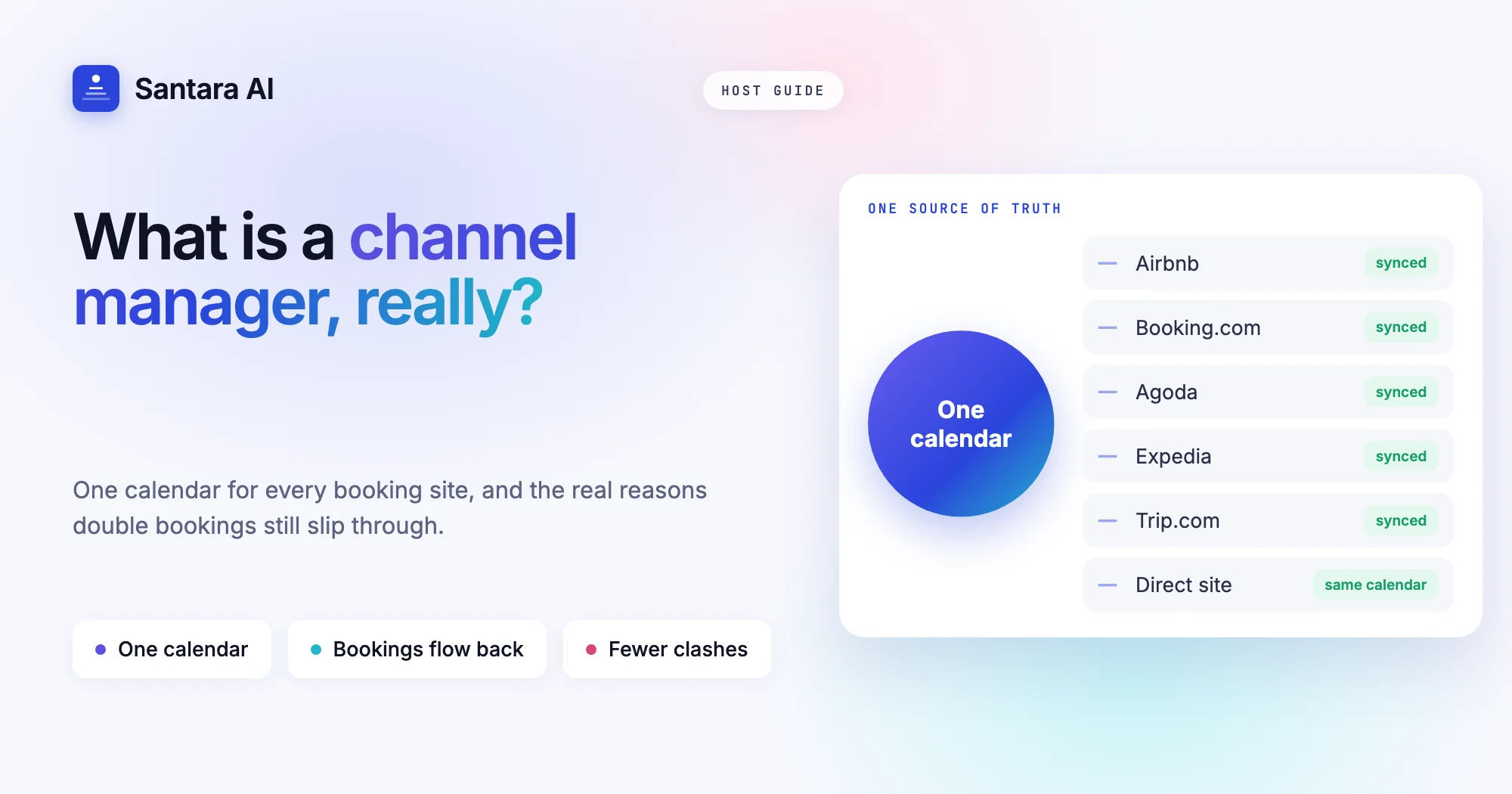
You list your villa on Airbnb, then on Booking.com, then maybe Agoda. Each site has its own calendar, and every booking means logging in to the others to close the same nights. It works until the evening you forget, and two families arrive for the same dates.
A channel manager for vacation rentals is the tool that takes that job off your hands. You keep one calendar, and it keeps every booking site in step with it. That sounds simple, and mostly it is. But hosts who switch on a channel manager are often surprised when a double booking still slips through, because the reasons are rarely the ones they expect.
This guide explains what a channel manager actually does, what it does not touch, why double bookings can still happen with sync turned on, and how to tell whether you need one yet.
What is a channel manager?
A channel is any place a guest can book you: Airbnb, Booking.com, Agoda, Expedia, Trip.com, Google Vacation Rentals, or your own direct booking site. A channel manager sits in the middle. You make changes in one place, and it sends those changes to every connected channel. When a guest books on any of them, the booking comes back to the same calendar, and the nights close everywhere else.
So the flow runs both ways:
- Out to the channels: whether a night is open, what it costs, and the rules for booking it.
- Back from the channels: new bookings, changes to existing bookings, and cancellations.
The important idea is the single source of truth. There is one calendar per room that you trust, and every booking site is a copy of it. You stop editing five calendars and start editing one.
What syncs, and what doesn't
This is where most confusion starts. A channel manager handles the calendar and the price list. It does not manage your whole listing. Your photos, descriptions and reviews still live on each booking site.
| Item | Synced by a channel manager? | Notes |
| Availability (open or closed nights) | Yes | The core job |
| Nightly rate | Yes | One price per night, sent to every channel |
| Minimum and maximum stay | Yes | Including "minimum stay on arrival" rules |
| Closed to arrival / closed to departure | Yes | Stops check-ins or check-outs on chosen days |
| Stop sell | Yes | Closes a date on the channels without a booking |
| New bookings, changes, cancellations | Yes, inbound | They land on your one calendar |
| Listing photos and descriptions | No | Edited on each booking site |
| Reviews | No | Each site keeps its own |
| House rules, amenities, cancellation policy | No | Set per site |
| Guest messages | No, a separate feature | Some tools add a shared inbox |
Two terms in that table deserve a plain explanation. Closed to arrival (CTA) means a guest cannot start a stay on that date, though they can stay through it. Closed to departure (CTD) means nobody can check out that day. Hosts use them to avoid awkward one-night gaps, or to keep a busy Saturday free of turnovers.
How calendar sync works, step by step
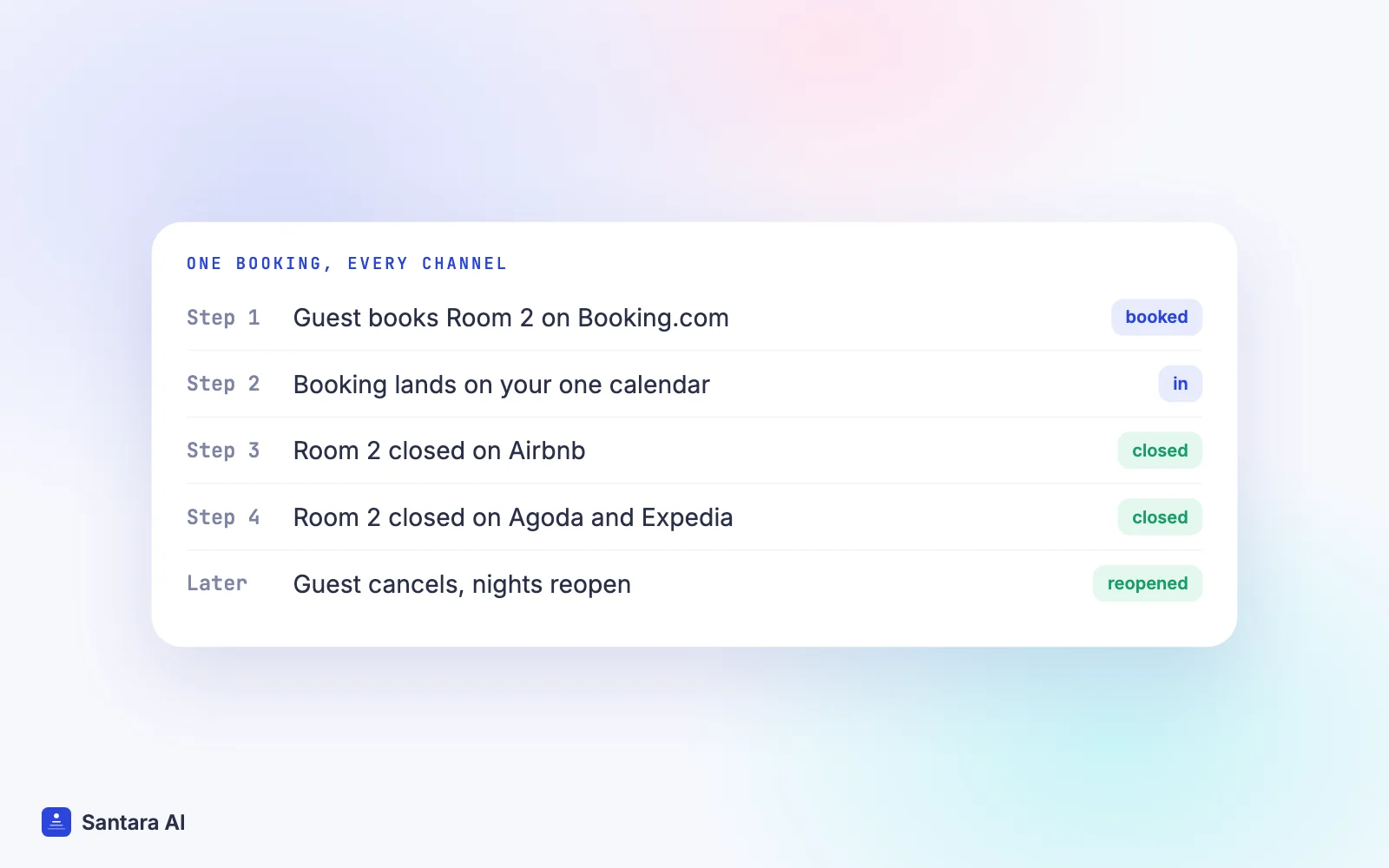
When it works well, you never think about it. Here is what happens behind the scenes when a guest books.
Step 1
A guest books on one channel
Say you run four rooms in a Da Nang guesthouse and a guest books Room 2 on Booking.com for three nights.
Step 2
The booking comes back to your calendar
The channel sends the reservation to your channel manager. It appears on Room 2's calendar with the guest name, dates and amount.
Step 3
Availability drops everywhere else
Room 2 now has zero units left on those nights. The channel manager sends that to Airbnb, Agoda and every other connected channel.
Step 4
Changes keep flowing
If the guest later shortens the stay or cancels, that change also comes back, and the freed nights reopen on the other channels.
Notice that each step is a message from one system to another. Messages take a moment to travel, and occasionally a channel rejects one. A good channel manager queues updates, retries them, and records any failure so you can see it. That queue is also why no honest tool promises sync with no delay at all. The gap is short, but it is never literally zero.
Why double bookings still happen with a channel manager
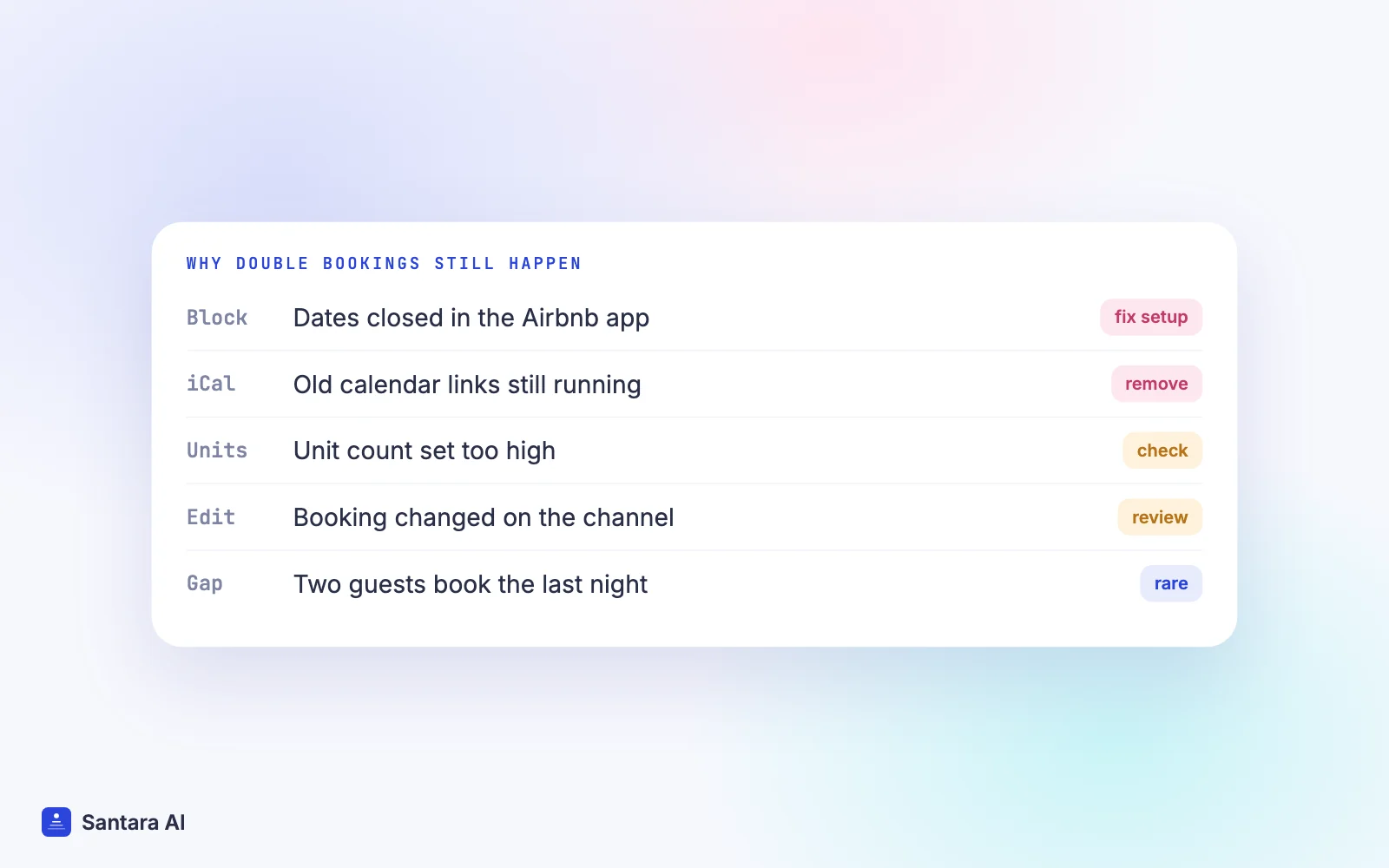
A channel manager for vacation rentals makes double bookings rare. It cannot make them impossible, and most of the remaining cases come from how the setup is used, not from the software breaking. These are the causes worth checking first.
Blocks made on the booking site instead of your calendar. You close a weekend directly in the Airbnb app for a family visit. Your channel manager never hears about it, so the same weekend stays open on Booking.com. The fix: block dates in your one calendar, never on the channel side.
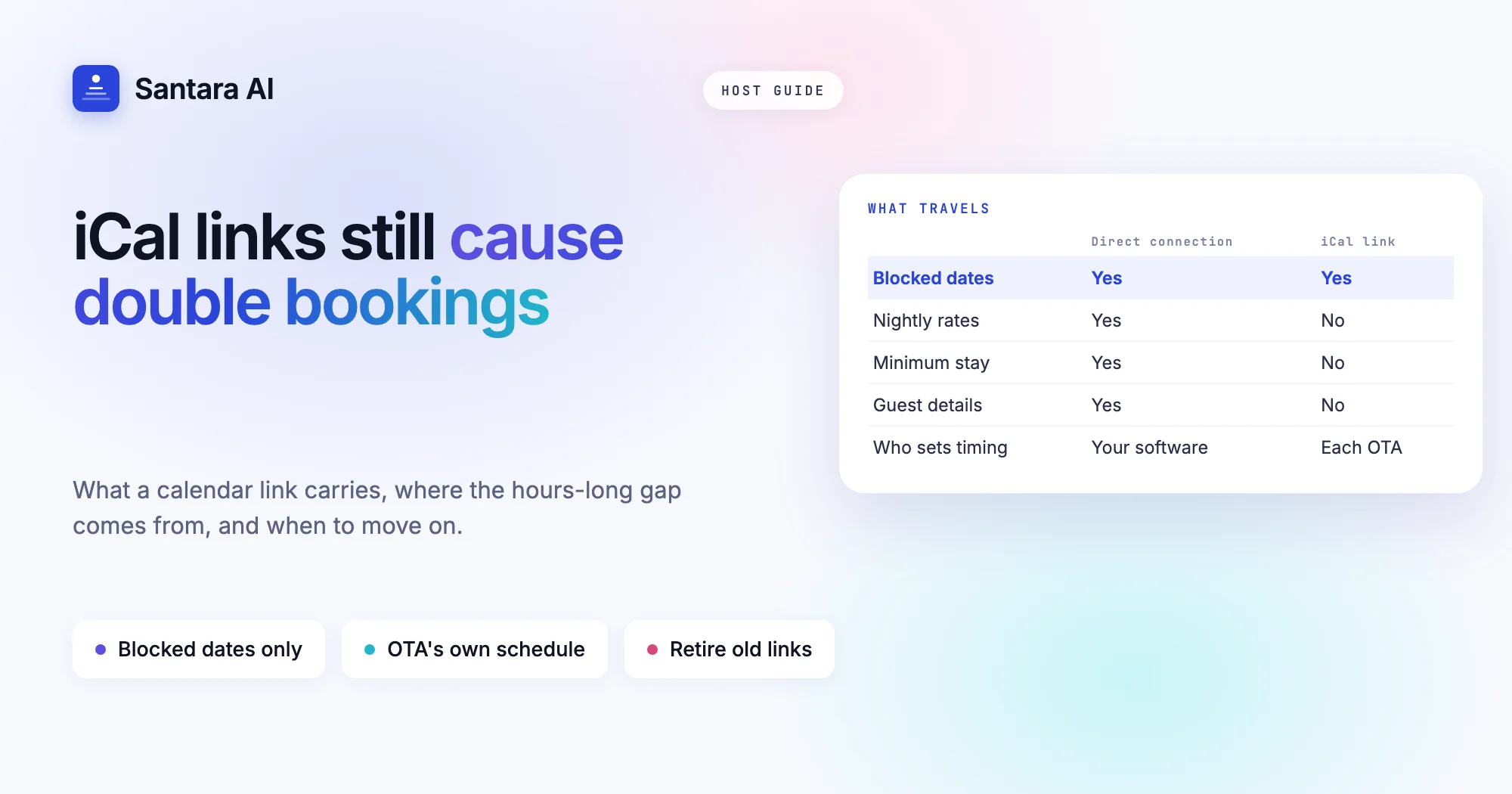
Old iCal links still running. Before the channel manager, you probably linked Airbnb and Booking.com with iCal calendar links. If those links are still active, you now have two systems writing to the same calendar. iCal only carries blocked dates, refreshes on the booking site's own schedule (often every few hours), and can quietly reopen or close nights the channel manager just set. Remove them once the connection is live.
Two sources of truth. A second tool, a spreadsheet, or a staff member's own logins also changing availability. Only one system should be allowed to change prices and availability. Everything else should only read.
Wrong unit count. If you sell three identical bungalows under one listing, the room's unit count must be 3. Set it to 3 when you really have 2, and a third guest can book a bungalow that does not exist. Set it to 1 when you have 3, and you lose sales.
A booking changed on the channel. A guest asks Airbnb support to move their dates, or a booking site adjusts a reservation on its side. The modification comes through as a change, but if the room was edited by hand in the meantime, the two can clash. Check modified bookings when they arrive.
The short gap while an update travels. If two guests on two channels both press "book" on the last open night at nearly the same moment, both channels may accept before either update arrives. It is uncommon, and it is the one cause no setup can fully remove.
Do you need a channel manager for vacation rentals?
Not every host does. A simple rule of thumb:
- One listing on one channel: you don't need one. The booking site's own calendar is enough.
- One or two listings on two channels: you can manage with care, but this is where the first double booking usually happens.
- Three or more listings, or three or more channels: a channel manager pays for itself in avoided mistakes and saved time.
- A direct booking site as well: you need something that treats your own site as one more channel, closing nights there too.
The other question is what you want around the calendar. If you also need cleaning schedules, guest messages and reports, read our comparison of a PMS vs a channel manager before buying two separate tools. Our guide on how to choose villa management software has a checklist for that decision.
How Santara AI handles channel sync
Santara AI replaces both the PMS and the channel manager, so there is only one calendar per room and every channel is fed from it. You can connect up to 54 sales channels, including Airbnb, Booking.com, Agoda, Expedia, Trip.com and Google Vacation Rentals.
- You bring your existing accounts. Santara AI never creates listings. For Airbnb you sign in and pick which listings to bring in. For Booking.com you enable the connectivity provider shown in the Santara AI connect dialog in your Booking.com extranet, enter your Hotel ID, and map each room. Other channels connect from the in-app catalogue with guided setup. You can connect more than one account per channel.
- Import first, then go live. Future reservations are imported. For Airbnb, your real rates are read without changing anything, and anything that can't be read safely is reported instead of guessed. Going live is your step: you confirm each room's unit count before anything is pushed.
- What it sends: availability, nightly rate, minimum stay (on arrival or through), maximum stay, closed to arrival, closed to departure and stop sell, with weekday defaults and per-date overrides.
- What comes back: new bookings, changes and cancellations from every connected channel land on the same calendar, and a booking on one channel lowers availability on all the others.
- Safety guards: availability is capped at the unit count, a zero or placeholder price is never pushed, and updates run through a queue with retries. If a channel rejects an update, it is recorded, not dropped.
- Your own site counts too. The direct booking site sells from the same calendar, so a direct booking closes the dates on every channel.
Disconnecting a channel stops sync. It never deletes your listing or its reservations.
What Santara AI does not do
Prices are the same on every channel; per-channel markups and channel-specific minimum stays are not supported. Listing photos and descriptions are not pushed to booking sites, so you keep editing those on each site. iCal links are not a feature, so turn your old ones off once a channel is connected.
FAQ
What is a channel manager in simple terms?
It is software that keeps your availability, prices and booking rules the same on every site you list on, and brings bookings from all of them into one calendar.
Does a channel manager sync Airbnb and Booking.com calendars?
Yes. A booking on Booking.com closes the same nights on Airbnb, and the other way round, as long as both are connected to the channel manager and no old iCal links are left running.
Why did I get a double booking even with calendar sync?
Usually because dates were blocked on the booking site instead of your main calendar, an old iCal link was still active, the unit count was wrong, or two guests booked the last night at nearly the same moment.
Is iCal the same as a channel manager?
No. iCal links only share blocked dates, on the booking site's own refresh schedule. They can't sync prices or minimum stays, and they can't bring in booking details.
Keep reading
Your first 3 months are free.
Join For Free