Airbnb host fee change 2026: the 15.5% single fee explained
Airbnb moved hosts to a single 15.5% fee in 2026. Who was switched and when, how to reprice without losing payout, and what to check in your listing.
 Tai Pham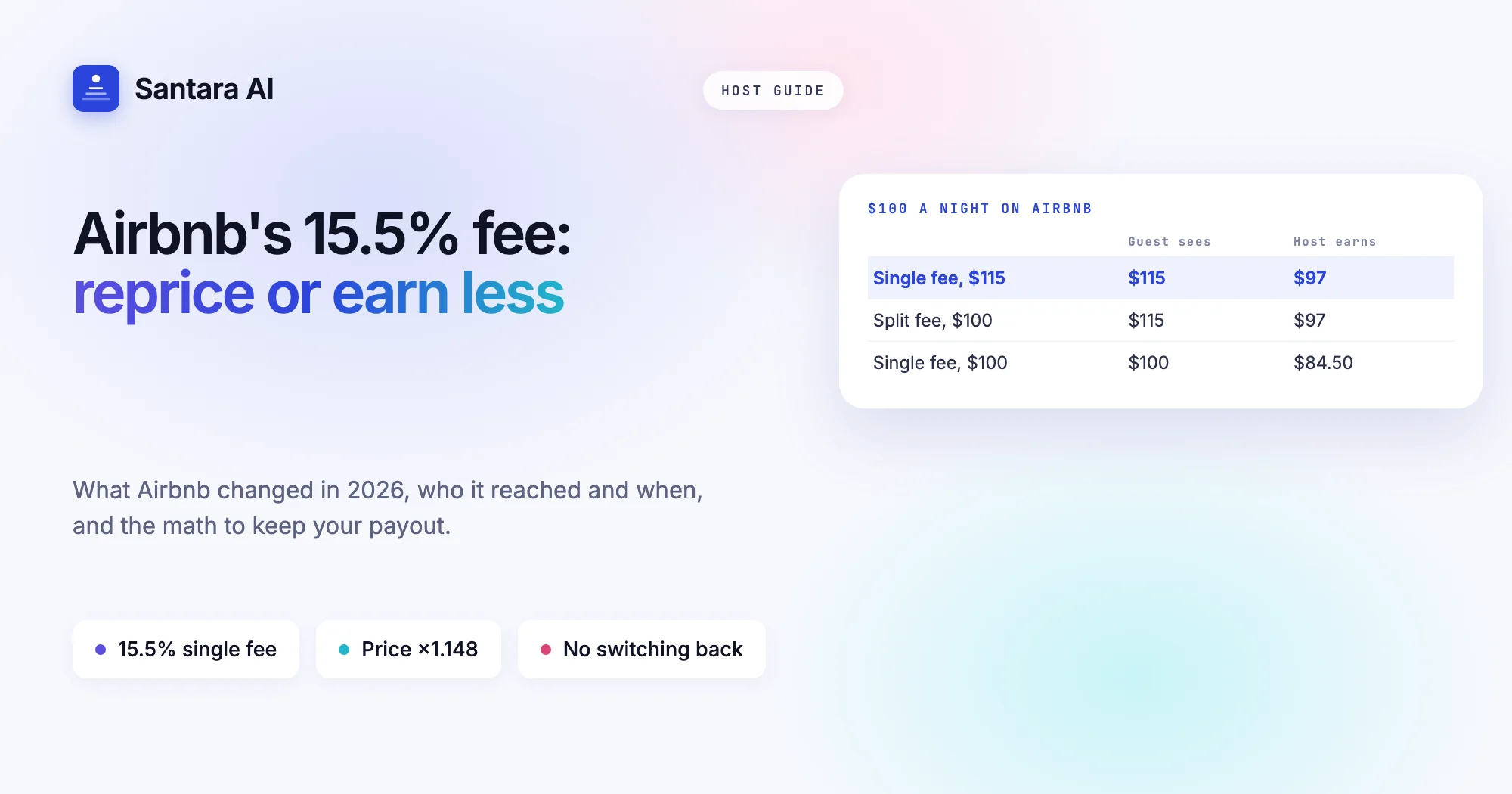
The Airbnb host fee change of 2026 is now mostly done. For years, most hosts paid a small fee of about 3% and the guest paid a bigger fee on top at checkout. Airbnb has replaced that with one fee, 15.5% for most hosts, taken entirely from your payout. The guest now sees the price you set and nothing extra.
If you raised your prices before your deadline, your payout per night should look roughly the same as before. If you did not, you have been earning less on every new booking since the switch, and nothing on your calendar will have warned you. This post covers what Airbnb changed, who it reached and when, the math for repricing, and what to check in your listing today.
Everything here comes from Airbnb's own help and resource pages, checked on 19 October 2026. For a side-by-side with Booking.com and Agoda, read our Airbnb vs Booking.com fees guide. This post stays on the Airbnb change itself.
What Airbnb changed
Airbnb's help article on service fees describes two structures.
- Split fee (being phased out). Most hosts pay 3%, some pay more, and listings in Brazil and Mexico pay 4%. The guest pays a separate service fee of 14.1% to 16.5% of the booking subtotal, added at checkout.
- Single fee. The whole fee comes out of your payout. Most hosts pay 15.5%, others typically 14% to 16%, and Brazil and Mexico pay 16%.
The same page says Airbnb is moving all home hosts to the single fee, and the split fee will not be available once everyone has moved. Three details matter for your money:
- Once you are on the single fee, you cannot switch back.
- The single fee applies only to bookings made after your switch. A booking made before it keeps the old fee, even if the stay happens later.
- Where VAT applies to service fees, the fee shown includes it.
Airbnb says the 15.5% is based on its global average service fees. It also says it may change service fees at any time under its Terms of Service, so treat any figure as "as of October 2026".
Who was affected, and when
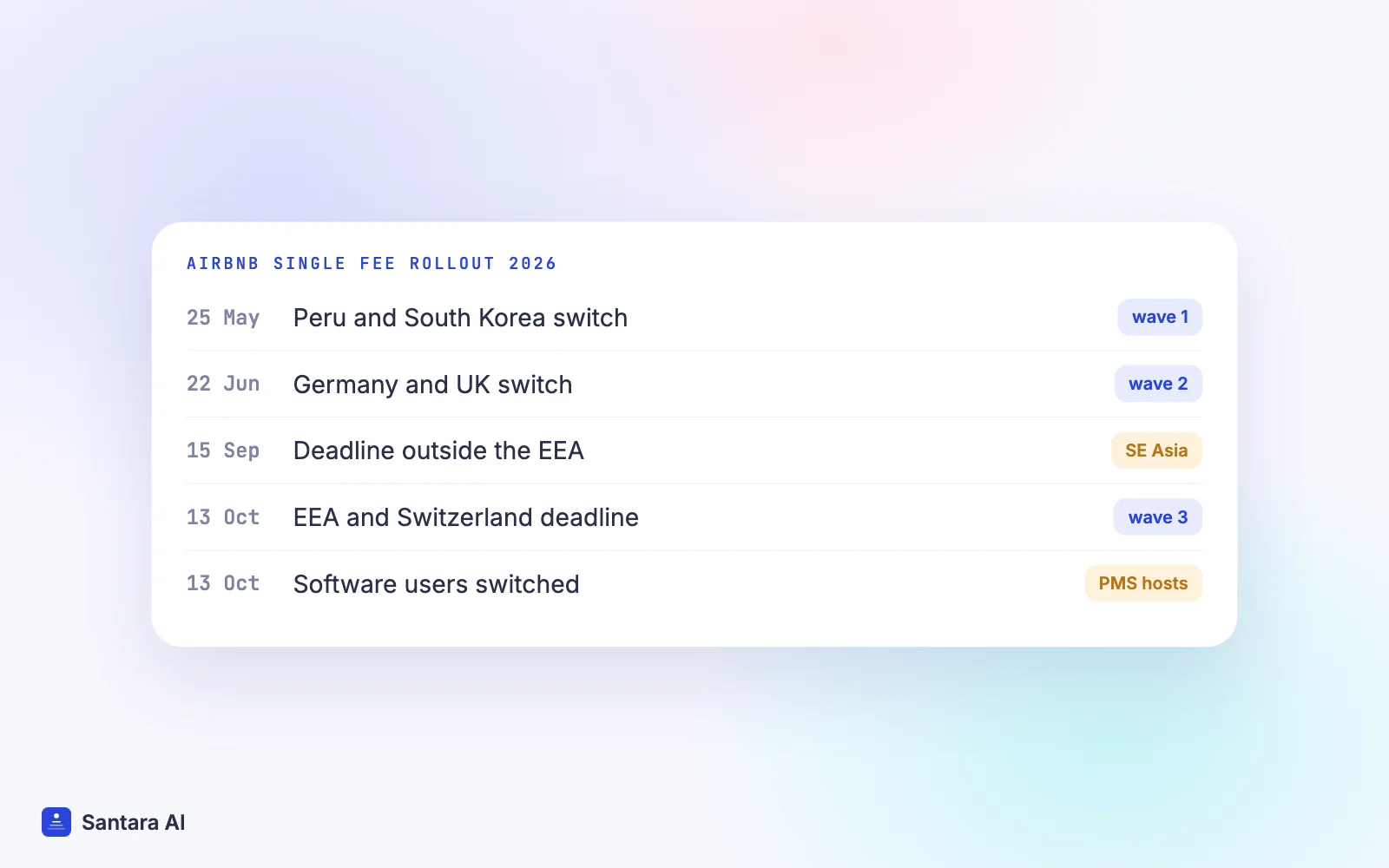
Airbnb rolled the change out in waves and published the dates on its resource pages.
| Date (2026) | Who | Airbnb source |
| 25 May | Hosts who live in Peru or South Korea | Simplifying service fees |
| 22 June | Hosts who live in Germany or the UK | Same page |
| 15 September | Price-adjustment deadline for hosts living outside the European Economic Area | Simplifying service fees on Airbnb |
| 13 October | Deadline for hosts in the EEA or Switzerland | Same page |
| 13 October | Hosts using property management software who were not yet on the single fee were switched | Simplifying Airbnb service fees |
If you host in Thailand, Vietnam, Indonesia or anywhere else in Southeast Asia, you live outside the EEA, so the September deadline is the one Airbnb's page gave for you. If you manage prices through software, the 13 October switch also applies. Airbnb's pages give examples and deadlines, not a promise about every account, so the reliable check is your own earnings screen (see the checklist below).
The repricing math
Airbnb's own example uses a $100 nightly price:
- Split fee: guest sees $115, host earns $97.
- Single fee, price unchanged: guest sees $100, host earns $84.50.
- Single fee, price raised to $115: guest sees $115, host earns $97.
So the fix is to raise your price by enough that 15.5% of the new price leaves you what 3% of the old one did. The formula is simple:
New price = old price × (1 − old host fee) ÷ (1 − new fee)
At 3% to 15.5%, that is old price × 0.97 ÷ 0.845, or about 1.148. A rise of roughly 15% keeps your payout level, and because the guest no longer pays a separate fee, the total the guest sees stays close to what they saw before. If your old host fee was higher than 3%, use your own figure in the formula.
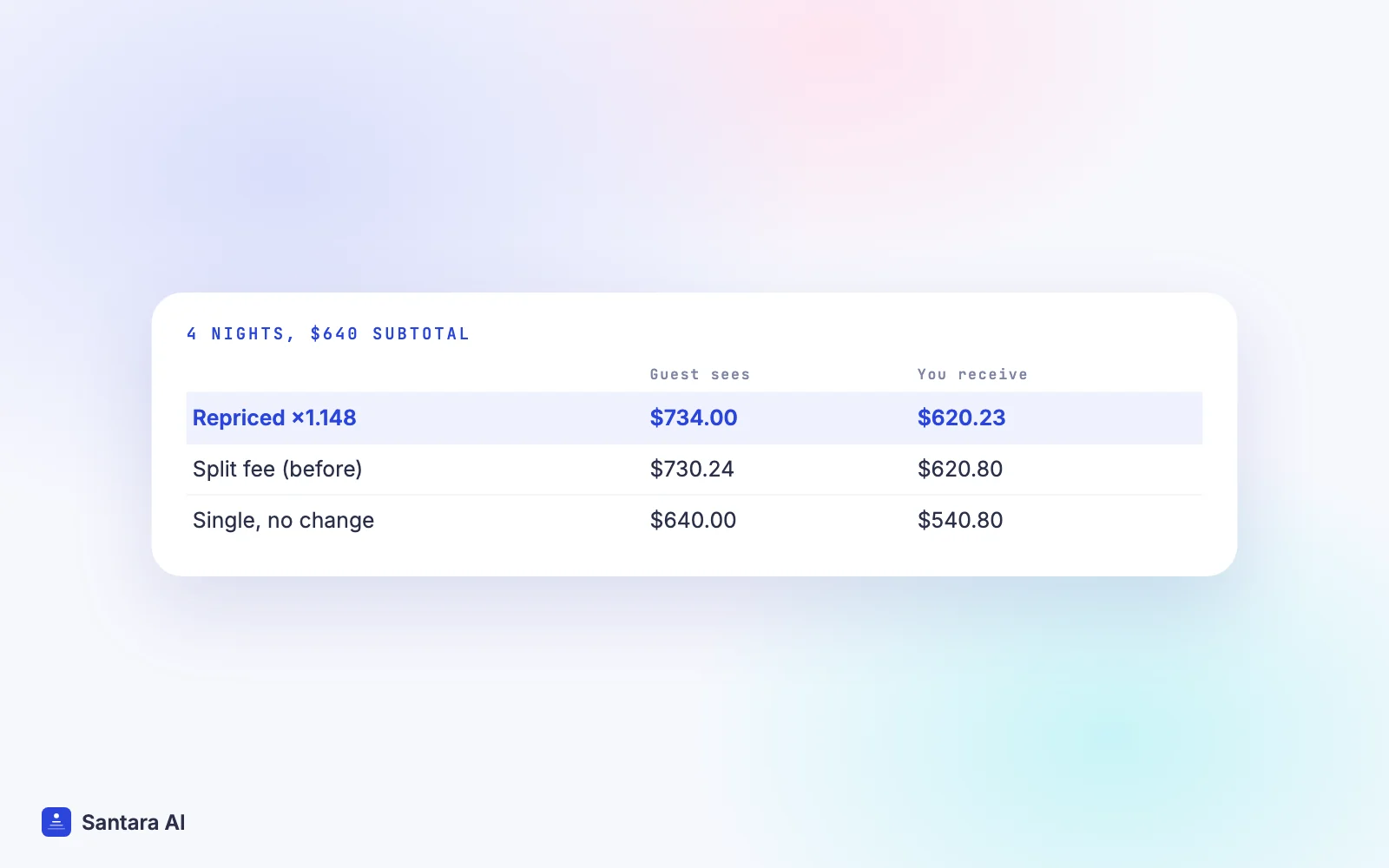
Here is an illustrative example. Say you run a pool villa near Phuket at $150 a night with a $40 cleaning fee, and a guest books four nights. Taxes are left out because they vary by country, and the split-fee guest total uses 14.1%, the low end of Airbnb's published range.
| Scenario | Nightly / cleaning | Subtotal | Guest sees | You receive |
| Split fee (before) | $150 / $40 | $640 | $730.24 | $620.80 |
| Single fee, no change | $150 / $40 | $640 | $640.00 | $540.80 |
| Single fee, repriced ×1.148 | $172 / $46 | $734 | $734.00 | $620.23 |
Doing nothing costs this stay $80. Repricing brings the payout back within a dollar, and the guest's total moves by under $4.
Tax can change the picture. Airbnb's page for hosts outside the first waves explains that in a country with VAT or GST on service fees, its tool includes that tax unless you are VAT-registered and self-assess. Its example with 20% VAT moves a $100 price to $119, not $115. If you are unsure how VAT applies to you, Airbnb itself says to ask a tax professional. You can also run your own numbers in the free OTA fee calculator.
Airbnb's price adjustment tool
Airbnb built a one-time price adjustment tool for hosts who do not use property management software. What its help page says:
- It adjusts all active and inactive listings at once, for the next two years of your calendar.
- It changes base, weekend, custom and custom promotion prices, plus extra fees such as cleaning and pet fees if they are set in Calendar.
- Discounts are excluded, because they are percentages and scale on their own.
- With Smart Pricing on, it adjusts Smart Prices and your minimum and maximum. After the switch, only the minimum and maximum change.
- It accounts for local taxes like VAT or GST in the ratio.
- Once you use it, you cannot go back to the split fee.
- It is available until you move to the single fee, and for a limited time after.
If you use software to set prices, the tool is not meant for you. Your prices come from the software, so the change has to happen there. Airbnb's resource page asks hosts who reprice to double-check that prices, discounts and promotions look right in every tool and platform they use.
What to check in your listing now
Step 1
Confirm which fee you are on
In Airbnb, go to Today, then Menu, then Earnings. Open a recent transaction under Upcoming or Paid and find the Airbnb service fee. If it is around 15.5% of the subtotal, you are on the single fee.
Step 2
Compare a payout from before and after
Pick two similar bookings, one made before your switch and one after. If the per-night payout dropped by around 13%, you have not repriced yet.
Step 3
Check every price, not just the base rate
Weekend prices, custom date prices, cleaning fees and pet fees all need the same ratio. A raised base rate with an old cleaning fee still leaks money on every stay.
Step 4
Check Smart Pricing limits
If you use Smart Pricing, make sure the minimum and maximum were adjusted. An old minimum can pull your price below where it needs to be.
Step 5
Check your other channels
If your software sends one price to every channel, raising it for Airbnb raises it on Booking.com and Agoda too. Decide on purpose whether that is what you want.
How Santara AI fits with the Airbnb host fee change
Santara AI does not change what Airbnb charges and has no part in Airbnb's switch. It can make the repricing step quicker and safer.
When you connect Airbnb, your listing's real rates (nightly price, weekend price, and fees where they can be read) are imported read-only, so you start from what Airbnb actually shows. Anything that cannot be read safely is reported instead of guessed. Each room has one calendar with weekday defaults and per-date overrides, so you can raise the defaults once and check the overrides you set for holidays. A zero or placeholder price is never pushed to a channel. If you use the first-party smart pricing rules for seasons and weekends, your manual edits are protected from being overwritten. The calendar page shows how rates and stay rules are laid out.
One price for every channel
Santara AI sends the same nightly rate to every connected channel. It does not support a separate price or markup per channel. If you raise your rate by about 15% for Airbnb, that new rate also goes to Booking.com, Agoda and your direct booking site. For some hosts that is fine, because other platforms also take their fee from the price. If you want Airbnb priced differently from the rest, Santara AI cannot do that today.
FAQ
What changed in the Airbnb host fee in 2026?
Airbnb is moving home hosts from a split fee (about 3% host, 14.1% to 16.5% guest) to a single fee paid by the host, 15.5% for most hosts. The guest no longer pays a separate Airbnb service fee.
How much should I raise my Airbnb price for the 15.5% fee?
If you paid 3% before, multiply your old price by 0.97 and divide by 0.845, about 1.148. Airbnb's own example raises $100 to $115. VAT on the fee can push it a little higher.
Do my existing Airbnb bookings change?
No. Airbnb says the single fee applies only to bookings made after your switch. Bookings made before keep the old fee, even if the stay is after the switch.
Can I go back to the split fee on Airbnb?
No. Airbnb says that once you switch to the single fee, you cannot switch back, and the split fee is being phased out for all home hosts.
Check your own numbers in the free OTA fee calculator.
Keep reading
- Sync prices and minimum stay across channels
- Airbnb channel manager guide
- A direct booking website for vacation rentals
Your first 3 months are free.
Join For Free