Airbnb channel manager: 9 questions to ask before you connect
What an Airbnb channel manager connection does, the 9 questions to ask any tool before it touches your listing, and how Santara AI answers each one.
 Tai Pham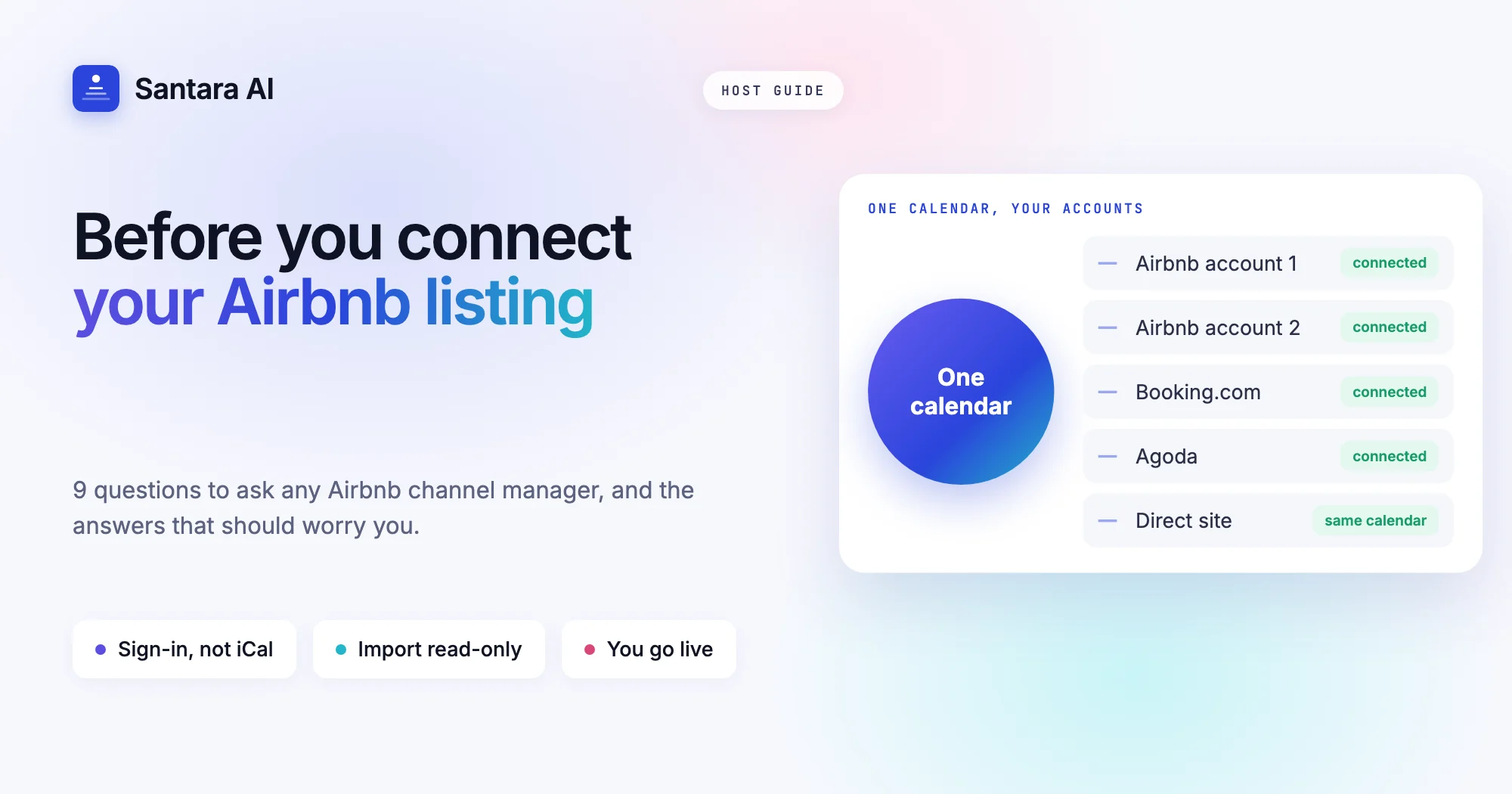
Many hosts in Southeast Asia started on Airbnb, and for a lot of them it is still the channel that matters most. So when you add a second channel or a direct booking site, the first question is not "which channel manager is best?" It is "what will this tool do to my Airbnb listing?" Your reviews, your ranking and a calendar full of future guests all live there.
An Airbnb channel manager is software that connects to your Airbnb account and keeps the listing's availability, prices and booking rules in step with one main calendar, while bringing Airbnb bookings back into that calendar. Every tool on the market describes itself that way. What differs is how the connection is made, what it actually carries, and what happens on the first day and on the last.
This page gives you a checklist of questions to ask any Airbnb channel manager before you connect, the answers that should worry you, and how Santara AI answers each one. If you are new to the idea of a channel manager itself, start with our guide on what a channel manager is and how calendar sync works.
What an Airbnb channel manager connection actually does
Once connected, the tool and Airbnb exchange two kinds of information.
- Out to Airbnb: which nights are open, the nightly price, and booking rules such as minimum stay.
- Back from Airbnb: new reservations, changes to existing ones, and cancellations. Depending on the tool, guest messages and reviews can come back too.
The point is that you stop editing the Airbnb calendar by hand. Your main calendar becomes the source of truth, and Airbnb becomes one copy of it, next to Booking.com, Agoda or your own website. A booking on any of them closes the same nights on Airbnb.
That is also why the connection deserves care. A tool that can write to your Airbnb calendar can also close good nights by mistake or push a wrong price. The checklist below is about finding out how a tool behaves before it gets that power.
Direct connection or iCal? The first thing to check
Many products call themselves an Airbnb channel manager while only using iCal links. iCal is the calendar link Airbnb lets you copy and paste into another site. It is free and it is better than nothing for one listing, but it is not the same thing.
An iCal link only carries blocked dates. It carries no price, no minimum stay and no guest details, and Airbnb and the other side refresh it on their own schedule, commonly every few hours. A busy weekend can be booked twice in that gap. A direct connection, the kind you set up by signing in to Airbnb and authorising the tool, carries reservations, rates and rules, not just blocks.
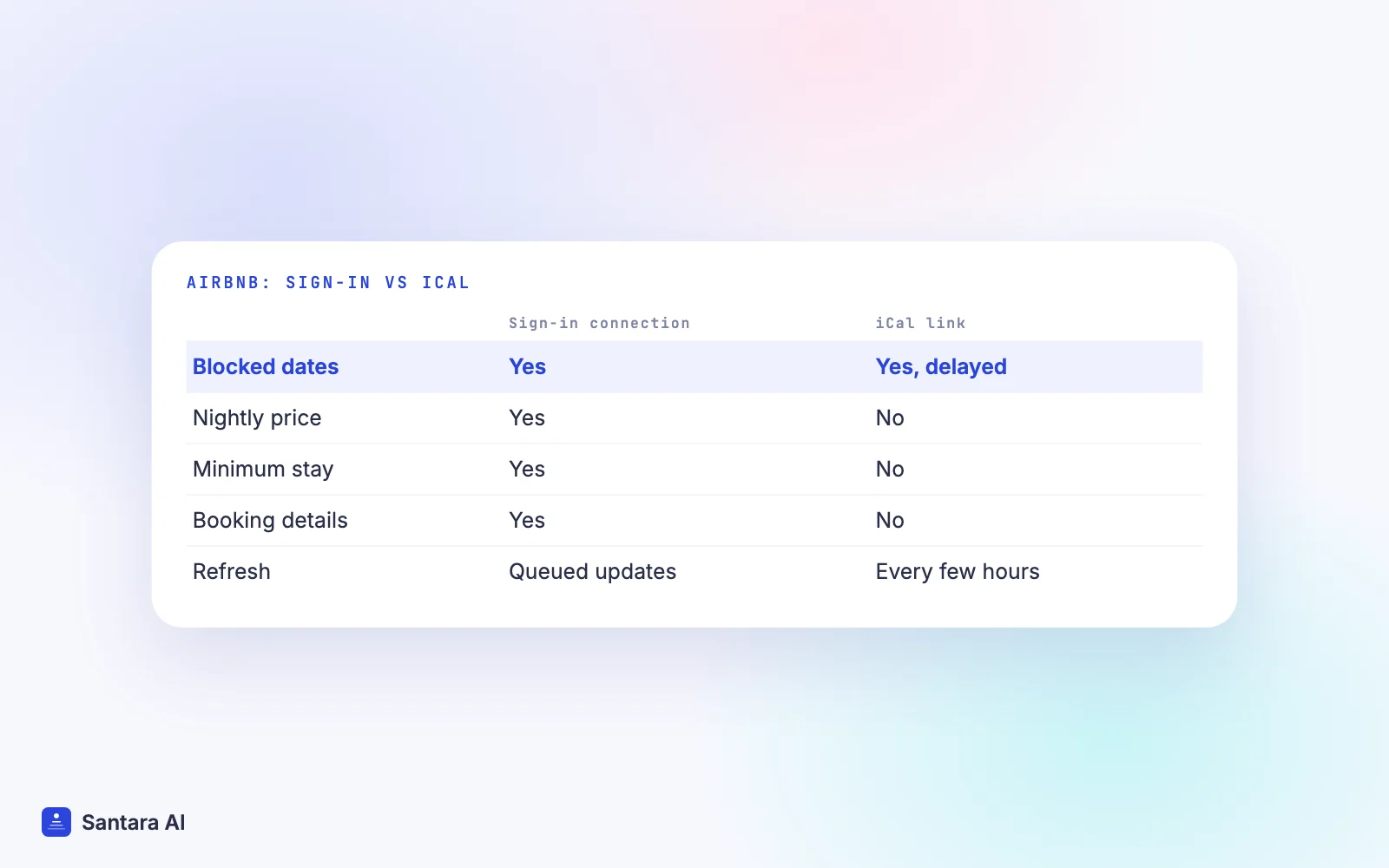
Ask the vendor plainly: "Do you connect to Airbnb by sign-in and authorisation, or do I paste an iCal link?" If the setup screen asks you to copy a calendar URL, you have your answer. We compare the two in detail in iCal vs a channel manager.
The Airbnb channel manager checklist: 9 questions to ask
Take this table to any demo or free trial. The middle column is what a good answer sounds like. The last column is the answer that should make you slow down.
| Question to ask | A good answer | A warning sign |
| How do you connect to Airbnb? | You sign in to Airbnb and authorise the tool | "Paste your iCal link" |
| Can I choose which listings to connect? | Yes, you pick listings one by one | All listings are taken at once |
| Do you import my existing reservations? | Future reservations come in on connect | You re-enter bookings by hand |
| Do you import my current Airbnb prices? | Real rates are read, nothing is changed on Airbnb | Default prices replace yours |
| When does the tool start writing to Airbnb? | Only after you check and confirm | The moment you connect |
| What syncs to Airbnb? | Availability, price, min stay, arrival and departure rules | Availability only |
| Do Airbnb guest messages come in? | Yes, in one inbox, and you approve replies | No, or replies send on their own |
| Can I connect more than one Airbnb account? | Yes, each account separately | One account per workspace |
| What happens if I disconnect? | Sync stops, listing and bookings stay | Unclear, or listing data is removed |
Two rows matter more than the rest.
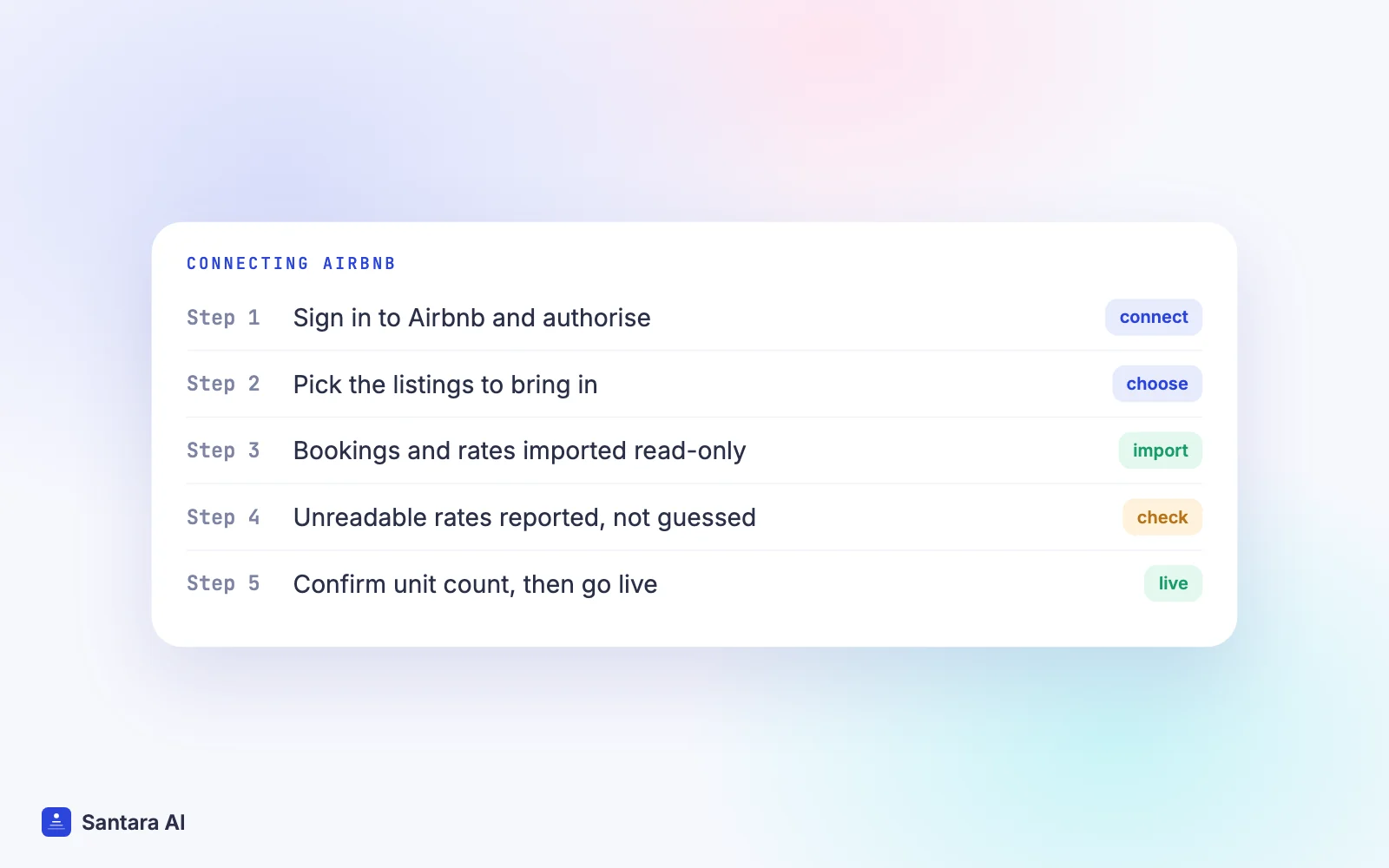
"When does the tool start writing to Airbnb?" The safest tools import first and push later. You should be able to look at the imported bookings and prices, fix anything odd, and then switch the listing live yourself. A tool that writes on connect can overwrite your real prices with a default rate before you notice.
"Do you import my current Airbnb prices?" Rates on Airbnb are often more complex than one number: a weekday price, a weekend price, cleaning fees and discounts. Ask what happens to the parts the tool cannot read. The right answer is "we tell you", not "we fill in a value".
Questions about messages, reviews and several accounts
Hosts often judge an Airbnb channel manager on the calendar alone, then discover the gaps a week later.
Messages. Airbnb rewards fast replies, and most of your guest questions arrive there. If the tool does not bring Airbnb messages into its inbox, you will keep the Airbnb app open all day anyway. If it does, check one more thing: does it ever send a reply without you? Automatic replies to the wrong guest are hard to undo.
Reviews. Reviews from Airbnb guests are part of how you track quality across listings. Some tools ignore them, others bring them in so you can read them next to your bookings.
Several Airbnb accounts. Many hosts manage listings for owners who keep their own Airbnb accounts, or run two accounts of their own. Ask whether each account connects separately, and whether one person can see them all in one calendar.
Listing content. Be honest with yourself about what you need here. Photos, descriptions, house rules and amenities are usually still edited on Airbnb itself. If a vendor promises full content control, ask to see it working on a live listing.
How to connect Airbnb safely, whichever tool you pick
The order of steps matters more than the tool. This sequence keeps your Airbnb calendar safe while the connection settles in.
Step 1
Write down what Airbnb shows today
Note your upcoming reservations and current nightly and weekend prices for each listing. It takes ten minutes and gives you something to check against.
Step 2
Connect by signing in, and pick listings
Authorise the tool from your Airbnb account and choose only the listings you want to manage. You can add the rest later.
Step 3
Check the import before anything goes live
Compare the imported reservations and prices with your notes. Anything missing or flagged should be fixed now, not after the first push.
Step 4
Confirm the unit count and go live
For each room, confirm how many identical units you sell. A single villa is one. Then switch the listing live so changes start flowing to Airbnb.
Step 5
Remove old iCal links
Once the connection is live, delete any iCal links between Airbnb and other sites. Two systems writing to one calendar is a common cause of double bookings.
If you are moving from another tool rather than starting fresh, our guide on switching channel managers without losing bookings covers the handover week.
How Santara AI answers the checklist
Santara AI replaces both the PMS and the channel manager, so Airbnb is fed from one calendar per room, alongside Booking.com, Agoda, Expedia, Trip.com, Google Vacation Rentals and your direct booking site. You can see every channel on the integrations page. Here are our answers to the same nine questions.
| Question | Santara AI |
| How do you connect? | You sign in to Airbnb from Santara AI and authorise the connection. No iCal links. |
| Which listings? | You pick which listings to bring in. |
| Existing reservations? | Future reservations are imported when you connect. |
| Current prices? | The listing's real rates (nightly price, weekend price, fees where readable) are imported read-only. Anything that can't be read safely is reported, not guessed. |
| When does it write to Airbnb? | Only after you confirm each room's unit count and go live. |
| What syncs? | Availability, nightly rate, min stay (on arrival or through), max stay, closed to arrival, closed to departure and stop sell. |
| Messages? | Airbnb guest messages arrive in the Santara AI inbox with an AI-drafted reply. Nothing sends until you press Send. |
| Reviews? | Reviews from Airbnb guests come into Santara AI. |
| Several accounts? | Yes, you can connect more than one Airbnb account. |
| Disconnect? | Sync stops. Your Airbnb listing and its reservations are never deleted. |
A few guards sit behind those answers. Availability is capped at the room's unit count, so a one-unit villa can never be offered twice. A zero or placeholder price is never pushed to Airbnb. Updates run through a queue with retries, and if Airbnb rejects one, it is recorded rather than dropped. Santara AI never creates Airbnb listings: you bring the ones you already have, with their reviews and history.
What Santara AI does not do on Airbnb
Prices are the same on every channel, so you can't set an Airbnb-only markup or an Airbnb-only minimum stay. Listing photos and descriptions are not pushed to Airbnb; you keep editing those on Airbnb. If you also use a pricing tool or Airbnb's own pricing features, pick one place to set prices so two systems are not changing the same nights.
FAQ
What is the best channel manager for Airbnb?
The one that connects by Airbnb sign-in rather than iCal, imports your reservations and real prices without changing them, waits for you before pushing, and brings Airbnb messages into one inbox. Use the nine-question checklist above to compare tools.
Can I use a channel manager with Airbnb without losing my reviews?
Yes. A channel manager connects to your existing Airbnb listing, so its reviews, ranking and history stay where they are. Avoid any setup that asks you to create a new listing.
Does an Airbnb channel manager sync prices or only the calendar?
A direct connection syncs prices and booking rules as well as availability. An iCal link only shares blocked dates, so prices and minimum stays must still be changed on Airbnb by hand.
What happens to my Airbnb listing if I disconnect the channel manager?
With Santara AI, sync stops and the listing and its reservations stay on Airbnb untouched. Ask any other vendor the same question in writing before you connect.
Keep reading
- Airbnb and Booking.com without double bookings
- The guest message playbook
- How to choose villa management software
Your first 3 months are free.
Join For Free