Direct booking website analytics: the numbers that matter
Visitors, listing views, quotes, checkouts and bookings explained for hosts: how to read your booking funnel, find where guests drop off, and what to fix.
 Tai Pham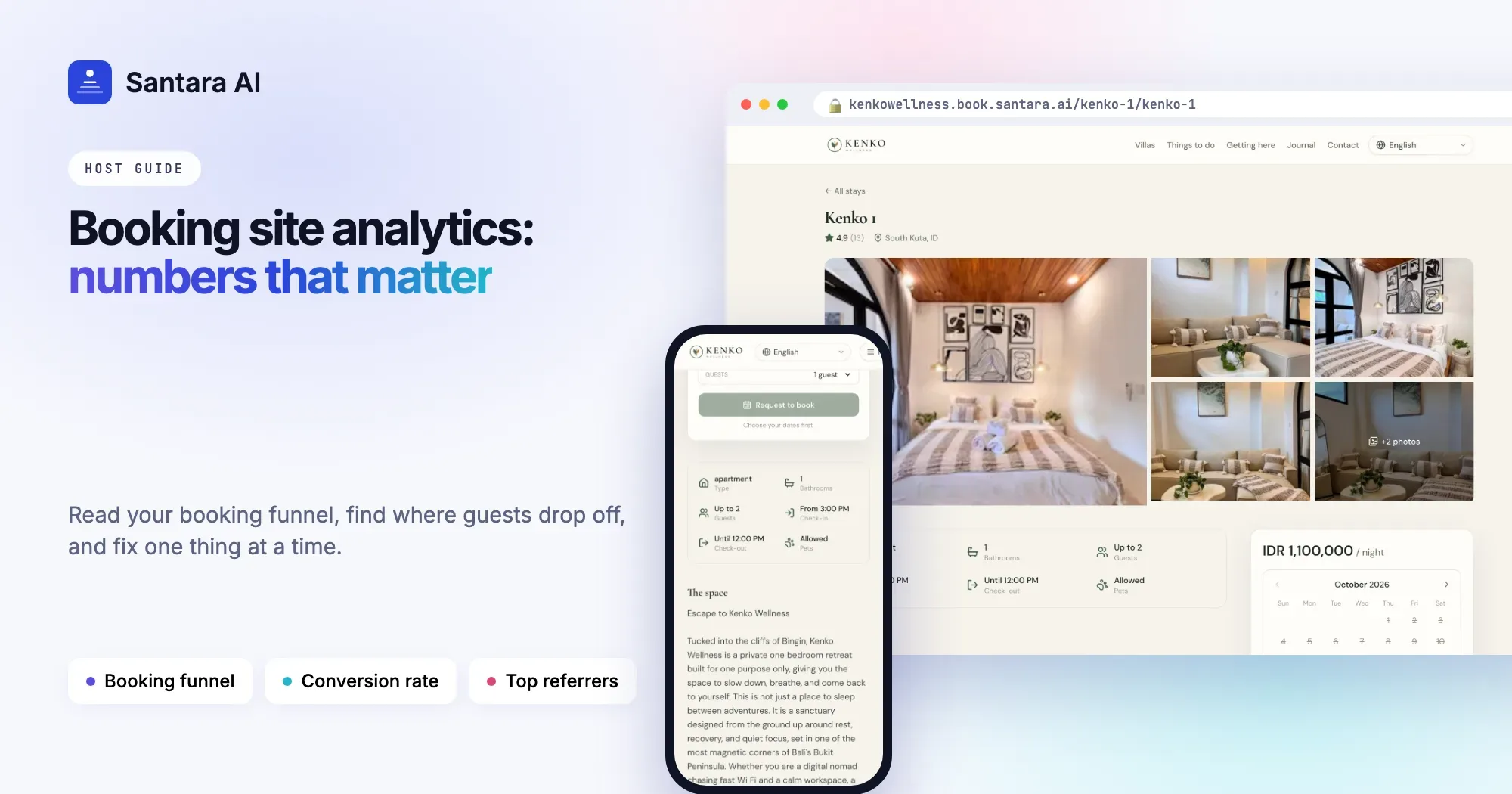
You launched your direct booking website, shared the link on Instagram and WhatsApp, and a month later you have a dashboard full of numbers. Page views, visitors, quotes, conversion. Some went up, some went down, and it is hard to tell whether any of it means the site is working.
You do not need to be a data person to read vacation rental website analytics. You need to know what each number counts, which ones belong together, and what to change when one of them looks wrong. This guide explains the numbers in plain words, shows you how to read the booking funnel, and gives you a short list of fixes for each step where guests drop off.
The numbers, in plain words
Most booking sites show a handful of numbers. They sound similar, but they count very different things.
- Page views: every page opened, counted each time. One guest looking at six pages is six page views.
- Visitors: the number of separate visits. One guest looking at six pages is one visitor. This is the number to watch for "how many people came".
- Listing views: how many times a villa or room page was opened. This tells you how many visitors got interested enough to look at a specific place.
- Quotes: how many times someone checked the price for real dates. A quote is a serious signal. The guest has picked dates and wants to know the total.
- Checkouts: how many guests started paying.
- Bookings: paid bookings that went through.
- Conversion rate: bookings divided by visitors. If 400 visitors came and 4 booked, your direct booking conversion rate is 1%.
Page views alone can fool you. A busy month of page views might just be a few curious people clicking around. Visitors, quotes and bookings tell you much more.
Read it as a funnel
The most useful way to look at your numbers is as a funnel: visitors come in at the top, and fewer and fewer of them move to the next step.
Views → Listing views → Quotes → Checkouts → Bookings
Every step loses people. That is normal. What matters is where you lose more than you should, because each step has different causes and different fixes.
What each drop-off tells you
Here is how to read the funnel step by step, and what to try first.
| What you see | What it usually means | What to try |
| Many visitors, few listing views | People land on the home page and leave | Put your villas and prices higher on the home page. Make the "book" button obvious. Check the site on a phone. |
| Many listing views, few quotes | Guests look but don't pick dates | Better first photos. Show the price clearly. Check that minimum stay rules aren't blocking common dates. Make the calendar easy to find. |
| Many quotes, few checkouts | The total surprised them | Look at your fees and taxes. Show them early in the description. Check that your cancellation policy is not stricter than on the OTAs. |
| Checkouts that don't complete | Something stopped them at payment | Check that payments work on a phone. Add trust signals: reviews, a real address, a WhatsApp contact. |
| Bookings, but low revenue | Mostly short or cheap stays | Look at which listings sell. Check minimum stays and pricing on your bigger units. |
Change one thing at a time. If you change the photos, the prices and the fees in the same week, you will not know which one helped.
Top pages, top referrers, top listings
Below the funnel, three short lists tell you where to spend your time.
- Top pages show what guests actually read. If your "getting here" guide gets more visitors than your home page, make sure it links clearly to your villas.
- Top referrers show which websites sent visitors: Instagram, Facebook, Google, a partner's site, a travel blog. This is how you find out whether your social posts bring people or only likes.
- Top listings show which places get viewed, quoted and booked. A villa with many views and no bookings is worth a closer look. Often it is the first photo, the price, or a minimum stay that does not fit how guests travel.
Review monthly, not daily
Small booking sites have small numbers, and small numbers are noisy. Ten visitors one day and forty the next does not mean anything changed. One booking more or less can move your conversion rate a lot.
A simple habit works better than watching the dashboard every morning:
Step 1
Once a month, open the last 30 days
Note visitors, quotes, bookings and revenue in a simple sheet. Compare with last month and the same month last year if you have it.
Step 2
Find the biggest drop in the funnel
Pick the one step where you lose the most guests compared to the step before.
Step 3
Change one thing
Pick one fix from the table above and make it.
Step 4
Check again in 90 days
Use the 90-day view to see whether the change held. Seasons matter, so compare like with like.
Remember that a direct site sits next to your OTA listings. A slow month on your site during a slow month on Airbnb is the season, not your website.
How Santara AI shows your direct booking numbers
Every direct booking site from Santara AI has an Analytics tab in the dashboard. Here is exactly what it shows:
- Time ranges: the last 7, 30 or 90 days.
- Tiles: page views (bots excluded), visitors (unique sessions), listing views, quotes (price checks for real dates), bookings (paid), revenue (charges minus refunds) and conversion (bookings divided by visitors).
- Daily charts for each number.
- The funnel: Views → Listing views → Quotes → Checkouts → Bookings, with the percentage that moves on at each step.
- Top pages, top referrers and top listings. For each listing you see views, quotes, bookings and revenue.
Because the site sells from the same calendar your channels sync to, the bookings and revenue in this tab are real paid stays, already on your calendar.
What the Analytics tab does not show yet
UTM tags on your links are recorded with each visit, but there is no UTM or campaign report in the dashboard yet. For now, use the top referrers list to see which websites sent visitors. Messages from the contact form are in the Leads tab, and they are not counted in Analytics.
FAQ
What is a good direct booking conversion rate?
There is no single number that fits every villa or homestay. Compare your site with itself: this month against last month, this season against last year. If conversion goes up after a change, the change helped.
Why are my page views much higher than my visitors?
Because one visitor usually opens several pages. That is a good sign: guests are reading about your places.
Does a quote mean someone wanted to book?
It means someone picked real dates and checked the price. That is the clearest sign of interest before payment. Many quotes and few bookings usually points to the total price or the policy.
Can I see which Instagram post brought a booking?
Not directly. You can see that Instagram sent visitors in top referrers. UTM tags are recorded, but there is no campaign report yet.
Keep reading
- Direct booking website for vacation rentals: how to win repeat guests without leaving Airbnb
- From Instagram to direct bookings
- Vacation rental website SEO
Your first 3 months are free.
Join For Free