How to respond to a bad review on Airbnb (and Booking.com, Agoda)
Each platform's real review rules, when a review can be removed, a five-part reply, five templates and what never to write in a public response.
 Tai Pham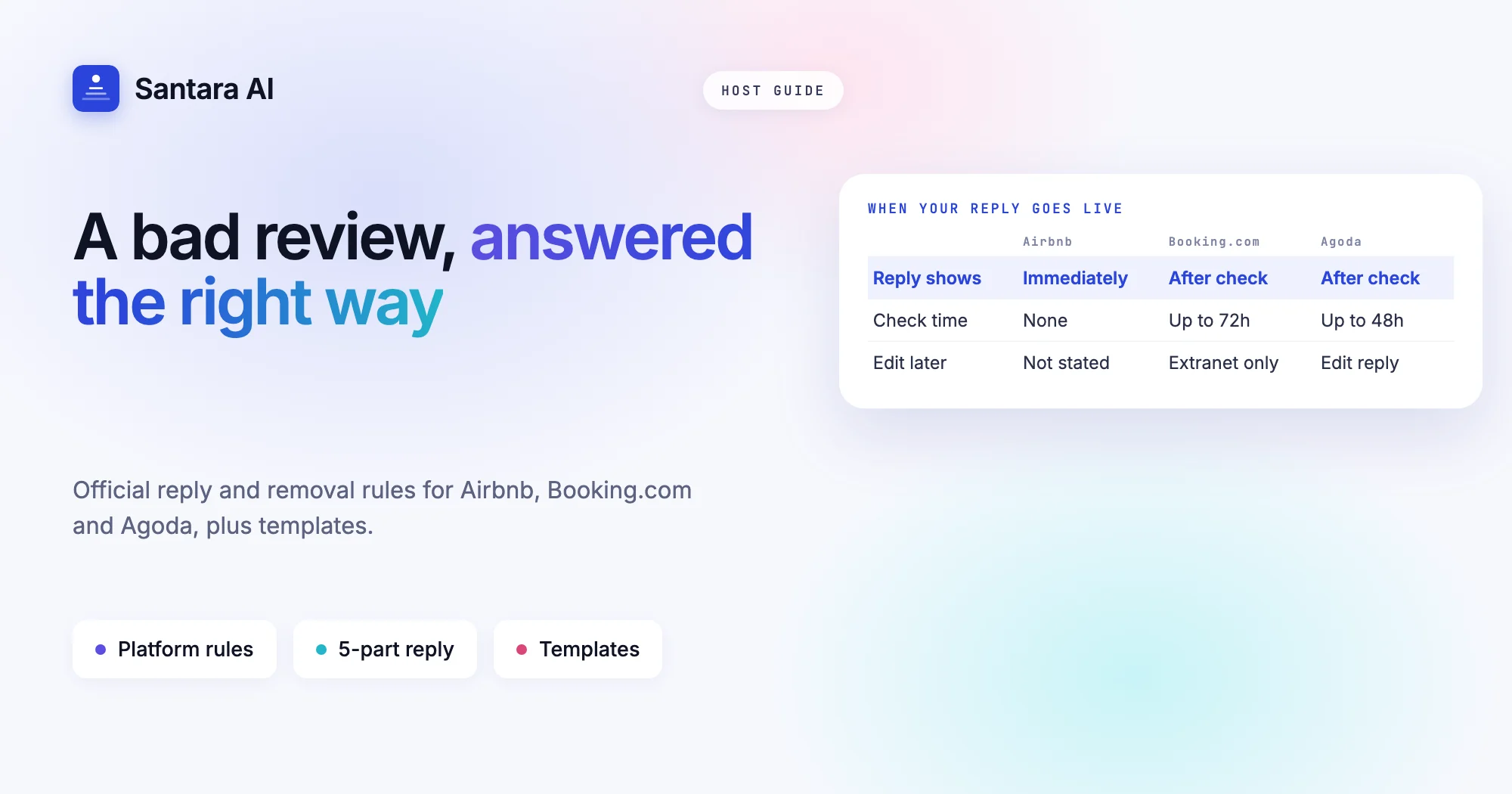
A two-star review lands on your Airbnb listing. The guest says the pool was cloudy and the air conditioning was loud, and one line feels unfair. Your first instinct is to reply tonight and set the record straight. Wait. Knowing how to respond to a bad review on Airbnb starts with knowing who the reply is for: not the guest who wrote it, but the hundreds of future guests who will read both.
A calm, specific reply can make a bad review work for you. A defensive one makes a two-star review look like a one-star host. And the rules are not the same everywhere: Airbnb, Booking.com and Agoda each decide differently when a reply goes live, what can be removed, and what gets your reply rejected.
This guide covers the first 24 hours, the review rules of each platform from their own help pages, when a review can actually be removed, a reply structure, five templates you can adapt, and the things you should never write.
The first 24 hours after a bad review
Do not reply straight away. A public reply stays next to the review for as long as the review is shown, so it is worth an evening's delay.
- Read it twice, then read the private feedback. On Airbnb, subcategory star ratings and private notes to the host are visible only to you and Airbnb (Airbnb help). They often explain what the public text only hints at.
- Check the facts with your team. Was the pool cleaned that week? Was there a maintenance ticket for the air conditioner? Did the guest message during the stay?
- Look at the message thread. If the guest raised the problem mid-stay and got a fast answer, you can say so politely. If nobody replied, that is part of the story.
- Fix the thing. Your reply is much stronger when it can say "we have already replaced it".
- Don't contact the guest about changing the review. On Airbnb, a guest can remove a review they wrote within 30 days of publication, but hosts may not pressure or offer anything of value to influence a review (Airbnb Reviews Policy). A refund offered in exchange for removing a review breaks that rule.
How reviews and replies work on Airbnb, Booking.com and Agoda
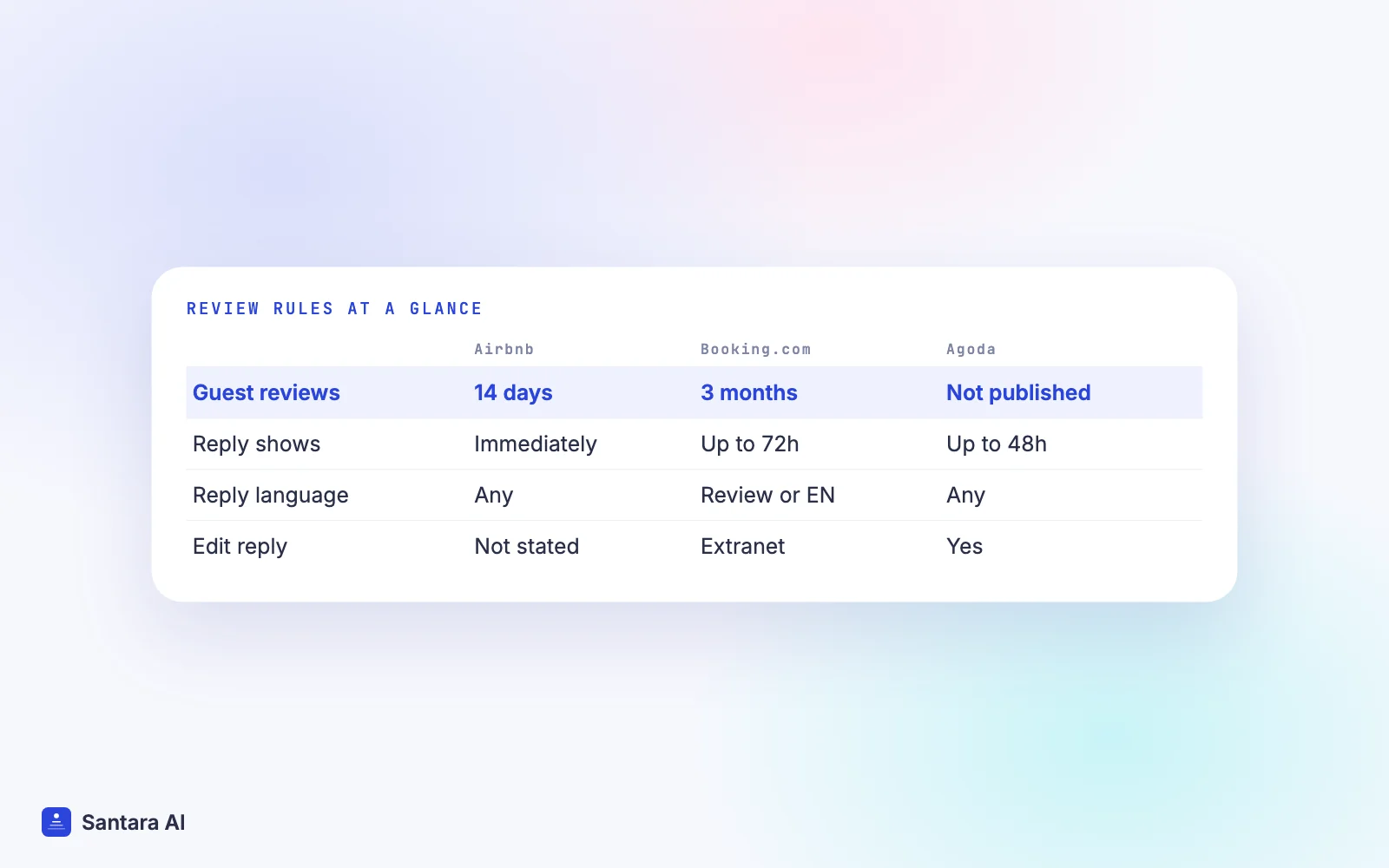
Each platform has its own timing and moderation. Here is what their own help pages say, checked on 19 October 2026.
| Airbnb | Booking.com | Agoda | |
| When guests review | Within 14 days after checkout | Invited about 48 hours after checkout, 3 months to complete | Verified guests only; window not published |
| When your reply appears | Posted immediately | Checked first, can take up to 72 hours | "Pending approval", can take up to 48 hours |
| Language of reply | Not specified | Language of the review or English | Not specified |
| Edit a reply later | Not stated on the help page | Yes, in the extranet only | Yes, "Edit reply" in the partner portal |
| Published length limit | None on the pages we checked | None on the pages we checked | None on the pages we checked |
Sources: Airbnb reviews for homes and responding to a review; Booking.com responding to guest reviews and guest review process; Agoda how to reply to guest reviews.
Three details matter in practice. On Airbnb, reviews are published once both sides have submitted or the 14-day window has ended, so you may see the guest's review only after your own is locked. Airbnb's reply goes live the moment you press submit, so draft it somewhere else first. On Booking.com, a reply in a third language is not published, so a review in Vietnamese gets a reply in Vietnamese or English. Booking.com also weights your score by recency since January 2025, so the latest reviews move your score most.
When a bad review can be removed
Most bad reviews stay. All three platforms remove reviews only in narrow cases, and a low score or an opinion you disagree with is not one of them.
Airbnb may remove reviews that are irrelevant (for example, from a guest who never arrived), fake, retaliatory, written to pressure or extort, or that break its Content Policy. Its policy says disagreement with a star rating, factors outside your control such as a noisy neighbourhood, and subjective opinions do not qualify (Airbnb Reviews Policy). You submit a removal request with your reasons and any evidence; Airbnb usually decides within 48 hours, and you can request removal of the same review up to two times (remove or dispute a review).
Booking.com lists specific conditions: the guest cancelled and confirmed they didn't arrive, you cancelled at least 24 hours before check-in, a no-show review that doesn't describe a stay, a cancellation on arrival day because of an invalid card, a review of the wrong property, or a review used to blackmail you, which needs written evidence (Booking.com removal conditions). If you cancel less than 24 hours before check-in because of an overbooking, the guest can still review.
Agoda removes reviews from no-show guests, spam, reviews of the wrong property, duplicates, and reviews with profanity, discrimination, defamation or references to illegal activity. Personal information, competitor names or misleading rates are masked rather than removed (Agoda Partner Hub).
If your case fits one of these, request removal before you reply. If it doesn't, the reply is your tool.
How to respond to a bad review on Airbnb: a five-part reply
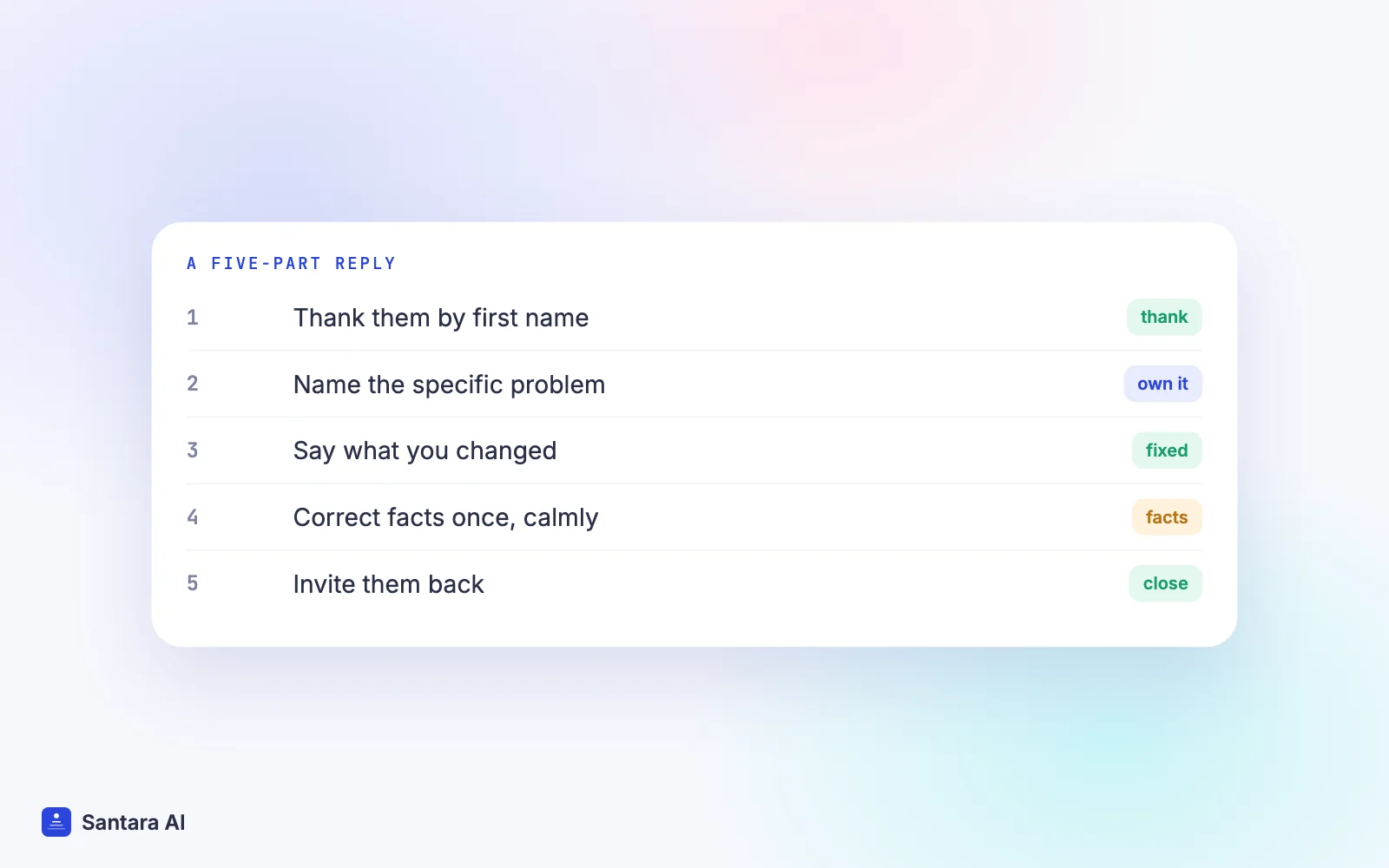
Short beats long. Whether the review is on Airbnb, Booking.com or Agoda, four to six sentences is enough for almost every review. This is the order that works when you're unsure how to respond to a bad review.
Step 1
Thank them by first name
"Thank you for staying with us, Anna." Use the first name only. Agoda's guidance is explicit about this, and it is good practice everywhere.
Step 2
Acknowledge the specific problem
Name the issue the guest raised: "We're sorry the air conditioning in the main bedroom kept you awake." No "but" in this sentence.
Step 3
Say what you changed
"We replaced the unit the following week, and the pool is now tested every morning in the rainy season." Future guests want to know it won't happen to them.
Step 4
Correct facts calmly, if you must
If something is wrong, state the fact once without blame: "Check-in instructions are sent three days before arrival and again on the morning of check-in."
Step 5
Close with an open door
"We hope to welcome you back." One sentence, then stop.
Reply templates you can adapt
These are starting points. Change the details so every reply reads like it was written for that guest; Booking.com and Agoda both advise against repeating the same wording.
Cleanliness
Thank you for your feedback, Tom. You're right that the bathroom wasn't up to our standard on your arrival, and we're sorry. We've added a second check of every bathroom before each arrival. We'd be glad to host you again.
Noise or location (outside your control)
Thanks for staying with us, Mei. The street does get busy on weekend nights, and we've now added this to the listing description and placed earplugs in each bedroom. For light sleepers, our garden-side room is the quietest.
Maintenance failure during the stay
Thank you, Lukas, and sorry the hot water failed on your second night. Our technician replaced the heater the next morning. We should have offered you a room move straight away, and that's now our standard response.
A claim that isn't accurate
Thank you for your review, Sara. We're sorry the check-in felt confusing. For future guests: the door code and directions are sent in the app three days before arrival and again on the morning of arrival. We're always happy to help by phone if anything is unclear.
Price or value
Thank you for your honest feedback, Ken. We're sorry the stay didn't feel like good value to you. The rate covered the holiday period, and we've since added a clearer list of what's included to the listing so guests can decide with full information.
Our guest message playbook has the matching templates for the messages that come before a review: check-in, mid-stay and checkout.
What not to say in a review reply
| Don't write | Why | Write instead |
| "No other guest has ever complained" | Sounds defensive and dismisses the guest | "Thank you for telling us" |
| The guest's full name, room number or stay dates | Agoda tells hosts to avoid these details, and it exposes the guest | First name only |
| "You broke the house rules" in public | Turns a review into an argument | Raise rule breaches with the platform privately |
| "Book directly with us next time" | Reads as self-promotion; Agoda asks to avoid it | "We hope to welcome you back" |
| An offer of money or a refund | On Airbnb, incentives tied to reviews break the Reviews Policy | Resolve refunds in messages, separate from the review |
| A copy-paste reply used on ten reviews | Future guests notice | Mention one specific detail |
Prevent the next bad review
Most bad reviews describe a problem the guest felt they could not fix during the stay. The cheapest prevention is a fast answer while the guest is still there: a check-in message that asks "is everything working?", a quick reply when something breaks, and a room that was really checked before arrival. A turnover day without chaos prevents many cleanliness complaints, and if you're aiming for Superhost status, our guide on how to become an Airbnb Superhost explains how ratings feed into it.
Where Santara AI fits
To be clear: Santara AI does not write, post or manage review replies. You reply to reviews inside Airbnb, Booking.com and Agoda, following the steps above.
Where it helps is earlier, during the stay. Guest messages from Airbnb, Booking.com and Expedia arrive in one Santara AI inbox, where AI drafts a reply that you check and send; nothing goes out until you press Send. A guest who reports a broken heater at 9pm gets an answer quickly instead of writing about it later. New bookings create cleaning tasks automatically, and the Daily Brief email (6am by default) lists the day's arrivals, departures and cleans, so a room is less likely to be missed. See the integrations page for which channels connect.
Limits worth knowing
Agoda, Traveloka and Tiket.com guest messages do not come into the Santara AI inbox; reply to those guests on each platform. Santara AI has no review dashboard and does not request, dispute or remove reviews.
FAQ
Should I respond to every bad review?
Yes, to every review with written criticism. Future guests read the reply to see how you handle problems. On Booking.com you can only reply to reviews that have a title or comments.
Can I get a bad review removed from Airbnb?
Only if it breaks Airbnb's Reviews Policy, for example if it's fake, irrelevant because the guest never stayed, retaliatory or used to extort. A low star rating or a subjective opinion is not a reason for removal.
How long do I have to respond to an Airbnb review?
Airbnb's help pages don't state a deadline for a host's public response. Reply within a few days anyway, while you can still check the facts with your team.
Can I edit my reply after posting it?
On Booking.com, yes, but only in the extranet. On Agoda, use "Edit reply" in the partner portal. Airbnb's help page doesn't describe editing a response, so write it carefully before you submit.
Keep reading
- Airbnb vs Booking.com fees for hosts
- Double booking happened: what to do in the first hour
- Agoda channel manager
Your first 3 months are free.
Join For Free