Self check-in vacation rental guide: smart lock, keypad or lockbox
Smart lock, keypad, lockbox or key handover: how to run self check-in, change codes between guests, send them safely and plan for outages, from platform rules.
 Tai Pham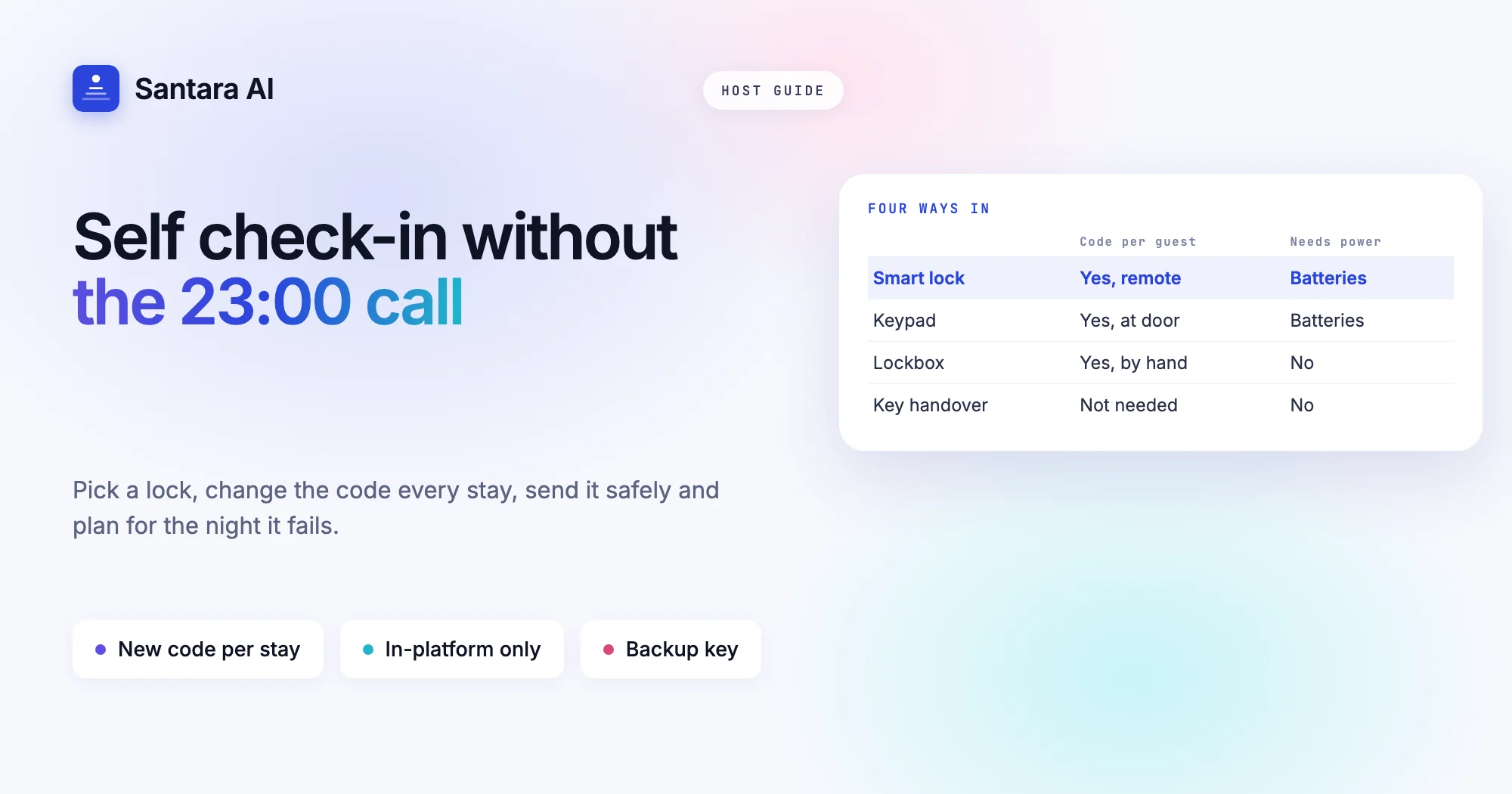
Self check-in lets guests arrive at 23:00 off a delayed flight without anyone waiting at the gate. For a small host, it can be the difference between running a few rooms alongside a day job and being on call every evening. But a self check-in vacation rental only works if the access method is reliable, the code reaches the right guest at the right time, and there is a plan for the night the lock or the power fails.
This guide compares the four common options (smart lock, keypad, lockbox and key handover), then covers what Airbnb, Booking.com and Agoda say about check-in methods and codes on their own help pages, checked on 24 October 2026. It also covers changing codes between guests, sending codes safely, backup plans, and the guest registration duty that self check-in does not remove.
No brand recommendations here and no prices. Hardware changes fast; the principles below don't.
Self check-in vacation rental options: four ways in
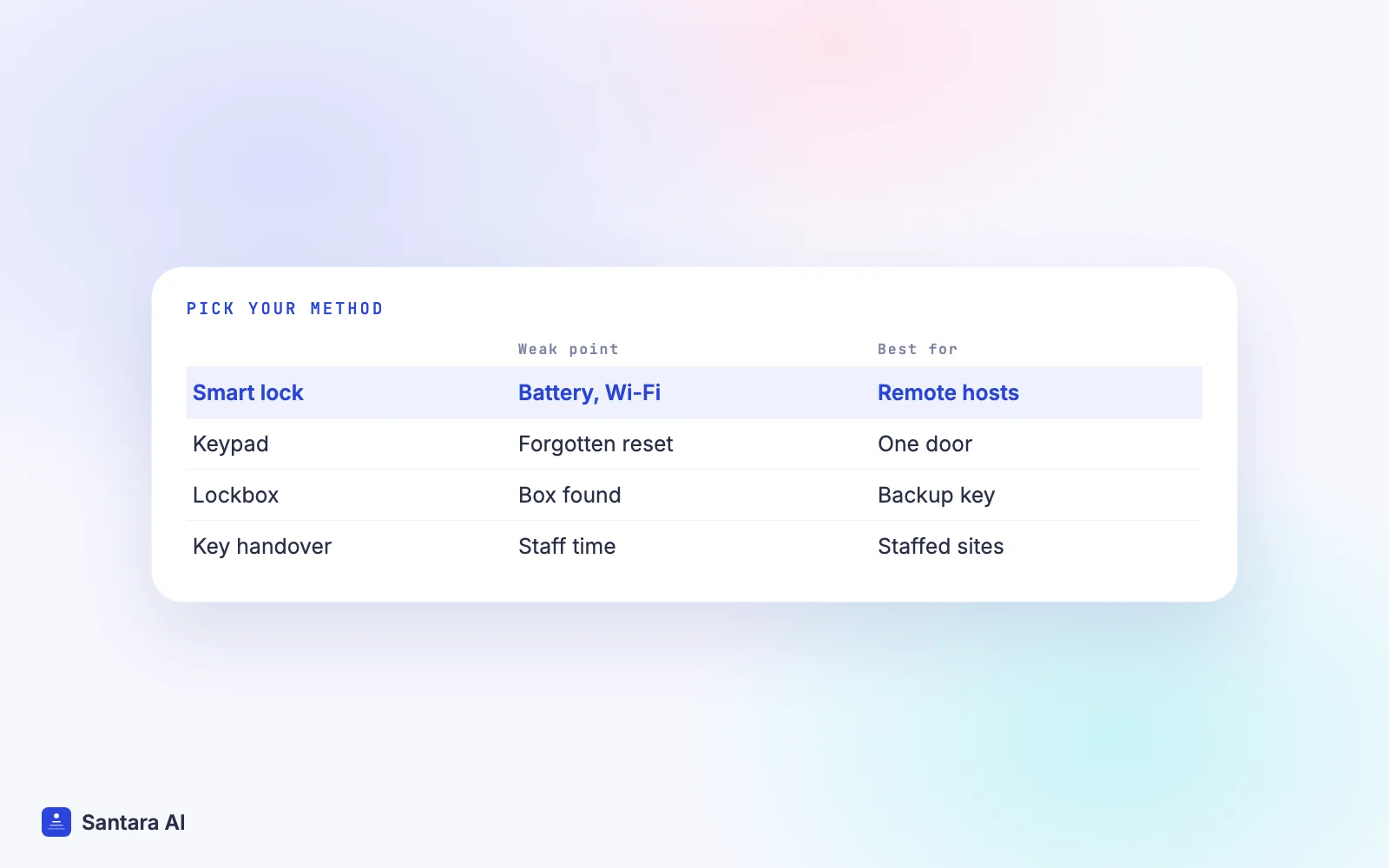
| Smart lock | Keypad | Lockbox | Key handover | |
| New code per guest | Yes, often from an app | Yes, set on the lock | Yes, change the dial by hand | Not needed, but keys can be copied |
| Needs power | Batteries | Batteries | No | No |
| Needs internet | For remote changes | No | No | No |
| Weak point | Flat battery, app or Wi-Fi outage | Flat battery, forgotten reset | Box can be found or forced | Someone must be there |
| Best for | Hosts managing remotely | One door, simple routine | Budget start, backup key | Guest houses with staff on site |
Smart lock. You can create and cancel codes remotely, often with a start and end time. It suits hosts who don't live nearby. The risks are a flat battery and losing remote access during an internet outage.
Keypad. A lock with buttons but no connection. You change the code at the door between stays. Simple and reliable, but someone has to remember the reset.
Lockbox. A small box with a dial code that holds a physical key. Cheap and needs no power, but anyone who learns the code and finds the box has the key. Good as a backup even if you use something else.
Key handover. A person meets the guest. Warm and flexible, and it lets you check identity in person, but it ties up staff time and late arrivals are hard.
What the platforms say
Airbnb. Airbnb's article on adding self check-in lists these check-in methods: smart lock, keypad, lockbox, building staff, in-person greeting and other. You set the method and instructions in the Listing editor under Arrival guide, Check-in method. Guests see the method right away, but not the detailed instructions until 48 hours before check-in. The same article notes that self check-in may not be available in all countries.
Airbnb's resource guide on self check-in (August 2026) says guests automatically receive your instructions 24 to 48 hours before check-in, and that each booking guest should get a unique access code. Airbnb's safety requirements make it a rule: lockboxes and entry codes must stay secure, and hosts should change codes between each reservation.
Booking.com. The key collection feature lives under Property, Policies, Key collection. You choose how and where keys are collected, can add a backup check-in option, and guests see it in the "Getting into the property" section of their confirmation. Booking.com says the information is stored securely and shared only with your guests, and that the feature may not yet be available for every property type. Its room key guidelines say lockbox and entry codes should be changed after each check-out, and that a smart lock with an app should generate a new code after each check-out.
Agoda. Agoda's help article on check-in info says to add step-by-step instructions in Partner Portal under Property, Arrival guide, Check-in instructions, including the entry method and door or lockbox codes.
The common thread: one code per stay, changed after every check-out, delivered through the platform close to arrival.
Changing codes between guests
Every platform above asks for it, and it is the step most often skipped on a busy day. Make it part of the turnover, not a separate job.
Step 1
Set the new code before the cleaner leaves
Tie it to the end of cleaning. If your cleaner resets the keypad or lockbox, they do it as the last task and send you a photo of the dial or the confirmation.
Step 2
Use a pattern only you know
For example, the last four digits of a booking reference, or a random code from a list you keep. Never the room number, the year or 1234.
Step 3
Record the code once
Write it in one place the whole team uses, next to the booking. Two notebooks always disagree.
Step 4
Check the old code no longer works
Try the previous code at the door. A keypad that didn't save is the usual cause of a stranger's code still working.
Step 5
Send the new code only to the new guest
Through the platform's messaging, in the check-in instructions, and only after the reset is confirmed.
For more on fitting this into the cleaning routine, see our guide to turnover day without chaos.
Sending codes safely
A code is only as safe as the channel it travels through.
- Use the platform's own tools. Airbnb's Arrival guide, Booking.com's key collection feature and Agoda's Arrival guide all show instructions to the booked guest only. Use them, and repeat the code in the platform's message thread close to arrival.
- Mind Airbnb's off-platform rules. Airbnb's off-platform policy says that for reservations booked on or after 20 November 2026, hosts may not ask guests for personal data at any point during the booking or the stay. Earlier bookings follow the previous version, which allowed another chat app only if the guest asked for it after booking. The simplest safe habit is to keep codes and instructions in the Airbnb thread.
- Time it. Airbnb releases instructions 24 to 48 hours ahead. On other channels, send them the day before so the guest has them while they still have Wi-Fi, and repeat the code on arrival day.
- Never publish codes. Not in the listing description, not in photos, not in a printed manual that stays in the house. Our house manual template uses a placeholder for exactly this reason.
- One guest, one code. Do not reuse a code for back-to-back guests "because it's easier". The previous guest still has it.
Backup plans for when it fails
Self check-in at a vacation rental fails at the worst time: late, in the rain, with a tired family at the door. Plan for each failure once.
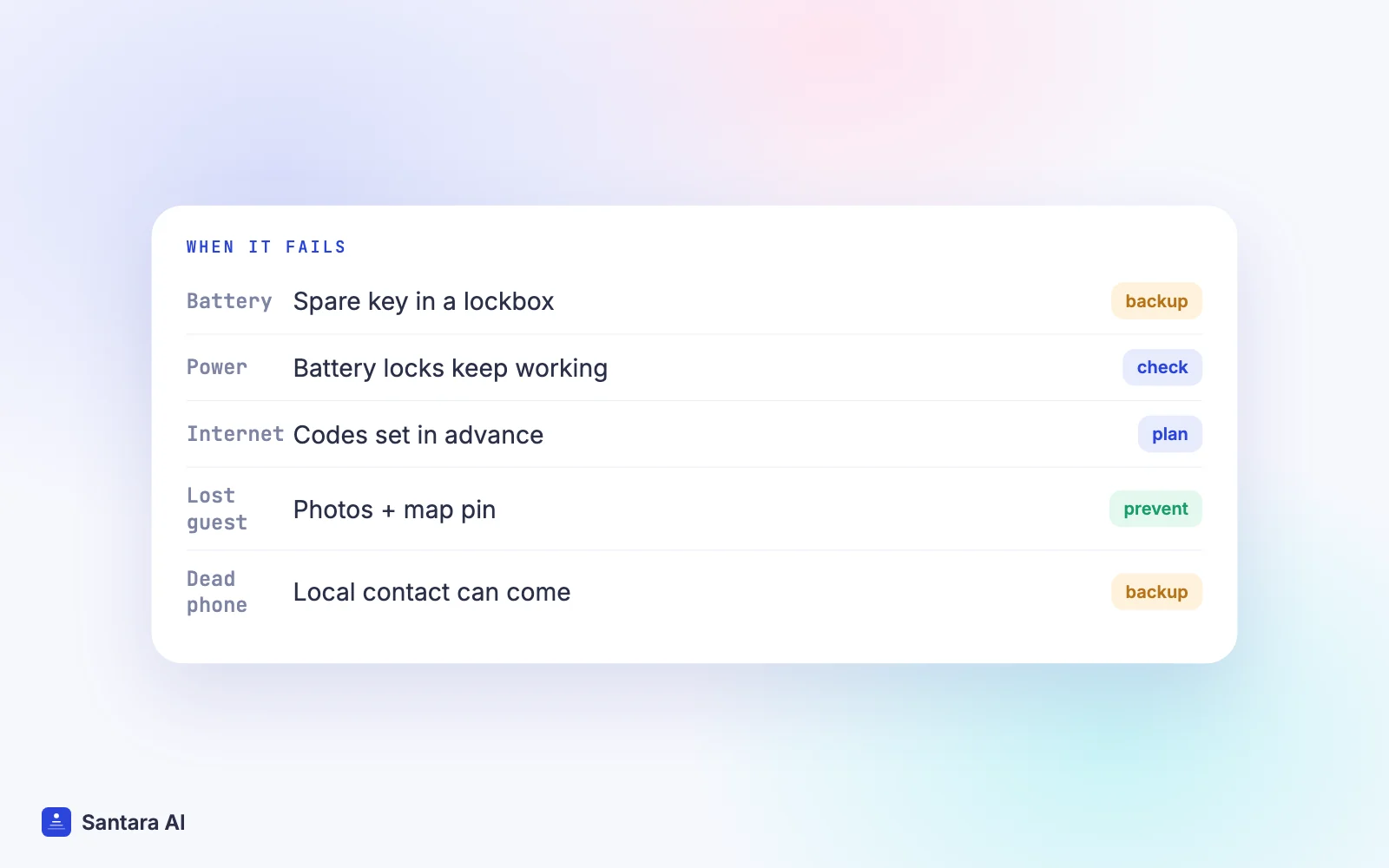
| Failure | Backup |
| Flat battery on a smart lock or keypad | Change batteries on a schedule; keep the mechanical override key in a lockbox |
| Power cut | Battery locks keep working; check gate motors and lighting along the path |
| Wi-Fi or mobile data down | Set codes in advance, not on arrival; keep a keypad or lockbox code that needs no connection |
| Guest can't find the door | Photos of the gate, the door and the box in the instructions; a pinned map point |
| Guest's phone is dead | A local contact who can come in person; a number written in the confirmation |
| Code typed wrongly several times | Know your lock's lockout rule and how to reset it remotely or on site |
Test the whole arrival yourself once a quarter, at night, using only the instructions you send guests. You will find the missing step.
Self check-in does not remove guest registration
Contactless arrival does not change your legal duties. In Vietnam, accommodation hosts must report guests' stays, and in Indonesia properties must report foreign guests through APOA. Our guest registration guide for Vietnam and Indonesia covers the details; confirm current rules with your local office.
On Airbnb, the off-platform policy sets limits on how you collect identity details. Hosts may physically check a guest's ID in person at check-in if the requirement is disclosed in the listing's requests section, but may not keep a digital or physical copy, except to comply with applicable law. If your local law requires ID details, say so in the listing and follow the policy's exception, rather than asking for passport photos in a chat.
In practice, many hosts combine self check-in with a short in-person or video moment for registration. Plan that time into your arrival steps rather than chasing guests later.
How Santara AI fits
Santara AI does not integrate with smart locks, and it does not create or send codes automatically. Here is what it does help with.
Stay information in one place. You can store the Wi-Fi name, Wi-Fi password, door code and check-in or access notes per building and per room. A room inherits the building's value unless you set its own, so a shared gate code lives on the building and each room keeps its own door code. Passwords and door codes are host-only and are not shown on your public booking site.
Templates that pull the current values. Message templates can insert {wifi_password} and {door_code}, so the code in your message is the one you last saved, not one copied from an old thread. Guest messages from Airbnb, Booking.com and Expedia arrive in the Santara AI inbox, where AI drafts replies and nothing sends until you press Send.
A turnover reminder built into the day. New bookings create cleaning tasks automatically, and the Daily Brief email (6am by default) lists arrivals, departures and cleans. That is a natural moment to remind the team to reset the code. Bookings from every channel land on one calendar, so you see each arrival in time to prepare.
What Santara AI does not do
No smart-lock integration, no automatic code generation and no automatic sending of codes. Updating the code in Santara AI does not change it on the lock; you or your team still reset the lock and then save the new code. Guest registration is also yours to do.
FAQ
What is the safest self check-in vacation rental setup?
Any method is safe if every guest gets a unique code that is changed after each check-out, as Airbnb and Booking.com both ask. Smart locks make that easier remotely; lockboxes are the weakest if codes aren't changed.
When does Airbnb send check-in instructions to guests?
Airbnb's help article says guests see the check-in method right away and the detailed instructions 48 hours before check-in. Its resource guide says instructions arrive automatically 24 to 48 hours ahead.
Should I change the door code after every guest?
Yes. Airbnb's safety requirements say hosts should change codes between each reservation, and Booking.com's guidelines say lockbox and entry codes should be changed after each check-out.
Do I still need to register guests if they check themselves in?
Yes. Self check-in does not change local registration rules, such as residence reporting in Vietnam or APOA in Indonesia. Plan how you will collect the required details.
Keep reading
- Guest message playbook
- Turnover checklist and cleaning schedule template
- Airbnb listing title and description guide
Your first 3 months are free.
Join For Free