Airbnb listing title and description: rules, limits and examples
How to write an Airbnb listing title and description from Airbnb's own guidance, why Booking.com and Agoda write yours for you, and how each handles languages.
 Tai Pham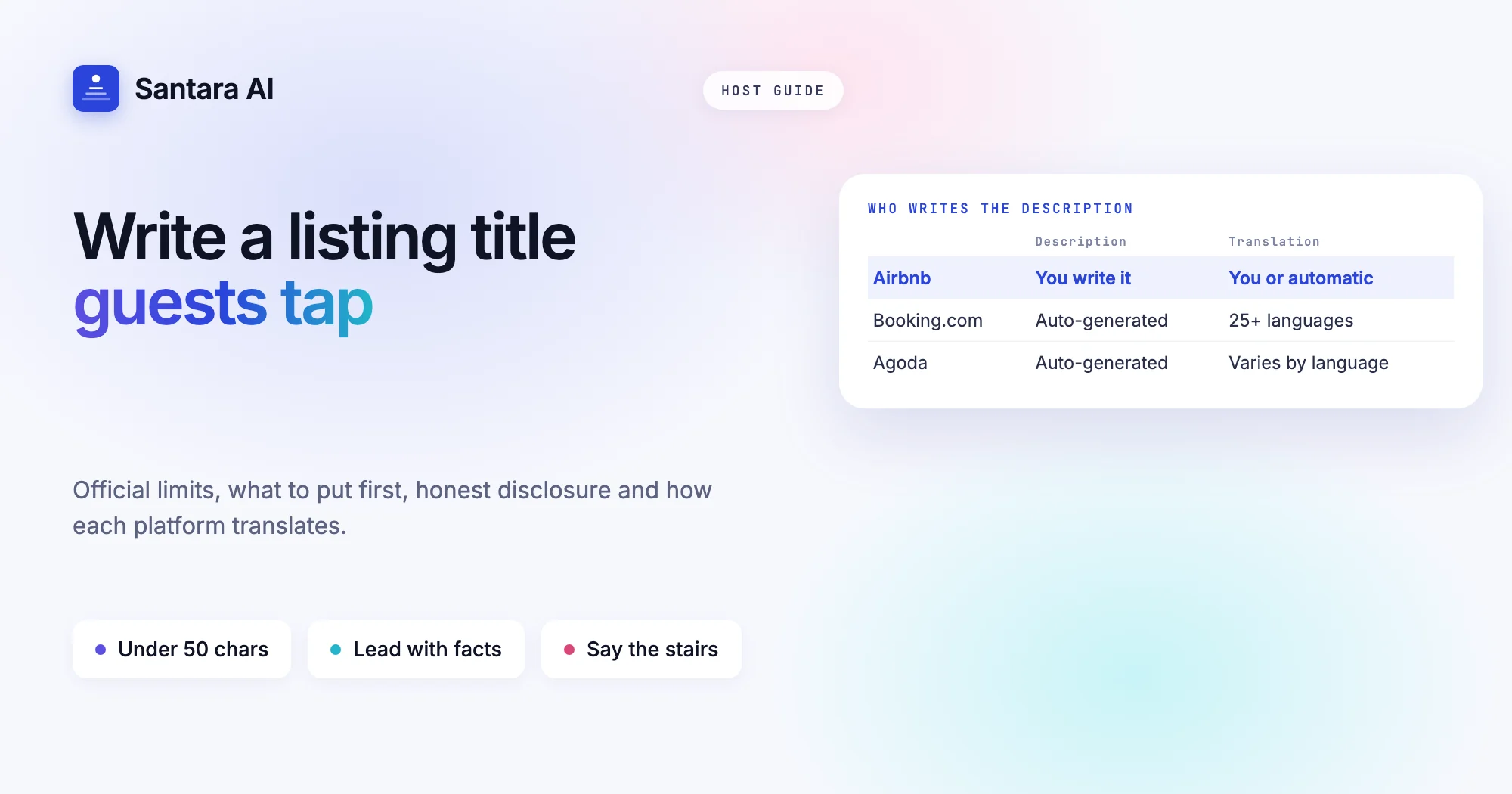
Your Airbnb listing title and description do two jobs. In search, the title has a few words to make someone tap. On the listing page, the description has to answer the questions that decide a booking, and set expectations so the stay matches what the guest pictured. Most bad reviews about "the place was not as described" start here, not with the cleaning.
This guide covers the Airbnb listing title and description rules using Airbnb's own help and resource pages, checked on 24 October 2026, and compares them with how Booking.com and Agoda handle property text. That comparison matters: on two of the three big platforms you cannot write a free-text description at all. We also cover structure, what to put first, honest disclosure (stairs, noise, access), and how each platform deals with other languages.
Examples in this post are hypothetical. Use them as patterns, not as copy.
Airbnb listing title and description limits vs Booking.com and Agoda
Here is what each platform publishes about listing text, and what it does not.
| Platform | Title or name | Description | Other languages |
| Airbnb | Try to stay under 50 characters; longer titles are shortened in search | No character limit stated in the help pages; Airbnb says keep it brief | Add your own languages, the rest is translated automatically |
| Booking.com | Property name: no quotes, asterisks or @, capitals only where needed | Generated by Booking.com from your details; you cannot rewrite it | Generated text is marketed in at least 25 languages |
| Agoda | Name changes go through Agoda | Generated from Partner Portal details; no free-text option | Wording and update timing can differ by language |
The sources, in order. Airbnb's guidelines for writing your listing title (February 2026) say to start with the most important information and try to use fewer than 50 characters, because longer titles are shortened on smaller screens. They also ask you to capitalise only the first letter of the first word (proper names are fine) and avoid emojis and repeated symbols. Airbnb's edit your listing's title article adds that titles can't include misleading information, symbols or emojis.
For the description, Airbnb's guide to writing a listing description gives no character count. It says guests scan, so lead with what matters and do not repeat your amenity list. The only hard number we found nearby is for photo visual descriptions (alt text), which must be fewer than 250 characters. If you see a limit in your editor, that is the one that applies.
Booking.com's property page help says it generates your property description from the details you enter, such as facilities, rooms and location, and translates it. You cannot rewrite it. If something is factually wrong, you request a fix under Property, View your descriptions. Agoda's property description article works the same way: change the underlying details in Partner Portal, and the description follows in about 14 days.
So on Booking.com and Agoda, "writing the description" really means getting your facilities, room details and location exactly right.
Writing an Airbnb title that earns the tap
Airbnb's title article (October 2025) says you don't have to use all 50 characters, and that you can skip details search already shows, such as the city and the number of beds. That frees the title for what makes your place different.
Step 1
List what guests can't see in the photo grid
A rice-field view, a private plunge pool, a 3-minute walk to the old town, a quiet lane. Write five or six candidates.
Step 2
Pick the one that decides bookings
Ask which feature your best reviews mention most. That is usually the one.
Step 3
Add one concrete word about the type of place
Studio, garden bungalow, family villa, loft. Guests filter by type, but the title confirms it.
Step 4
Write it in sentence case, under 50 characters
"Garden bungalow with plunge pool near Ubud centre" is 49 characters. No capitals on every word, no emojis.
Step 5
Read it on your phone
Search for your own area in the app and see where it cuts off. The first four or five words should still make sense.
Two hypothetical before-and-after pairs. "AMAZING VILLA!!! Best View ★★★" becomes "Hillside villa with sunset view over Da Nang bay". "Cozy room 2" becomes "Quiet room with balcony, 5 min walk to the beach". The second version of each tells a guest something they can check.
If you want to know how much the title itself affects where you appear, read our guide to how Airbnb search ranking works. Airbnb does not say the title is a ranking factor, so write it for people.
Structure the description: what goes first
Airbnb's description guide splits the text into the main listing description plus four sections: your property, guest access, interaction with guests, and other details to note. Use them. Each answers a different question, and guests jump to the one they care about.
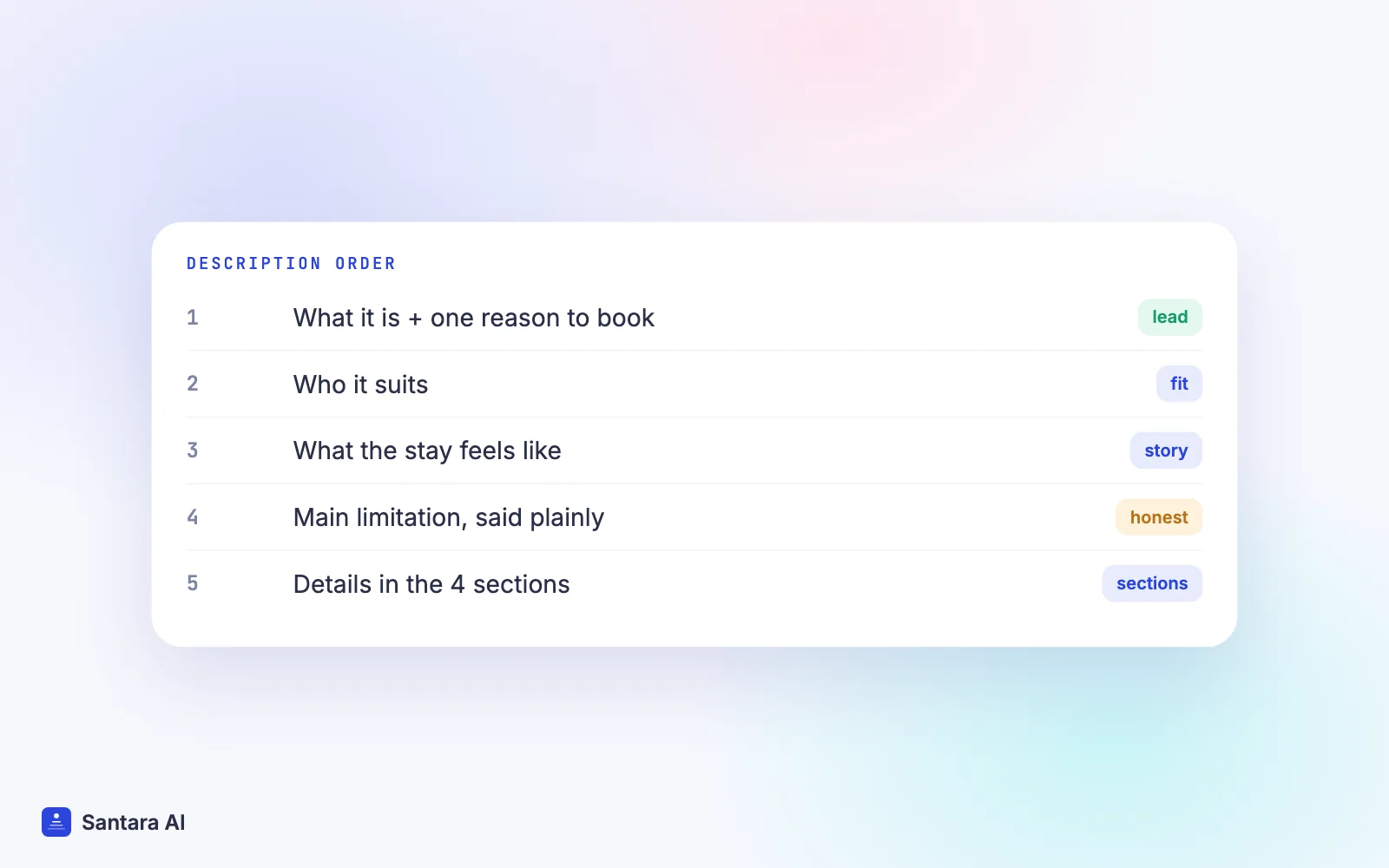
A pattern that works for the main description:
- Sentence 1: what the place is and the one reason to book it.
- Sentence 2 to 3: who it suits (couples, families with small children, remote workers) and what the stay feels like.
- Sentence 4: the most important limitation, said plainly.
Then use the sections for detail. "Your property" describes rooms and layout. "Guest access" says what is private and what is shared. "Interaction with guests" says whether you live on site or answer by message. "Other details to note" holds the things guests need before booking: the walk from the road, the step count, the construction next door.
A hypothetical main description for a two-bedroom house in Hội An: "A two-bedroom house on a quiet lane, a 10-minute bike ride from the old town. It suits families and friends who want a kitchen and a small garden rather than a hotel. Bikes are included. The house has steep stairs to both bedrooms and no lift."
That last sentence costs you nothing with the right guests and saves you a bad review from the wrong ones.
Honest disclosure: stairs, noise and access
Airbnb's description guide asks you to be upfront about anything that could be a challenge for some guests. Its safety requirements go further: hosts must disclose built-in hazards in the listing description, with examples such as high places, a pool or a body of water.
| Issue | Weak wording | Clear wording |
| Stairs | "Charming multi-level home" | "Bedrooms are up 2 flights of steep stairs, no lift" |
| Noise | "Lively area" | "Bars on the street play music until about midnight; earplugs provided" |
| Access | "Secluded hideaway" | "Last 300 m is a footpath; we carry bags from the car park" |
| Water | "Infinity pool" | "Unfenced pool, 1.6 m deep; not suitable for unsupervised children" |
| Works | (not mentioned) | "Building work next door, weekdays 8:00 to 17:00, until March" |
Keep the same facts in all places guests read: title, description, house rules and your house manual. If the description says "quiet" and the house rules mention a karaoke bar, guests trust neither.
Listing in more than one language
Airbnb's article on translating your listing says you can add languages in the Listing editor (Settings, Languages, Add a language) and then write the description in each one. For any language you don't add, guests see an automatic translation.
Practical advice for Southeast Asian hosts:
- Write English yourself. It is the language most of your international guests share, and you control the wording of the limitations.
- Add the language of your largest guest group if you can write it well, for example Vietnamese for domestic guests, or Korean if most bookings come from Korea and someone on your team writes it properly.
- Keep facts identical. Check-in time, the stair count and the pool depth must match in every version.
- Don't add a language you can't maintain. A stale hand-written version is worse than an automatic translation of a current one.
On Booking.com you don't write the description, so translation is Booking.com's job. Its help page says the generated text appears in at least 25 languages and that some are not direct translations of the English, so small discrepancies are possible. Your host profile is different: you can write it yourself and add languages to it. On Agoda, the description article notes that update timing and wording may differ by language.
What you still control on Booking.com and Agoda
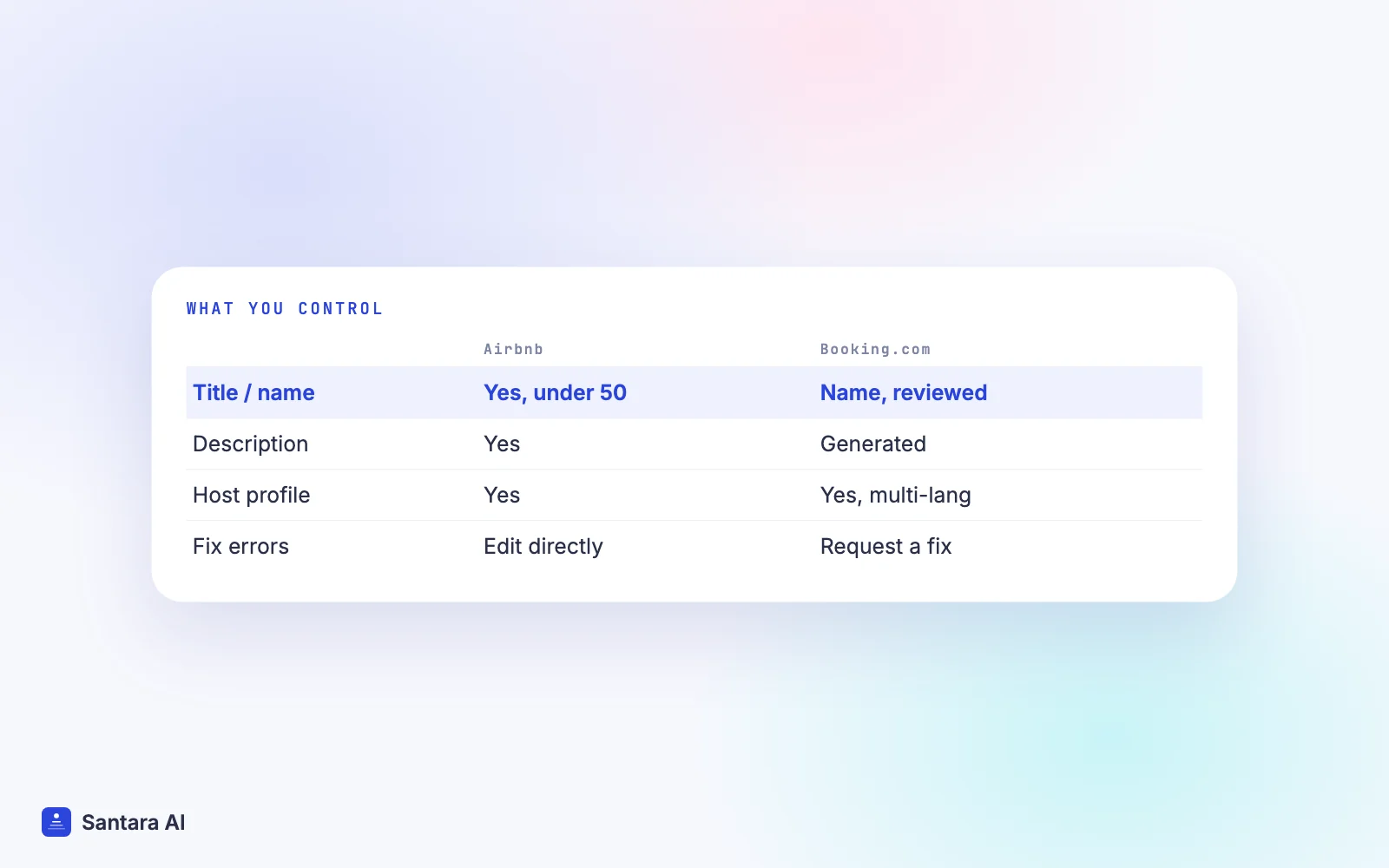
Even without a free-text description, you shape a lot of the text guests see:
- Property name. Booking.com asks for a specific, recognisable name without punctuation like quotation marks or @, and capitals only where needed. See our guide to listing on Booking.com for setup.
- Facilities and room details. These feed the generated description, so a missing "balcony" or wrong bed type shows up in the text.
- Host profile. On Booking.com, a short personal profile about you, the property and the neighbourhood. Personal contact details are not displayed.
- Fine print. For things guests must know before booking. Booking.com says mandatory costs, taxes, deposits, cancellation and payment policies can't go there.
Photos carry a lot of the description's work on every platform. Our listing photos guide covers the shot list and cover photo.
How Santara AI fits
Santara AI does not write or push listing text. Titles, descriptions, photos and house rules stay on each platform, and Santara AI never creates OTA listings: you bring your existing Airbnb, Booking.com or Agoda listings and connect them from the integrations screen. That is deliberate. Each platform has its own rules about who writes the text, as the table above shows.
What Santara AI does once you are connected: it replaces both the PMS and the channel manager, with one calendar per room. Availability, nightly rates and minimum stays set in Santara AI push to the connected channels, and bookings from every channel land on the same calendar.
An accurate description pays off in the inbox too. Guest messages from Airbnb, Booking.com and Expedia arrive in Santara AI, where AI drafts a reply that nothing sends until you press Send. You can store stay information (Wi-Fi name and password, door code, check-in notes) per building and per room, and message templates can insert {wifi_password} and {door_code}. The fewer surprises your listing leaves, the fewer of those messages are complaints.
What stays on each platform
Santara AI has no tool to edit or translate your listing text, and it does not push titles, descriptions or photos to Airbnb, Booking.com or Agoda. Make text changes in each platform's own editor.
FAQ
How many characters can an Airbnb listing title have?
Airbnb's guidance says try to use fewer than 50 characters, and that longer titles are shortened in search results on smaller screens. Its title article says you don't have to use all 50.
Is there a character limit for the Airbnb description?
Airbnb's help and resource pages we checked on 24 October 2026 don't state one. Airbnb says to keep it brief and lead with what matters most. Photo visual descriptions must be under 250 characters.
Can I write my own property description on Booking.com?
No. Booking.com generates the description from your facilities, rooms and location and translates it. You can request a fix for factual errors, and you can write your own host profile.
Does Airbnb translate my listing automatically?
Yes. Airbnb shows automatic translations for languages you haven't added. You can add languages in the Listing editor and write your own description in each.
Keep reading
Your first 3 months are free.
Join For Free