ChatGPT for vacation rental data: a safe access checklist
What an AI needs to answer host questions, the privacy risks of sharing guest data, questions to ask any tool before connecting it, and what never to paste.
 Tai Pham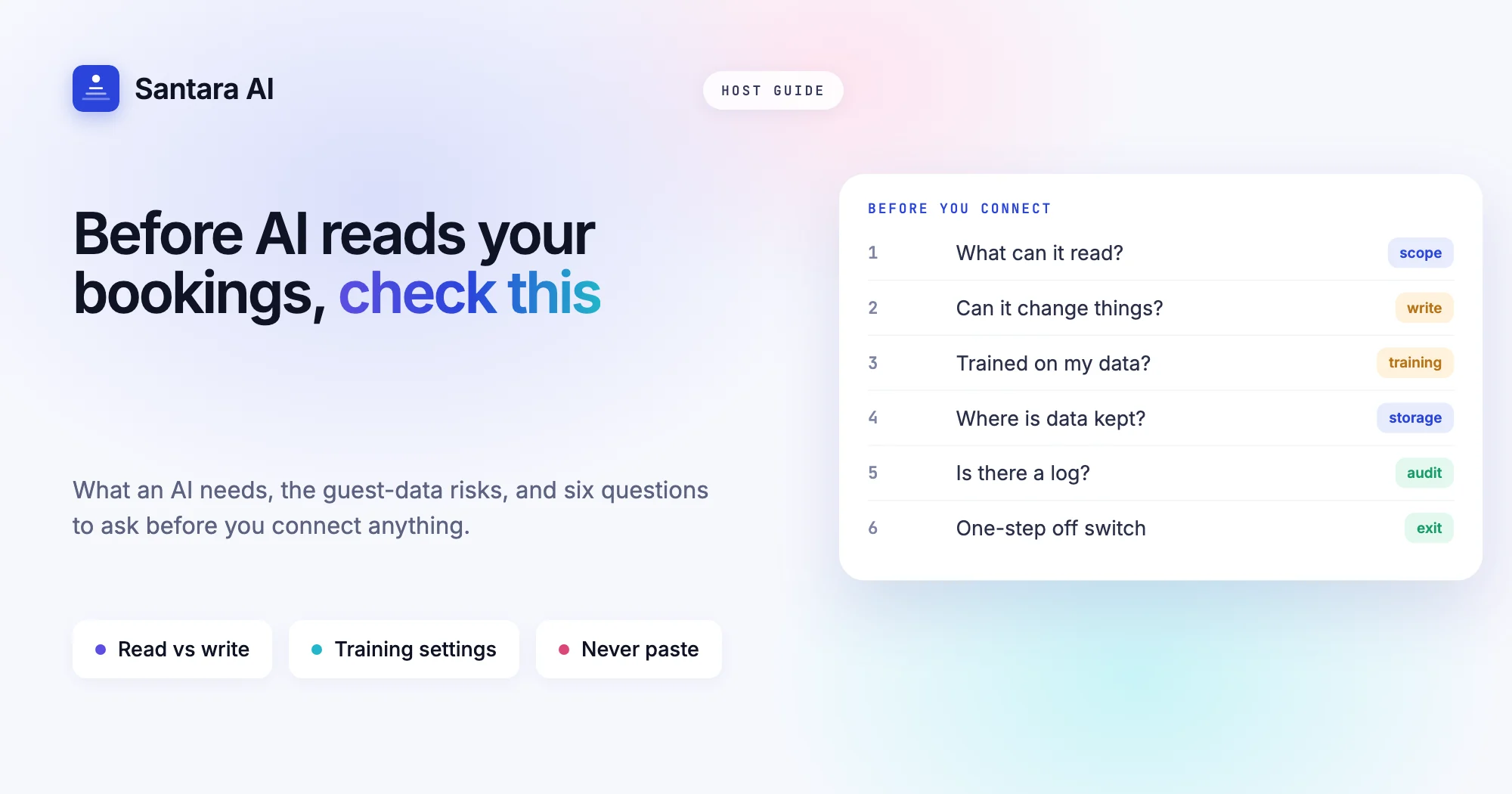
Sooner or later every host asks the same thing: "Can I just give ChatGPT my bookings and let it answer my questions?" Using ChatGPT for vacation rental data is tempting. You want to know who arrives on Friday, which nights are still empty in December, and what a guest asked three days ago, without opening four tabs.
The honest answer is that an AI assistant is only as good as the data it can see, and every piece of data you hand over carries guest information that is not yours to spread around. A passport number pasted into a chat window is still a passport number.
This guide is a vendor-neutral checklist. It covers what an AI needs to answer host questions well, the real privacy risks, the questions to ask any tool before you connect it, and what you should never paste into a chat. Legal points are as of October 2026; confirm with the local office before you rely on them.
What an AI assistant needs to answer host questions
Most host questions are about your own operation, not about the world. A general chatbot knows a lot about hospitality, but it knows nothing about your calendar until you give it something. Here is what each common question actually requires.
| Question you ask | Data the AI needs | How fresh it must be |
| "Who checks in tomorrow?" | Bookings with dates and guest names | Today |
| "Which nights are empty in December?" | The calendar per room, across all channels | Today, or the answer is wrong |
| "What did the guest in Villa 2 ask?" | The message thread | The latest message |
| "What did we earn last month?" | Payouts, channel fees, expenses | Closed month |
| "Is the 3 pm clean on time?" | Cleaning tasks and who is assigned | This morning |
Two things stand out. First, most questions need data from more than one place: a booking from Airbnb, a message from Booking.com, a cleaning job from your team chat. Second, freshness matters more than cleverness. A spreadsheet export from last Tuesday will give a confident, wrong answer about this Friday. If you use ChatGPT for vacation rental data by pasting exports, the answer is always as old as the paste.
If the terms in that table are new, our short-term rental glossary explains occupancy, gap nights and the rest.
ChatGPT for vacation rental data: three ways to share it
Whatever tool you pick, there are only three ways to use ChatGPT for vacation rental data, and each moves a different amount of risk onto you.
| Route | What the AI sees | Main risk |
| Paste text or screenshots into a chat | Only what you paste, frozen at that moment | You copy guest data by hand, often more than needed |
| Upload a file (CSV export, PDF) | Everything in the file | Exports usually include phone numbers, emails and notes |
| A connected app with access to your account | Live data, within the permissions you grant | Access that is wider or longer than you meant |
Pasting is the most common and the least controlled. You decide what goes in, but at 11 pm nobody trims a guest list before pasting it. Uploading a full export is worse: a reservations CSV can contain every guest's phone number and email for a year. A connected app can be the safest of the three if it is built well, because it can read only what it needs and you can switch it off, or the most dangerous if it asks for broad access.
The privacy risks: guest data, training and the law
Guest personal data. Names, phone numbers, emails, passport or ID details, arrival times and even "honeymoon couple, wife is pregnant" in your notes are personal data. When you paste them into a third-party chat, you are passing that data to another company.
Model training settings. The two best-known assistants publish how they treat chats, and the settings differ by plan:
- OpenAI's data controls help page explains that personal ChatGPT accounts have an "Improve the model for everyone" setting under Settings, then Data controls; turning it off stops your chats being used for training. Temporary Chats are not used for training and are deleted from OpenAI's systems after 30 days. OpenAI states that by default it does not train on content from ChatGPT Business, Enterprise, Edu or the API Platform (how your data is used).
- Anthropic's consumer privacy page says Claude Free, Pro and Max chats are used to improve Claude only if you choose to allow it, and incognito chats are not used. For commercial products such as Claude for Work and the API, Anthropic says it does not train on inputs or outputs by default (commercial page).
Both companies note exceptions, such as feedback you send with a thumbs up or down. Check the settings on your own account; do not assume the default.
The law. Vietnam's Law on Personal Data Protection (No. 91/2025/QH15) took effect on 1 January 2026 and applies to foreign organisations that process Vietnamese citizens' data as well as local ones. The Hà Tĩnh provincial government's summary lists fines of up to 5% of the previous year's revenue for unlawful cross-border transfers and up to 3 billion VND for other violations. Indonesia's Personal Data Protection Law, UU No. 27 Tahun 2022, was enacted on 17 October 2022 and covers data controllers, data transfers and sanctions. Guests also hand you ID data because you must register them; our guide to guest registration in Vietnam and Indonesia covers that duty. None of this is legal advice; ask a local lawyer if you process a lot of guest data.
Read access, write access and approvals
When a tool asks to connect to your booking data, the most important question is not "how smart is it?" but "what can it do?"
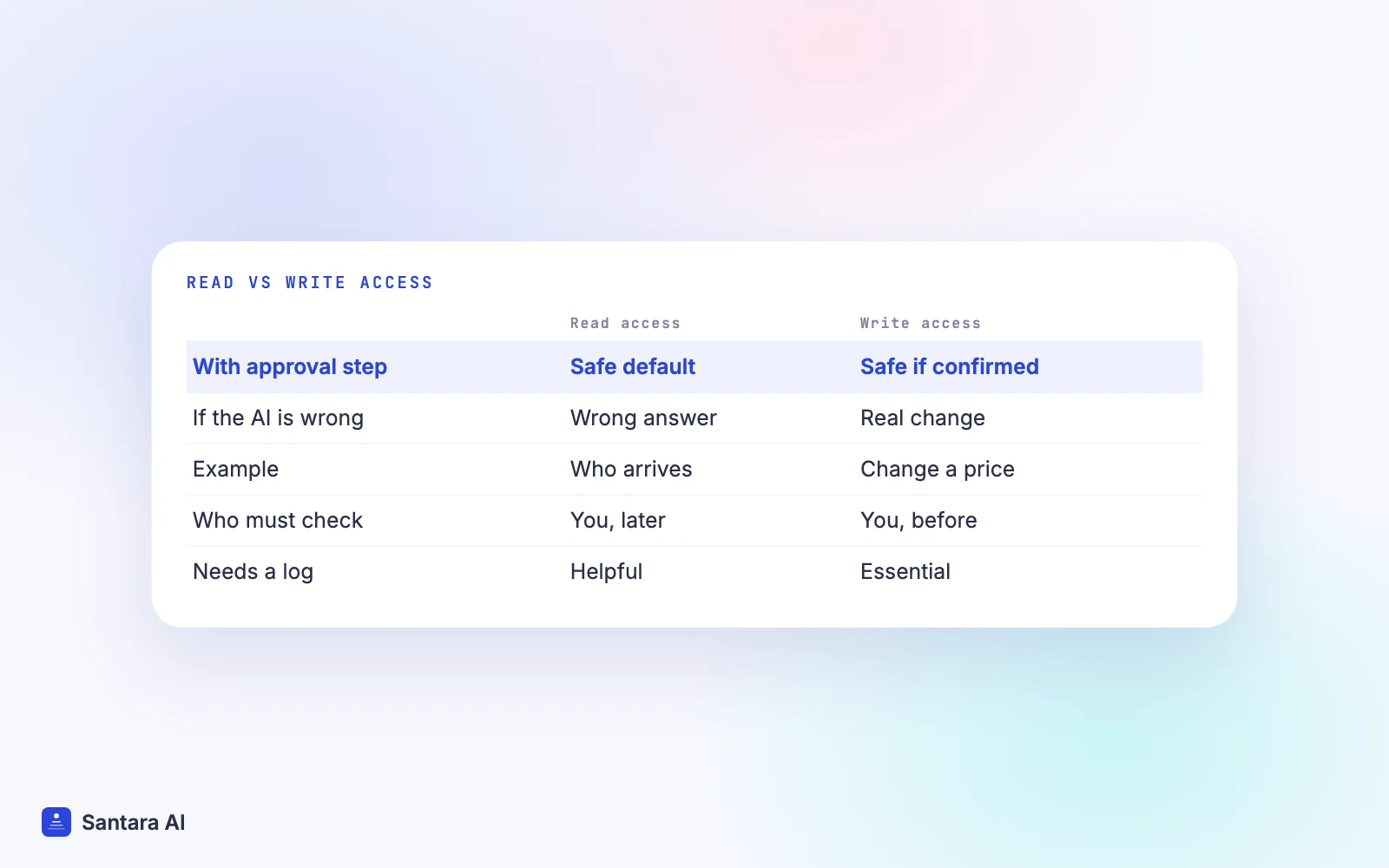
- Read access lets the AI look at bookings, the calendar and messages. A mistake gives you a wrong answer, which you can check.
- Write access lets it change prices, block dates, cancel or message guests. A mistake changes something real: a price pushed to every channel, a message sent to a guest at 2 am.
Many apps connect through OAuth, the "Sign in with… and allow" screen. That screen lists scopes, which are the permissions you are granting. Read them. "View your reservations" is very different from "manage your listings and messages". If the screen does not say, ask the vendor.
The safest pattern for anything that writes is an approval step: the AI proposes a change, shows you exactly what will happen, and does nothing until you confirm. Add logs on top, so you can see later who changed what and when.
Questions to ask any tool before you connect it
This is the core of any plan to use ChatGPT for vacation rental data, or any other assistant. Use this list for any AI assistant, chatbot plugin or "AI co-host" product, including ours.
Step 1
What exactly can it read?
Bookings, messages, guest contact details, payouts? Ask for the list. If it needs your whole OTA account to answer "who arrives tomorrow", that is too much.
Step 2
Can it change anything, and how do I approve?
Ask whether it can change prices, block dates or send messages, and whether every change waits for your confirmation.
Step 3
Is my data used to train models?
Get the answer in writing, by plan. A business plan and a free plan often have different defaults.
Step 4
Where is the data stored and for how long?
Ask about retention, deletion on request, and which country the servers are in. This matters under Vietnamese and Indonesian data law.
Step 5
Is there a log of what it did?
You want a record of every question, every change and who approved it, especially if staff use it too.
Step 6
How do I switch it off?
Disconnecting should be one step, and it should stop all access at once. Ask what happens to data already copied.
What to never paste into a chat
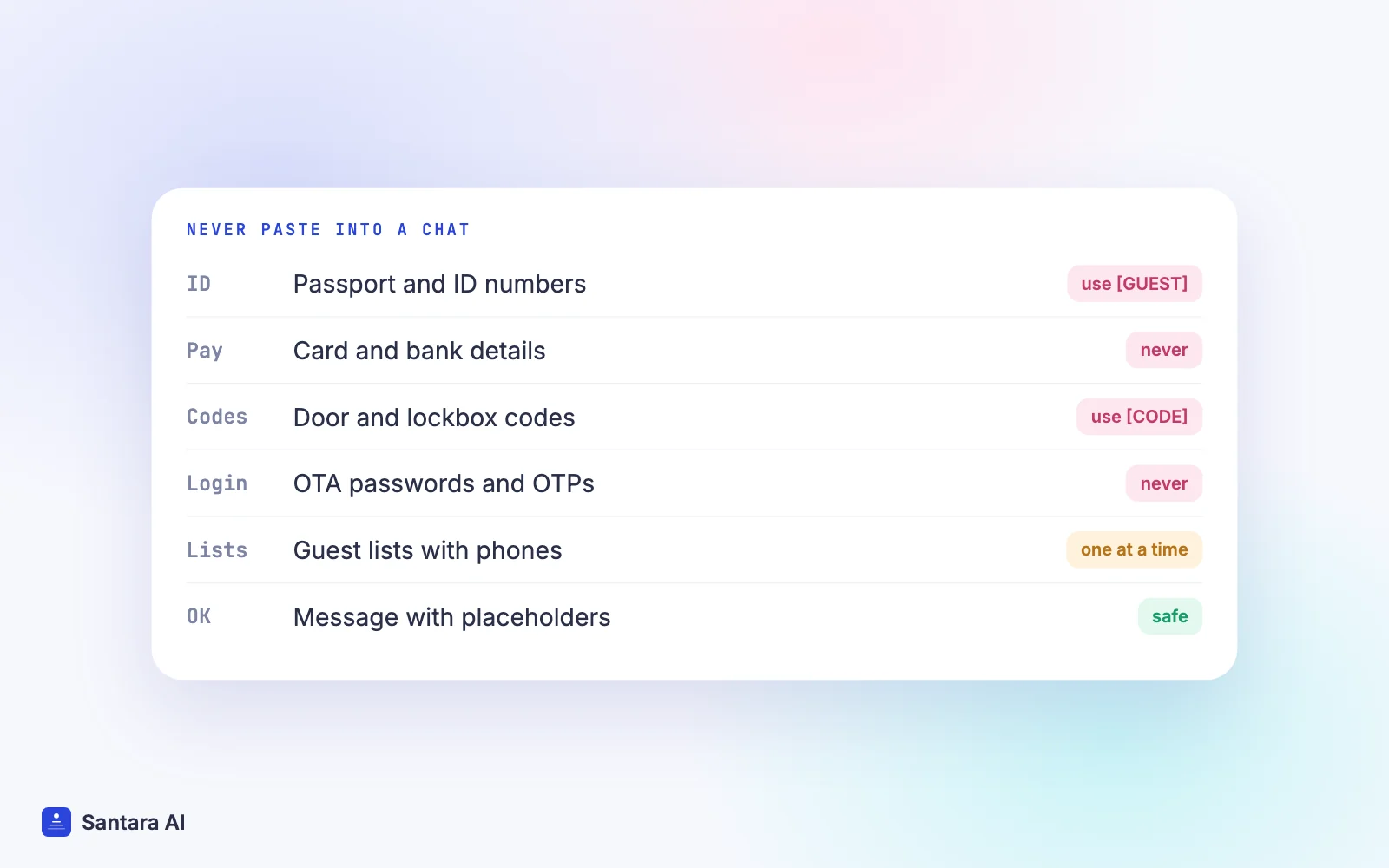
Whatever tool you use, some things should never go into a chat window. Use placeholders such as [GUEST NAME] or [DOOR CODE] instead; the AI writes the same reply.
- Passport and ID numbers, or photos of documents. You hold these to register guests, not to share them.
- Payment card numbers and bank details, yours or the guest's.
- Door codes, lockbox codes and alarm codes. A chat log is not a safe.
- OTA passwords, API keys and one-time codes. No legitimate assistant needs your Airbnb password in a chat.
- Full guest lists with phone numbers and emails. Ask about one booking at a time, without contact details.
- Owner contracts and payout statements with personal details, unless the tool is approved for that by the owner.
- Health, religion or other sensitive notes about guests. Leave them out of every system you can.
A simple habit helps: before pressing Enter, read the paste once and delete anything the answer does not need.
If you use ChatGPT mainly for writing, our post on ChatGPT for Airbnb hosts has prompts that work with placeholders instead of real guest details.
How Santara AI handles AI access to your booking data
Santara AI replaces both the PMS and the channel manager, so your calendar, bookings and guest messages from Airbnb, Booking.com and Expedia already live in one account. Santi, Santara AI's assistant, answers questions about your own operation from that account: who arrives tomorrow, which nights are empty, what a guest asked. You don't paste exports, so the answer reflects the account, not last week's spreadsheet.
Santi asks you to confirm before any change. It can propose a change, but nothing happens until you approve it. In the inbox, the AI drafts replies to guests, and nothing is sent until you press Send.
Connecting ChatGPT or Claude directly to your Santara AI account is not available to customers today. If you want to use a general chatbot for writing, keep using it the safe way: with placeholders, not guest data.
What Santara AI does not do
Santara AI does not make you compliant with Vietnamese or Indonesian data protection law, and it does not register guests with the police or immigration. It does not connect your account to ChatGPT or Claude. Guest messages from Traveloka, Tiket.com and Agoda do not come into the Santara AI inbox.
FAQ
Is it safe to give ChatGPT access to my booking data?
It depends on what you share and which plan you use. Pasting guest names, phone numbers or passport details into a personal chat moves personal data to another company. Check your training settings, share one booking at a time and use placeholders.
Does ChatGPT use my chats to train its models?
On personal accounts, OpenAI uses chats to improve models unless you turn off "Improve the model for everyone" in Data controls. Temporary Chats are not used for training. OpenAI says Business, Enterprise and API content is not used for training by default.
What should a vacation rental host never paste into an AI chat?
Passport or ID numbers, document photos, card or bank details, door and lockbox codes, OTA passwords and one-time codes, and full guest lists with contact details. Use placeholders instead.
Can I connect ChatGPT or Claude directly to Santara AI?
Not today. Santara AI's own assistant, Santi, answers questions about your operation from your account and asks you to confirm before any change.
Keep reading
- Santi, the AI assistant for Airbnb hosts
- We tested Santi's accuracy on a live portfolio
- The guest message playbook
Your first 3 months are free.
Join For Free