A day with Santi: the AI assistant for Airbnb and villa hosts
Hour by hour with Santi, the voice-and-chat AI assistant from Santara AI: guest replies, cleaning, revenue, holiday pricing and gap nights, with every change waiting for your Yes and Confirm.
 Tai Pham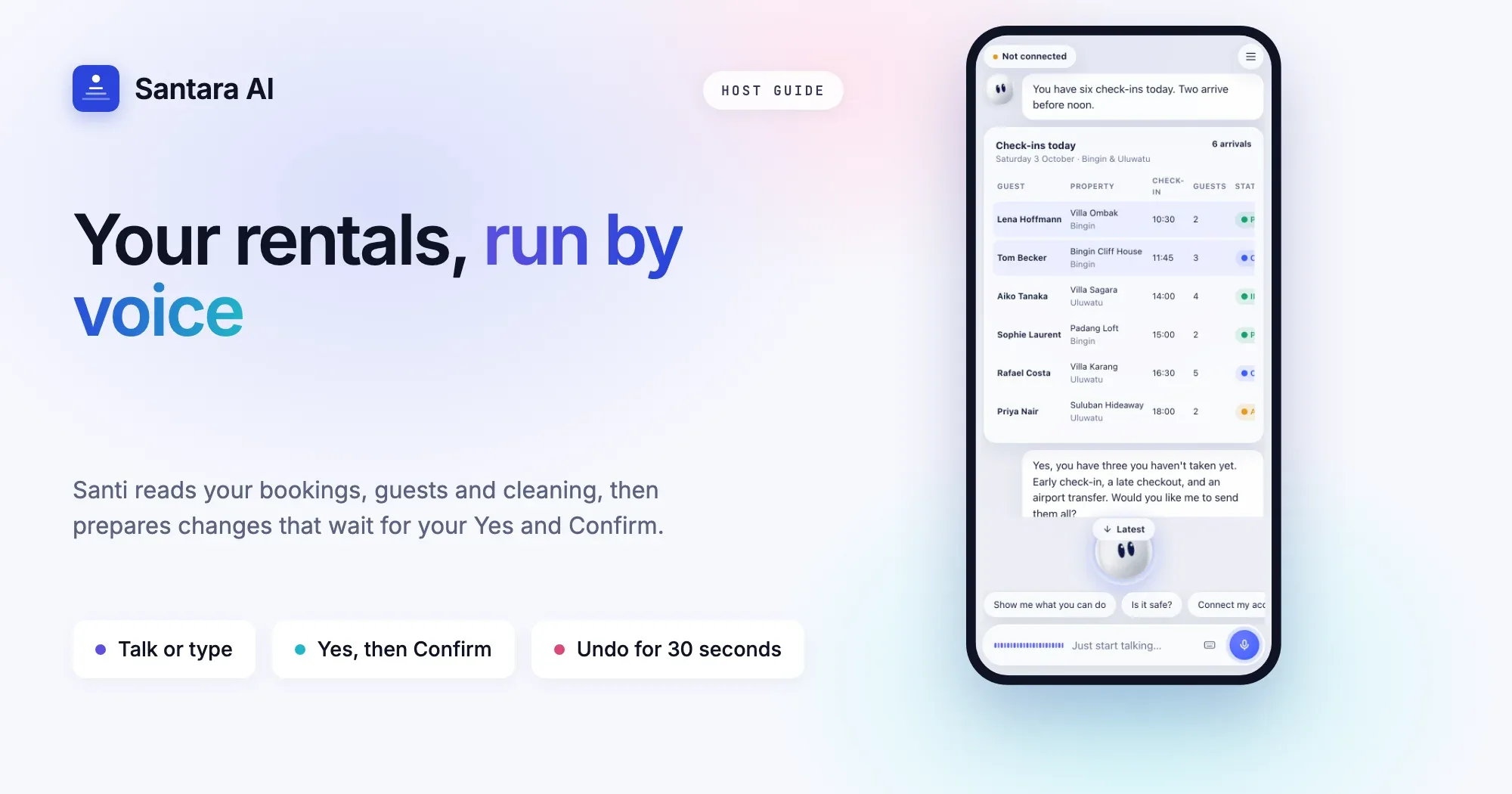
It's 8:40 in Canggu and you're on the scooter, helmet on, both hands busy. You tap once and say: "Block Villa 2 this weekend." Santi checks the calendar and shows the change: Villa 2, Saturday to Sunday, open → blocked. You say "yes", then "confirm". Done, on every connected channel. Then: "Give tomorrow's clean at Villa Ombak to Kadek." Same two words, and Kadek is notified.
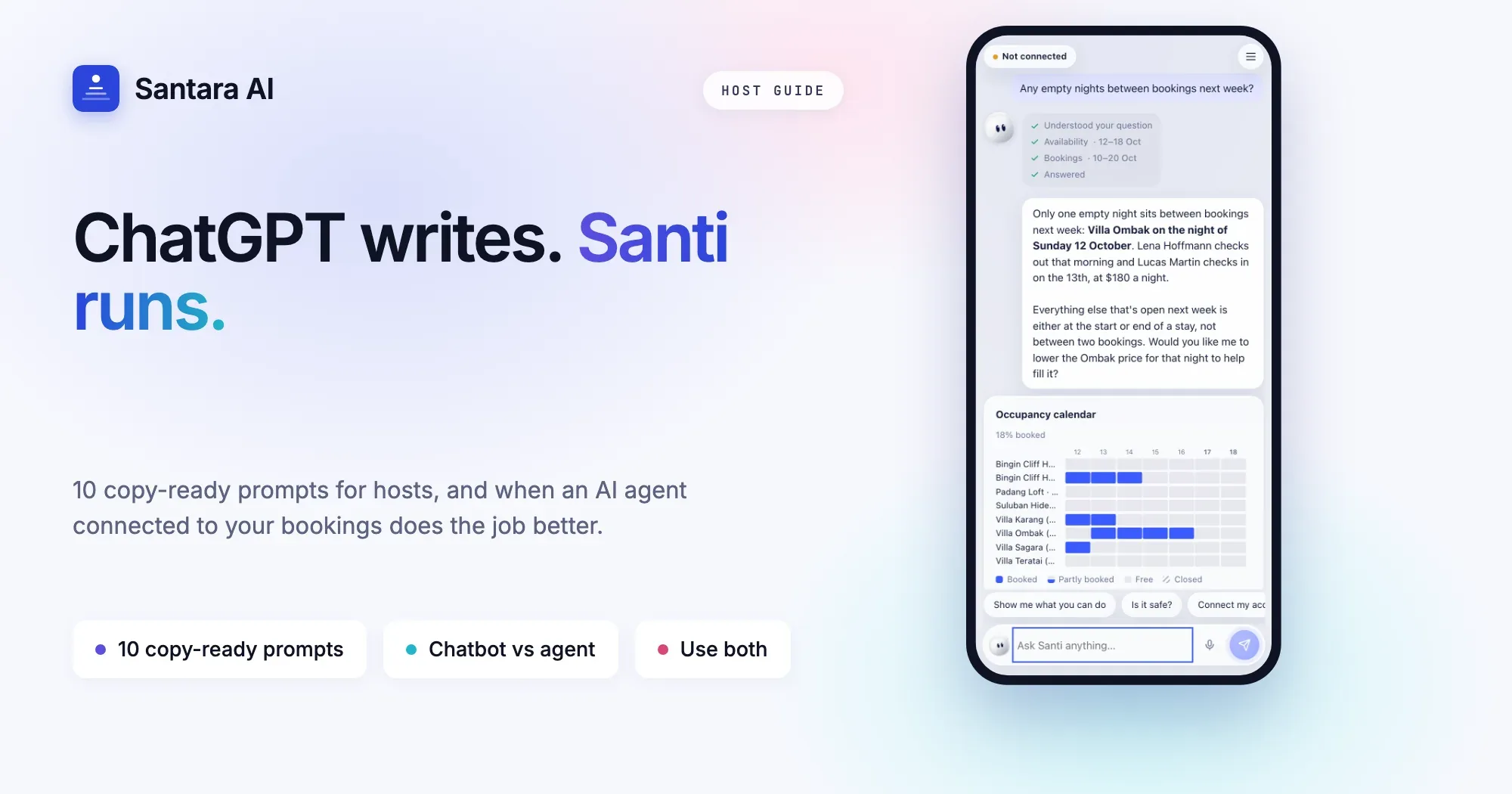
That's Santi, the AI assistant for Airbnb and villa hosts from Santara AI. It reads your bookings, guests, cleaning and revenue freely, answers with cards and charts instead of walls of text, and prepares changes that wait for your OK. This guide covers what a real day with Santi looks like, how it keeps you in control, and how to set it up.
Who Santi helps most
- The hands-on host with two or three villas who answers guests between school runs and surf sessions.
- The manager with a dozen units, a cleaning team and an inbox that never sleeps.
- The owner abroad who wants a straight answer to "how did last month go?" without opening five reports.
A day with Santi, hour by hour
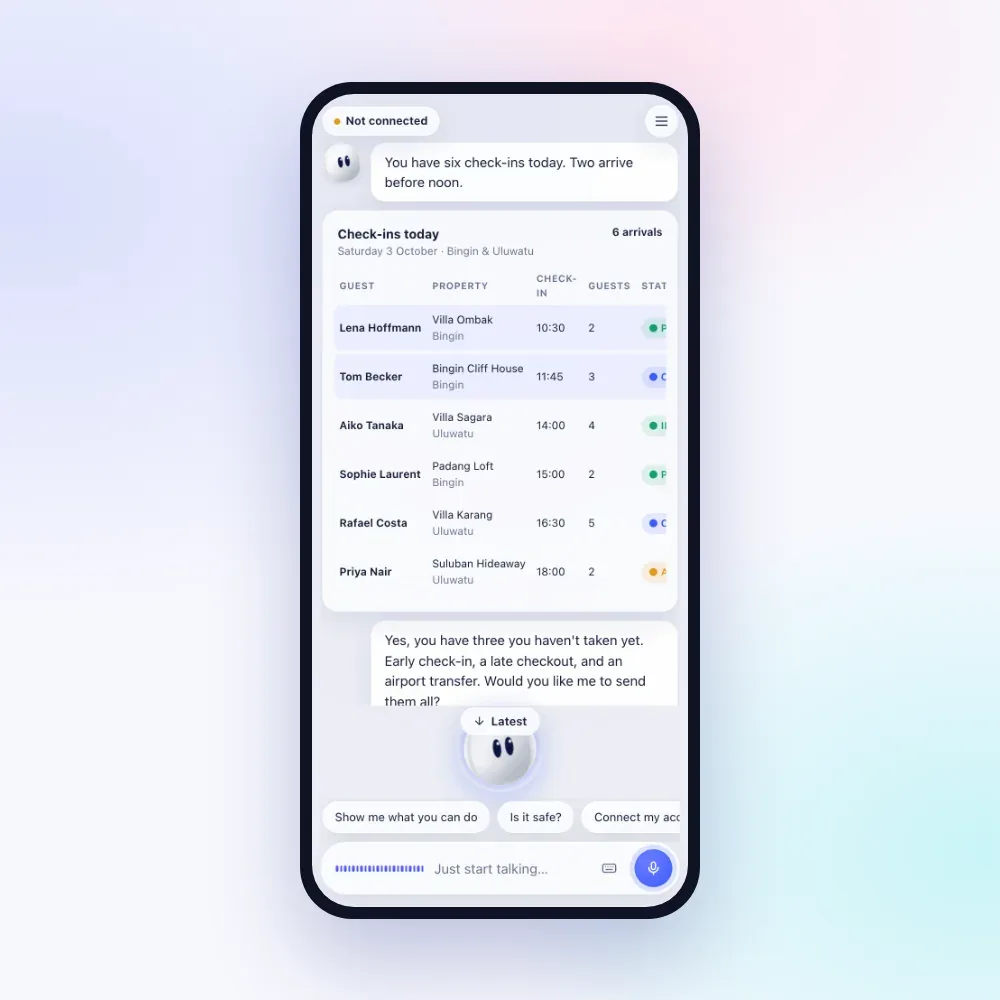
7:00. The morning summary. With notifications on, your phone shows who arrives, who leaves and how many guests are waiting for a reply. Ask "what's on today?" and Santi returns arrivals and departures with times, guests in house, today's cleans by status and urgent tickets, all in one answer. "Any insights?" opens your Daily Brief: what needs attention and why, gap nights and upsell ideas.
9:15. Guest messages. "Who's waiting longest?" Santi sorts by waiting time. "Reply to Aiko." It reads her profile first (language, returning guest, your notes) and drafts in her language, in your voice, from the booking and property facts. Nothing goes out until you approve. Want a different angle? Say "shorter, and mention the airport pickup" and Santi drafts again with your instructions. A German message you can't read? "What does she say?" and Santi translates it.
11:00. Cleaning and repairs. "Is anyone on Villa Sagara today?" shows today's turnovers with time windows. "Give it to Wayan" assigns the clean; "mark it done" closes it. A guest says the AC is dripping? "Open a ticket for Villa Karang, high priority" puts it on the maintenance board.
12:30. A repeat guest calls. "Is Sophie a repeat guest?" shows her past stays and language. "Anything free at Padang Loft from the 14th?" checks every room at once. "Quote her 3 nights for 2" returns the total, the nightly average and a link to your own booking site with the dates filled in, ready to forward. If she'd rather book by phone, "book it for Sophie" prepares a direct booking for you to confirm.
14:00. Money questions. "How did September go?" gives revenue by channel and by villa, occupancy, average nightly rate and the same dates last year. "How is November pacing?" compares what's on the books with this point last year. "I paid 1.2M IDR for pool chemicals" records an expense, so "did I make a profit?" has the full picture.
16:30. Pricing a holiday weekend. "What would smart pricing charge for Villa Ombak next week?" is advice only. "Put every villa up 10% for New Year" becomes ONE change listing every room and night, pushed to every connected channel. "Set a 3-night minimum over Christmas" changes the booking rules the same way.
18:00. Filling the gaps. "Any empty nights stuck between bookings?" finds 1 to 3 night gaps in the next 30 days, with current prices and the minimum stay that may be blocking them. "Drop them 15%" prepares one price change. "Any upsells ready?" lists early check-ins, late checkouts and more; Santi sends one offer at a time, with the price, in the guest's language.
21:00. A review and a last check. "Answer that 4-star review on Airbnb." You see the exact reply before it's published. Then "is everything synced?" shows each connected channel's health and its newest booking, and "remind me Friday to call the pool guy" sets a reminder.
What a voice exchange sounds like
You: Anything free this weekend?
Santi: Villa Ombak and Padang Loft are open Saturday and Sunday. Villa Ombak is at 2.4M IDR a night.
You: Quote Villa Ombak for two nights, four guests.
Santi: 5.3M IDR in total with cleaning, about 2.65M a night. Here's a booking link you can forward.
In voice mode Santi answers in one to three short sentences and says dates and money the way a person would. In chat it adds a short card or chart when numbers matter.
Ask, act, approve
| You ask | What Santi does | Needs your OK? |
| "What's on today?" | Arrivals, departures, waiting guests, cleans, tickets | No, read-only |
| "Reply to Aiko" | Drafts in her language and your voice | Yes, to send |
| "Block Villa 2 Sat–Sun" | Closes the dates on every channel | Yes, then Confirm |
| "+10% on every villa for New Year" | One price change for all rows | Yes; hold if over 30% |
| "Fill the gap nights" | Finds 1–3 night gaps, proposes lower prices | Yes, one change |
| "Answer the 4-star review" | Publishes your reply on its channel | Yes, then Confirm |
| "Quote 3 nights for 4 at Villa Ombak" | Total plus a direct booking link | No, it's a quote |
| "Cancel the walk-in booking" | Cancels a direct booking | Yes, plus a hold |
Is it safe to let AI manage my rental?
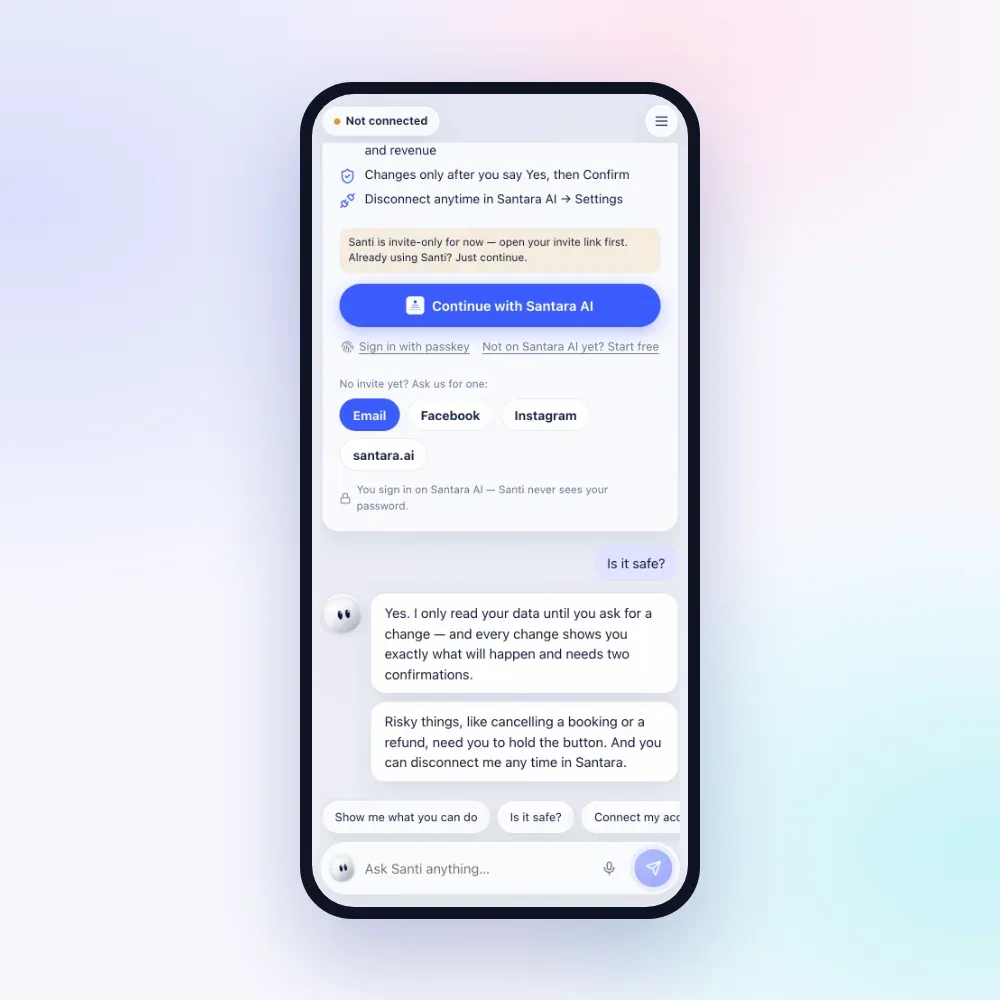
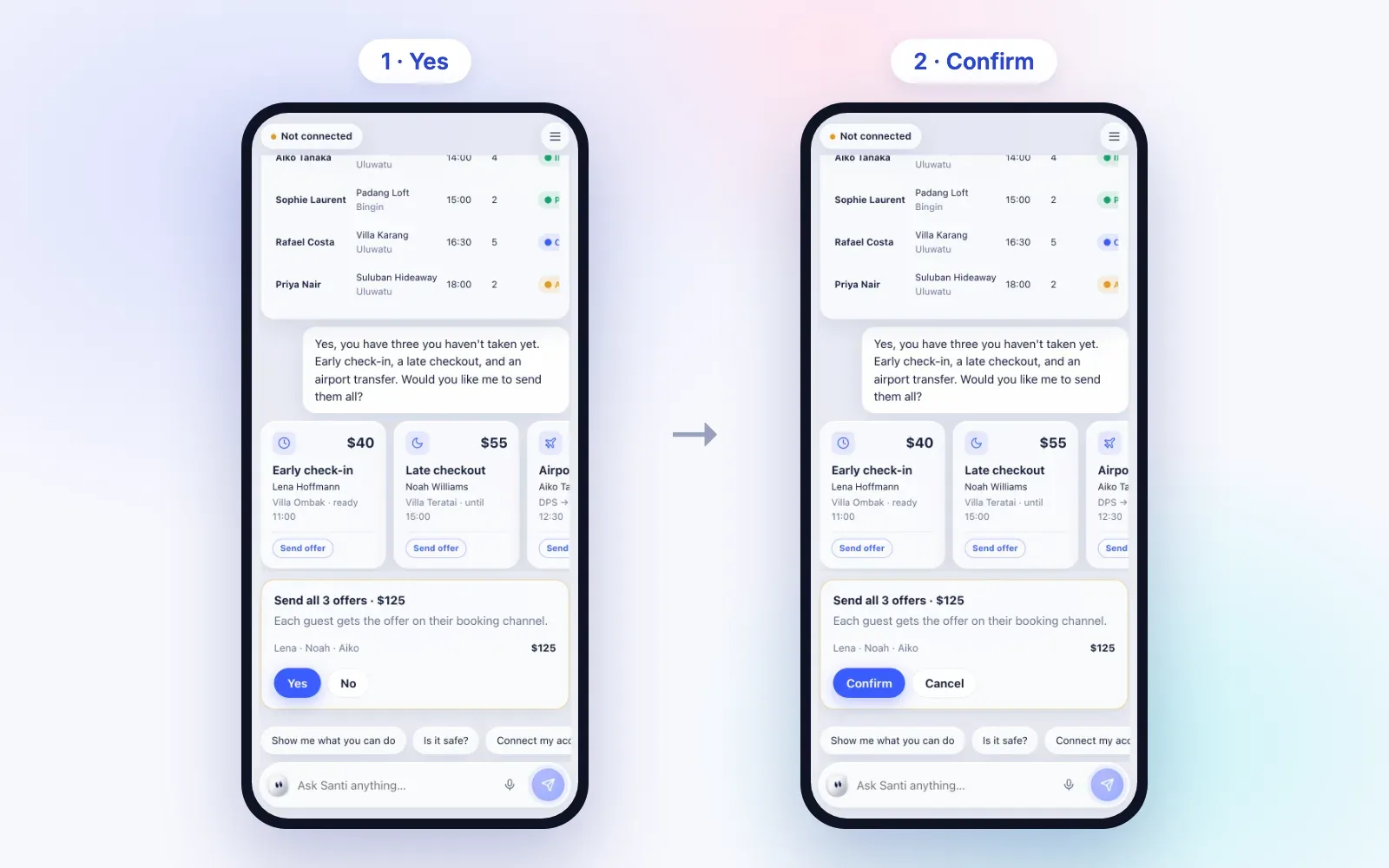
It's the right question. Santi reads freely and changes nothing on its own. When you ask for a change, it prepares a card with exactly what will change, before and after, then:
- Yes. Tap Yes or say "yes". If Santi doesn't hear a clear yes, nothing changes.
- Confirm. Tap Confirm or say "confirm". Confirming too fast is refused; Santi asks you to take a second to check.
- Hold for big changes. Cancelling a direct booking, a price change of more than 30%, and one message going to several guests at once all need a press-and-hold.
A prepared change expires after five minutes, and Santi never says "sent" or "done" before it really is. Those lines are fixed, not improvised.
What can be undone
For 30 seconds after blocking or unblocking dates, or moving a ticket's status, you can tap Undo. The undo goes through the same Yes and Confirm. Price changes can't be undone automatically, because a range can hold different prices per night. Just ask Santi to set them back.
What Santi won't do
- Change anything without your Yes and Confirm.
- Guess numbers. Totals come from your Santara AI data, and it tells you when an answer only covers part of it.
- Volunteer WiFi passwords or door codes. It looks them up only when you ask.
- Follow instructions hidden inside a guest message or review.
- Push an upsell on a guest who has an open complaint.
- Change dates on, or cancel, an Airbnb or Booking.com reservation. That stays on the channel.
Memory you can see and delete
Tell Santi "Aiko is a VIP" or "never offer late checkout at Villa Ombak" and it keeps that as a memory, shown on a card you can forget with one tap. Open What Santi remembers in the menu to see or delete everything. Three rules keep memory clean:
- Only your words become memories. Something from a guest message can only be suggested, and you must tap Remember.
- Passwords, door codes and card numbers are never stored. Those stay in your Santara AI stay info.
- Clear conversation forgets the chat, but first keeps what matters as memories: guest preferences, house rules, how you like things done.
Privacy: your account, your keys
You connect with Continue with Santara AI and sign in on Santara AI itself, so Santi never sees your password. Santi only sees and does what your role in that workspace allows, and you can disconnect it anytime in Santara AI → Settings.
When you send check-in details to everyone arriving tomorrow, Santi writes the message with placeholders and Santara AI fills in each guest's own code. Santi never types a code itself, and guests missing one are listed and skipped.
Voice, languages and notifications
Tap to talk, or type. Today Santi talks with you in English, with Vietnamese and Indonesian on the way; messages it drafts to guests are always in the guest's own language. Turn on notifications and Santi tells you about new bookings, cancellations, guests waiting over 2 hours, and sends a summary at 7:00 each morning.
Why this works
Santi runs on your real Santara AI workspace, the place that already runs your calendar, channels, inbox and cleaning. It isn't a chatbot guessing from a help page. For the bigger picture, read why hosts need AI agents, or see the AI agent for short-term rentals page.
Tips for getting the most out of Santi
- Use names, not ids. Say "Villa Ombak" or "the guest from Tokyo"; Santi finds the right property, room or booking itself.
- Ask follow-ups. "Her", "that villa" and "the same dates" mean what was just on screen.
- Tell it your rules once. "Reply to guests informally" or "Aiko is a VIP" becomes a memory that shapes every later draft.
- Run several businesses? Santi works with more than one Santara AI workspace. Say "switch to Hanoi Lofts" to move between them.
- Ask what you missed. "Anything new since this morning?" lists new bookings, cancellations and guests still waiting.
How to set up Santi
Step 1
Get your invite
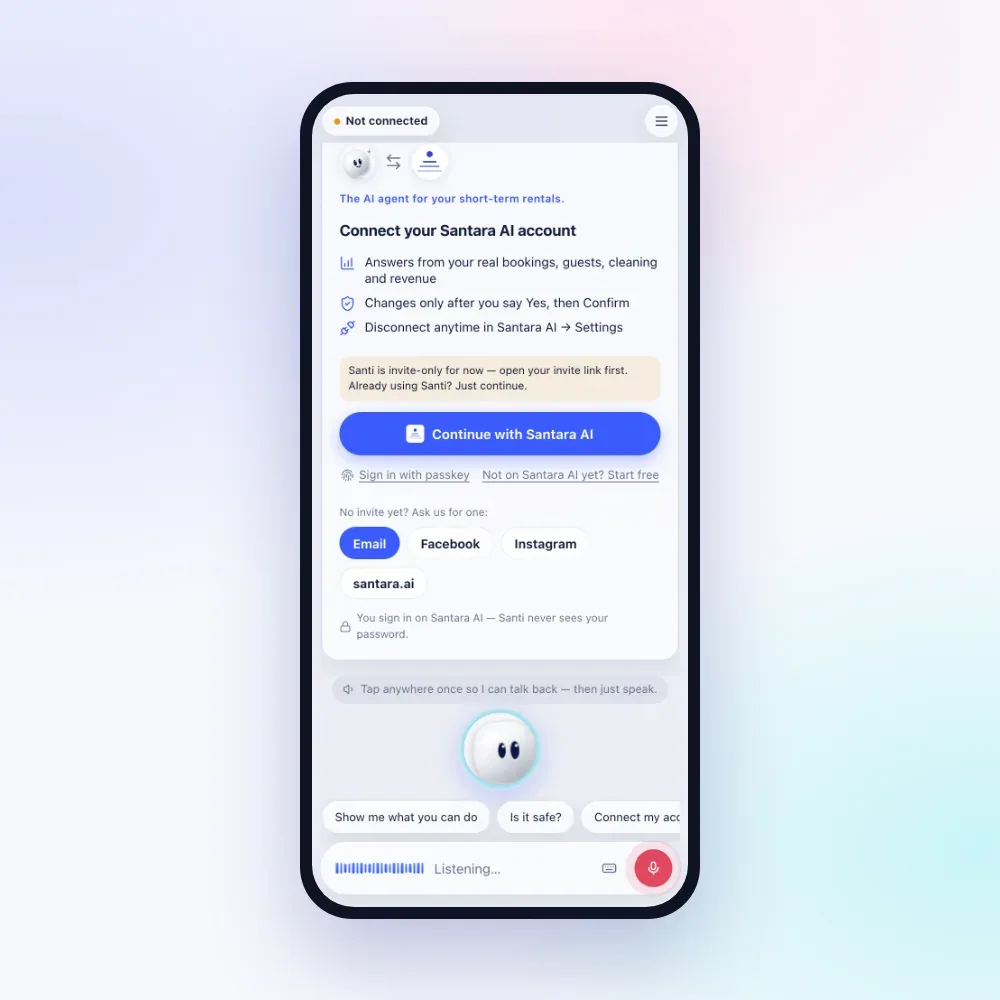
Santi is invite-only for now. Your link works for the Santara AI account with the email it was sent to; no account yet, and you can create one from the link.
Step 2
Continue with Santara AI
Open santi.santara.ai, tap Continue with Santara AI and sign in there.
Step 3
Pick your workspace
Choose the business Santi should work in. Add more workspaces later and switch by asking.
Step 4
Add a passkey
In the menu, add a passkey for one-tap sign-in next time.
Step 5
Turn on notifications
On iPhone, tap Share → Add to Home Screen, open Santi from there, then turn notifications on.
Can Santi act as an AI co-host?
It does the looking-up and prepares the work: replies, blocks, prices, cleans, offers. Every change still waits for your OK.
Which channels can it message guests on?
Guest conversations come through the Santara AI inbox from Airbnb, Booking.com and Expedia.
Does Santi see my door codes?
Only when you ask for them, and it never saves them as memories.
Can my team use Santi too?
Each person needs their own invite, tied to their own Santara AI email, and Santi works within that person's role in the workspace.
Can I try it before connecting?
Yes. A short demo on a sample business, Bali Villa Co, runs before you sign in. Nothing real is touched.
Santi is invite-only for now: ask for an invite at hello@santara.ai or through our contact page.
Try Santi