Google Vacation Rentals: free booking links, eligibility, data
How Google Vacation Rentals works for hosts, from Google's own help pages: free booking links vs ads, who is eligible, why you need software, and what data Google needs.
 Tai Pham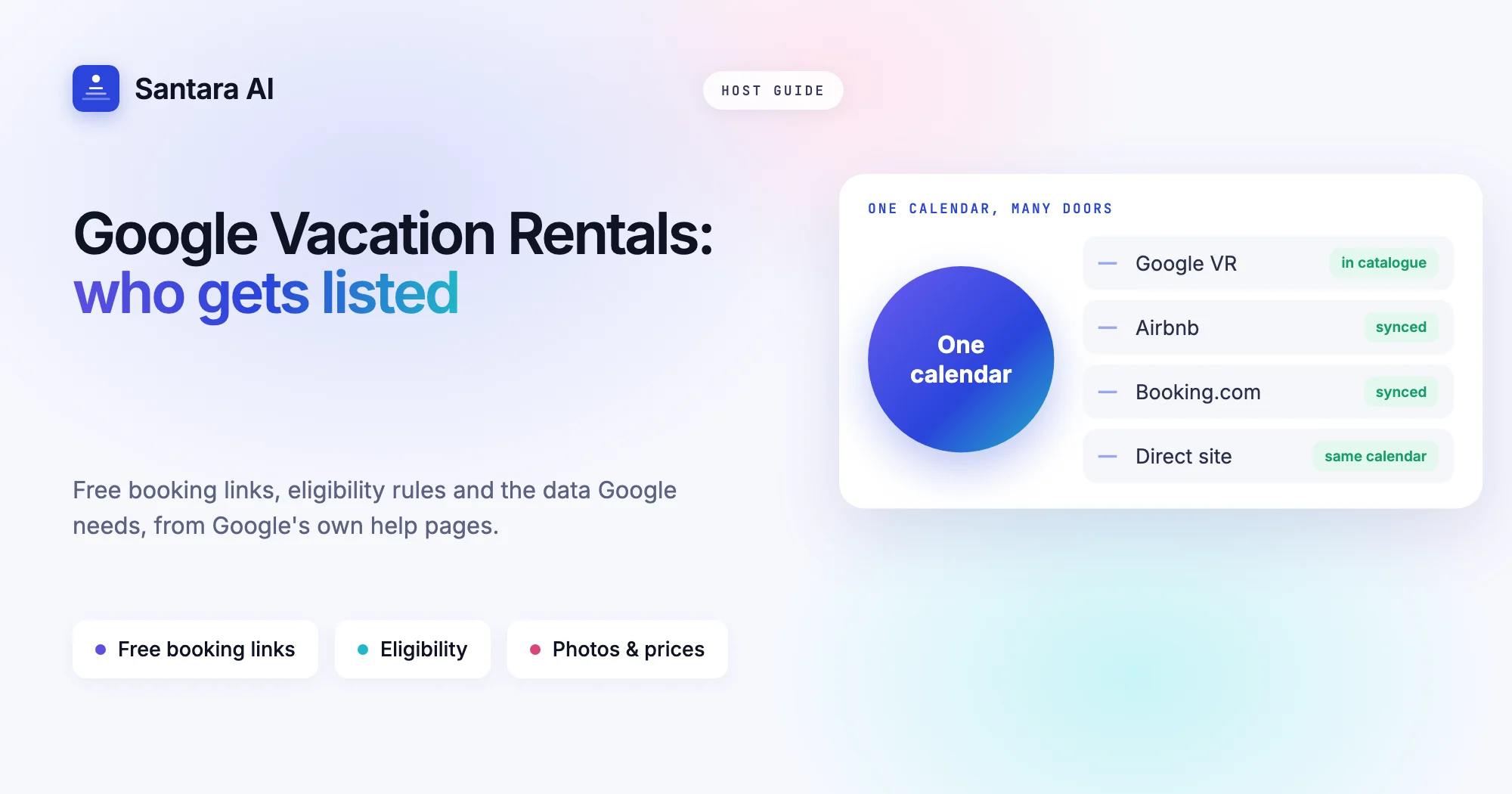
Plenty of trips start with a Google search rather than an OTA app. Type "villa Canggu private pool" and you may see a map full of rentals with prices, photos and dates, before you ever reach Airbnb or Booking.com. That map is Google Vacation Rentals, and the links underneath each listing can send guests straight to a booking page. Google calls them free booking links, and it says it charges no fee for the referral or the booking.
It sounds like free direct bookings, and for some hosts it is close. But Google Vacation Rentals has rules about who can take part, what data you must send, and how the listing gets there. Most small hosts cannot just sign up with a form. This guide explains how it works, using only Google's own Hotel Center help pages and developer guide, checked on 22 October 2026.
You will learn what Google Vacation Rentals is, the eligibility rules, the difference between free booking links and paid ads, where listings appear, and the data Google needs. At the end there is a short checklist to see whether it is worth your time this year.
What Google Vacation Rentals is
Google's About vacation rentals on Google page describes it as rental listings from partners that appear in Google's travel results. A traveller picks a listing, then clicks through to a partner's site to book.
The key line for hosts: Google says you can show vacation rentals at no cost, and its free booking links send users to book directly on your website, with "no fees for Google-generated referrals or bookings." Google is a search surface here, not an OTA. It does not take the booking itself. The guest books on a partner's site, which can be your own direct booking site or an OTA where the property is listed.
Since October 2023, Google also shows price comparison on vacation rental listings. When a traveller opens a rental, they can see several sites where the same property is listed and choose where to book. That means your Airbnb listing, your Booking.com listing and your own site can compete side by side on the same Google card.
Where listings appear
According to Google's help page, vacation rental listings can show in three places:
| Surface | What the traveller sees |
| Google Search | Rentals alongside the normal search results for a place |
| Google Maps | Rentals when someone explores a destination on the map |
| Google Travel | A dedicated lodging search with filters for vacation rentals |
You do not choose the surface. Google decides where and when to show a listing based on the search and its own ranking.
Free booking links vs ads
Google's article on free booking links explains the difference for hotels, and the same idea applies to the free links on rentals:
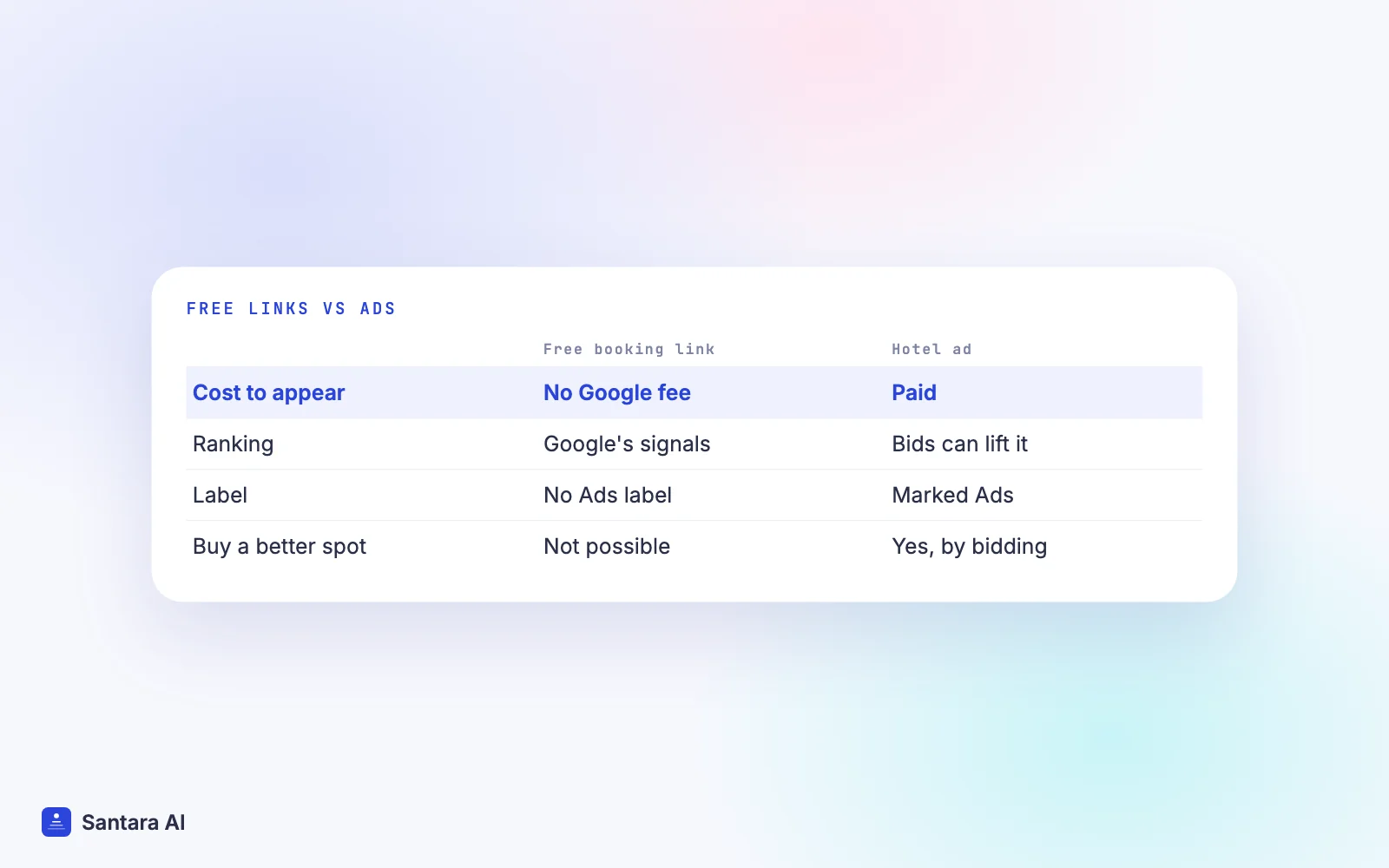
- Free booking links are not ads. Booking partners pay no fee, and Google takes no payment for placement or for clicks. They are ranked by "a variety of signals", and nobody can buy a better position.
- Hotel ads are paid. They are marked "Ads", and advertisers can bid to rank higher in that section.
Google first opened free hotel booking links to every hotel and travel company in March 2021, as its announcement on the Google blog describes. For vacation rentals, Google's own page leads with free booking links. If you want paid placement on top, that is a separate advertising decision with its own budget, and it is outside the scope of this guide.
"Free" means free from Google. You still pay for the software that sends your data, and for card processing on your booking site, and if the guest books on an OTA you pay that OTA's usual commission.
Who is eligible
This is where most small hosts get stuck. Google's Vacation rentals starter guide says you can list if you are:
- a registered property management business with a direct booking website, or
- already listed on a booking site that is integrated with vacation rentals on Google.
It also says shared rooms, partial houses and peer-to-peer rentals are not currently eligible for integration. Google reviews each applicant, may ask for more information to verify your business, looks at "the stability and recognition of your brand" and your history of successful financial transactions, and can reject or end participation at its sole discretion.
Read that list carefully. If you rent one room inside your own home, Google's rules exclude you from integrating that listing. If you run a small villa business with a registered company and a booking website, you are in the group Google describes.
You need software in between
Google does not offer a simple upload form for single properties. Its developer onboarding guide says you start either directly with Google, by meeting the technical requirements and filling in its interest form, or by working with an approved third-party integration partner.
Direct integration means a named technical contact for Google's account manager, a contract with Google to protect customer privacy, and your own localised guest support. That is built for large companies.
For everyone else, the practical route is software that already connects to Google: a PMS, channel manager or booking engine. Google's guide for software providers says these tools join for free with no advertising spend, and that integration typically takes 8 to 12 weeks after Google receives the property list. That timeline belongs to the software provider joining Google, not to you adding one villa to a tool that is already live.
What data Google needs
The developer guide lists three kinds of data. Whatever tool you use will send them for you, but you supply the content.
Step 1
Property listing details
Name, address, latitude and longitude, maximum guests, amenities, website link and images. Google's guide says the name, coordinates, address, capacity and website fields are required, and a listing missing them is disabled.
Step 2
Prices and availability
Itineraries showing which dates are open and what a stay costs. Google checks these against your booking page and gives each account a Price Accuracy Score. An account must stay above Google's threshold for a set number of days before it shows to users, and the checks continue after launch.
Step 3
A landing page
A booking page that opens with the guest's dates already filled in. At least one general landing page must be open to all users with no restrictions.
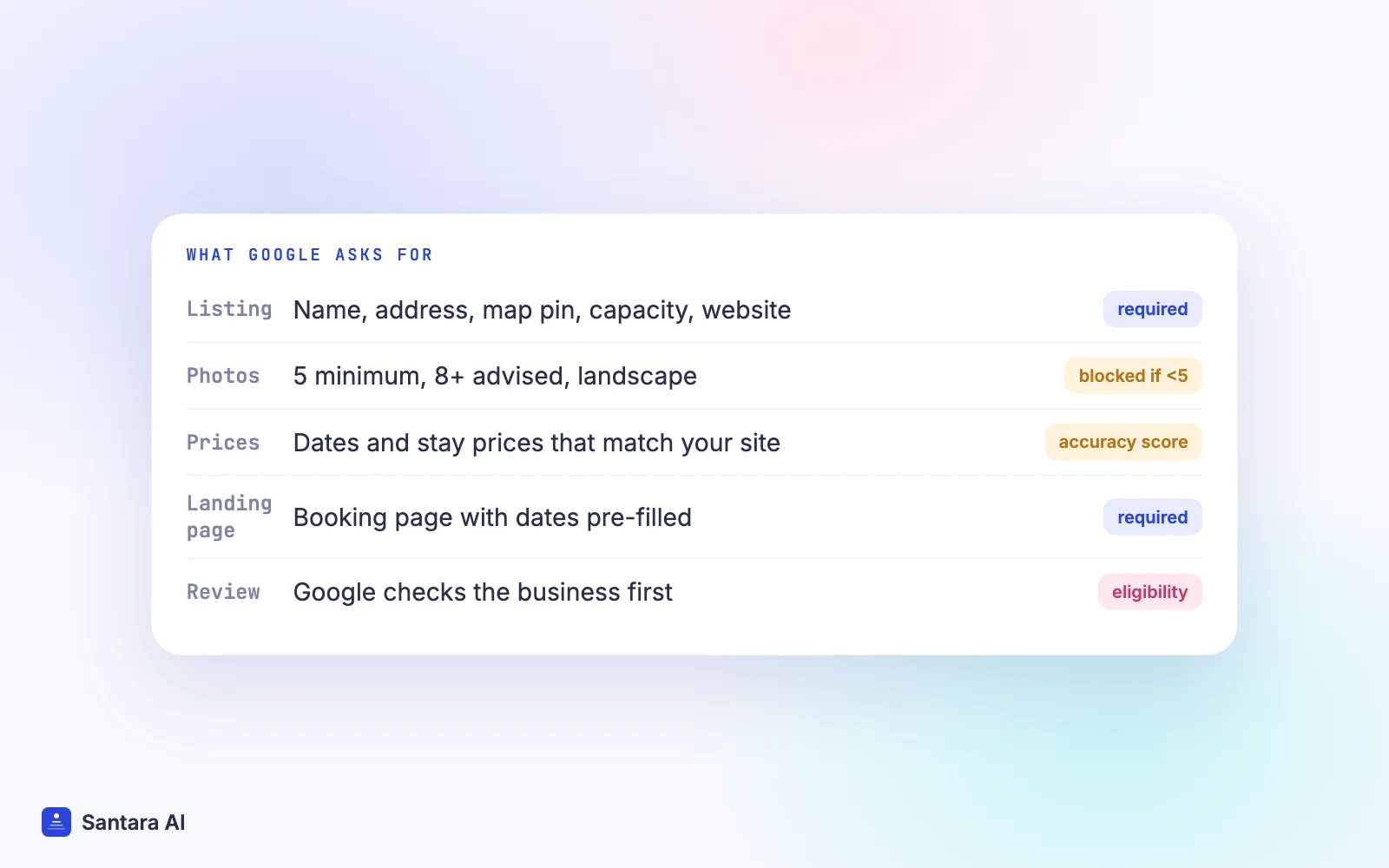
Photos matter more than many hosts expect. Google's guide says a listing with fewer than five images is blocked. It recommends at least eight, and 20 or more to compete. Images must be landscape, have no watermarks, and be reachable by Googlebot. If your best photos carry a logo watermark, plan a clean set before you start.
Price accuracy is the other trap. If the price on Google says $120 and your booking page says $135 after a cleaning fee appears, that mismatch counts against you. Keep your fees inside the price shown, and keep one calendar so dates closed elsewhere are not still for sale on Google.
Is it worth it for a small host?
Ask yourself four questions:
- Do you have a direct booking site? Free booking links send guests to a booking page. Without one, Google can only send them to your OTA listings. Our guide to a direct booking website covers the basics.
- Is your business registered? Google's eligibility rule names a registered property management business.
- Are your photos and prices ready? Five clean landscape photos minimum, and a price that matches your booking page.
- Is your calendar reliable? A Google click that lands on a sold date wastes the click and can hurt accuracy.
If you answer yes to all four, Google Vacation Rentals is a sensible extra channel next to your OTAs. It also helps your own site's search visibility, which our vacation rental website SEO guide covers in more depth.
How Santara AI fits with Google Vacation Rentals
Google Vacation Rentals is one of the 54 sales channels in Santara AI's in-app channel catalogue. You search it by name in the catalogue and follow the guided setup. Whether a property is accepted and shown is decided by Google under the rules above, so read the eligibility section first.
Santara AI replaces both the PMS and the channel manager, so every room has one calendar that feeds your connected channels. The direct booking site included in every plan sells from that same calendar, so a direct booking closes the dates on Airbnb, Booking.com and your other channels. If you are new to how that works, start with what a channel manager does, or see all channels on the integrations page.
What Santara AI doesn't promise
Santara AI does not decide whether Google accepts your property, and it does not guarantee where or how often Google shows it. It does not create OTA or Google listings from scratch or push photos and descriptions to OTAs. Paid Google ads are outside Santara AI.
FAQ
Is Google Vacation Rentals free for hosts?
Google says it charges no fee for referrals or bookings from free booking links. You may still pay for the software that connects you, card processing on your booking site, and OTA commission if the guest books through an OTA.
Can I list my Airbnb on Google Vacation Rentals myself?
Not directly. Google's starter guide says you need to be a registered property management business with a direct booking site, or be listed on a booking site already integrated with Google. Shared rooms and peer-to-peer rentals are not currently eligible.
What is the difference between free booking links and Google hotel ads?
Free booking links cost nothing and are ranked by Google's signals; no one can pay for a better spot. Hotel ads are marked "Ads" and advertisers bid for position.
How many photos does Google Vacation Rentals need?
Google's developer guide blocks listings with fewer than five images. It recommends at least eight, and 20 or more to compete, in landscape with no watermarks.
Keep reading
- Launch checklist for your direct booking website
- Is booking direct safe? How to build guest trust
- Airbnb vs Booking.com fees for hosts
Your first 3 months are free.
Join For Free