Booking.com virtual credit card: when and how to charge it
How a Booking.com virtual credit card works: activation date, charging it on your terminal, declined codes, expiry, refunds, no-shows and payout timing.
 Tai Pham
A guest books your villa on Booking.com, pays online, and a few weeks later you open the reservation and find a card number under the name "Bookingcom Agent". That is a Booking.com virtual credit card. It is how Booking.com hands over the guest's money when you are on Payments by Booking.com and paid by card instead of bank transfer. It works like any other card, with a few rules that catch hosts out: a date before which it won't charge, a balance that may not match the booking total, and an expiry after which the money goes back to Booking.com.
This guide explains each rule in plain terms: what a Booking.com virtual credit card is, when it becomes chargeable, how to charge it on your terminal, what to do when it is declined, how refunds, no-shows and cancellations work, and when you are actually paid. Every platform fact comes from Booking.com's own partner help pages, checked on 27 October 2026 and linked inline. Booking.com changes these pages from time to time, so check the extranet if anything looks different on your account.
If you are still deciding whether to list on Booking.com at all, start with our guide on how to list on Booking.com. If you want to compare payment models across platforms, read Agoda vs Booking.com for hosts.
What a Booking.com virtual credit card is
Booking.com's virtual credit card guide describes a VCC as a temporary digital Mastercard used as a payout method under Payments by Booking.com. When the guest pays online, Booking.com loads that payment onto the card. You then charge it through your own point of sale (POS) system or payment terminal, like a guest's card, and the money reaches your account through your own bank or payment provider.
Three things follow from that:
- You only get VCCs if you use Payments by Booking.com. The guide says so directly. If you collect payment yourself, you see the guest's own card details instead.
- You need a terminal or online gateway that accepts them. Booking.com says you need a POS system that accepts virtual credit cards, and that your merchant account must be registered as an accommodation provider.
- You need the right access. Card details are visible only to extranet users with admin access or reservations access rights.
Payments by Booking.com vs collecting payment yourself
Before you worry about virtual cards, check which payment model you are on. Booking.com's Payments by Booking.com page says that without the service, you handle the entire payment process yourself, and that joining it is how you get payouts by bank transfer or virtual credit card.
| Payments by Booking.com, VCC payout | Payments by Booking.com, bank transfer | You collect payment yourself | |
| Who takes the guest's money | Booking.com | Booking.com | You, from the guest's card or at the property |
| How you receive it | Charge the virtual card | Transfer after check-out on your payout schedule | Your own terminal, gateway or cash |
| Earliest payout | When the booking becomes non-refundable (rules below) | After the guest checks out | When you charge, per your policy |
| Payment cost | Transaction fee from your own bank or provider | Payment service fee set by location | Your own card processing costs |
Sources for the table: the joining Payments by Booking.com guide and the VCC guide. To see which model you are on, open Finance in the extranet: "Virtual cards management" means VCC payouts, "Payout info" means bank transfer, and "Payments by Booking.com" alone means you are eligible but haven't joined. If neither appears, the service may not be available in your market yet. For how commission itself works, see our post on Airbnb vs Booking.com fees for hosts.
When the virtual card becomes chargeable: the activation date
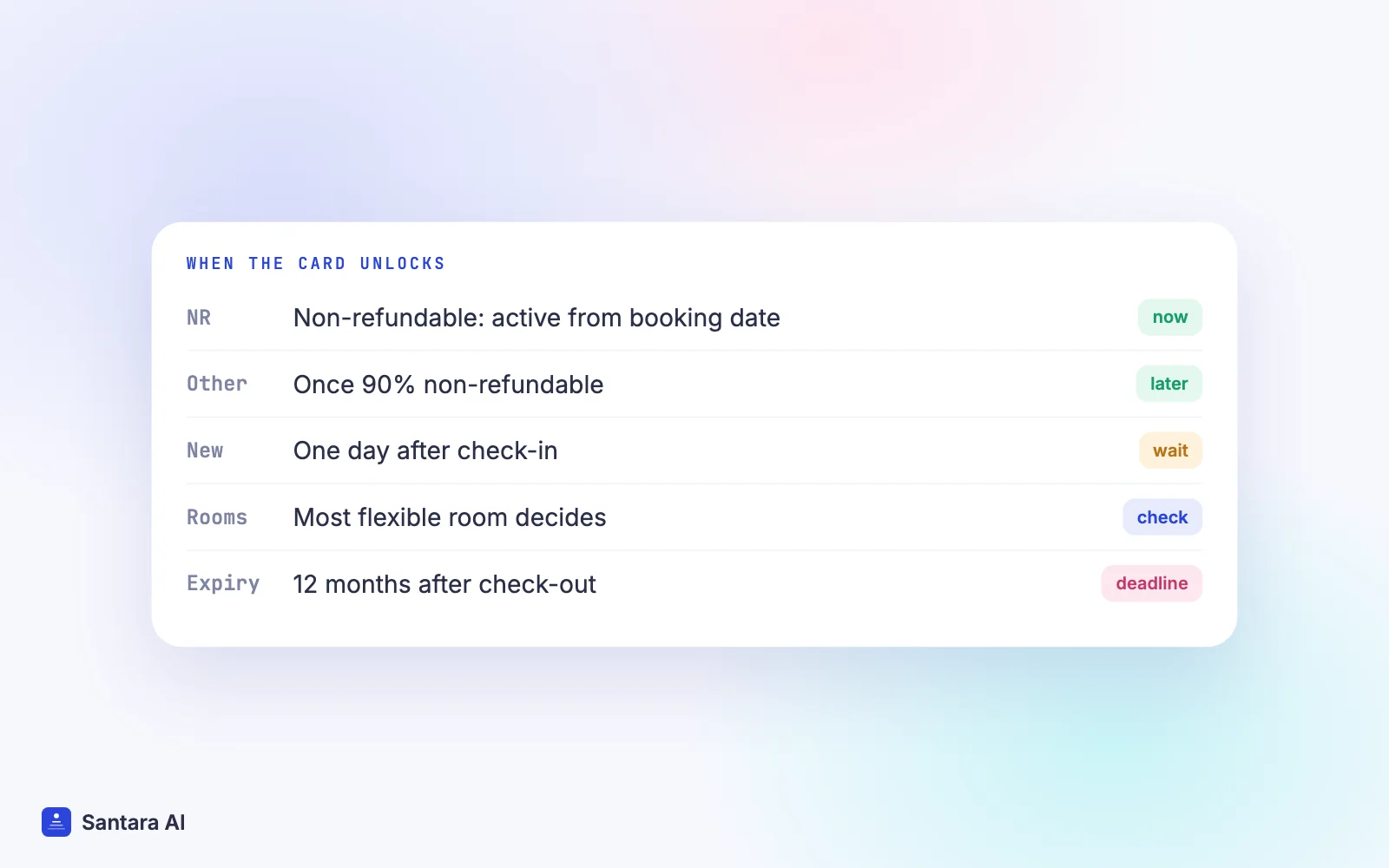
Every VCC has an activation date, and charging before it fails. Booking.com's VCC guide sets the date by the reservation policy:
- Non-refundable bookings: the card is active from the booking date.
- All other bookings: you can charge when the reservation becomes at least 90% non-refundable.
- Earlier access: the card can be charged the moment the booking becomes non-refundable if you have no overdue VCC refunds, have paid at least one commission invoice, and have validated guest stays and reviews. Booking.com reviews this every four months and emails you if it changes.
- New properties, or properties that don't meet those criteria: you can charge one day after check-in (at check-in for U.S. properties).
One detail surprises hosts with family or group bookings. If one reservation contains several rooms with different policies, the activation date follows the most flexible policy. Booking.com's example: two non-refundable rooms and one flexible room means the card activates when the flexible room becomes non-refundable, which can only be at check-in.
You find the activation date on the reservation page in the extranet. If you can't see card details at all, Booking.com says the card simply isn't active yet.
How to charge a Booking.com virtual credit card
The charging itself is short. The mistakes happen around it.
Step 1
Check the activation date and balance
Open the reservation in the extranet, or go to Finance, then Virtual cards management. Note the activation date and the available balance. Charge the balance shown, not the booking total you remember.
Step 2
Enter the card on your terminal or gateway
Type in the card number, expiry date and CVC as shown. Booking.com says not to pre-authorize the card. If you already did, either settle the authorization with its code or cancel it and charge again.
Step 3
Use any valid ZIP code if asked
If the terminal asks for a ZIP or postcode, Booking.com says you can use the guest's, your own, or Booking.com's (1011 DL).
Step 4
Charge until the balance is zero
You can charge the card several times until the balance reaches zero. If you charged the wrong amount, refund it and charge again. Afterwards, check the extranet to make sure nothing is left on the card.
Booking.com sends reminder emails after check-out if a card hasn't been charged. Don't rely on them. Put "charge VCCs" on a fixed day of your week.
Amount, currency and excluded fees
The card balance is not always the full price the guest saw. The VCC guide and the Payments by Booking.com guide list the usual reasons:
- Excluded fees. Charges set as excluded in the extranet, typically per-person fees such as city or tourist tax, are not loaded onto the card. You collect them from the guest during the stay. The joining guide says Booking.com is gradually starting to collect per-person fees itself in more countries, so check your own breakdown.
- Currency. Charging in a different currency does not necessarily fail, but it can leave a small amount on the card (a partial charge) or trigger "insufficient funds" if the converted amount is higher than the balance. Booking.com also notes that conversion differences depend on your bank or card network.
- Changes after booking. Modifications and refunds change the balance. Always read the current balance on the day you charge.
Declined charges: what each message means
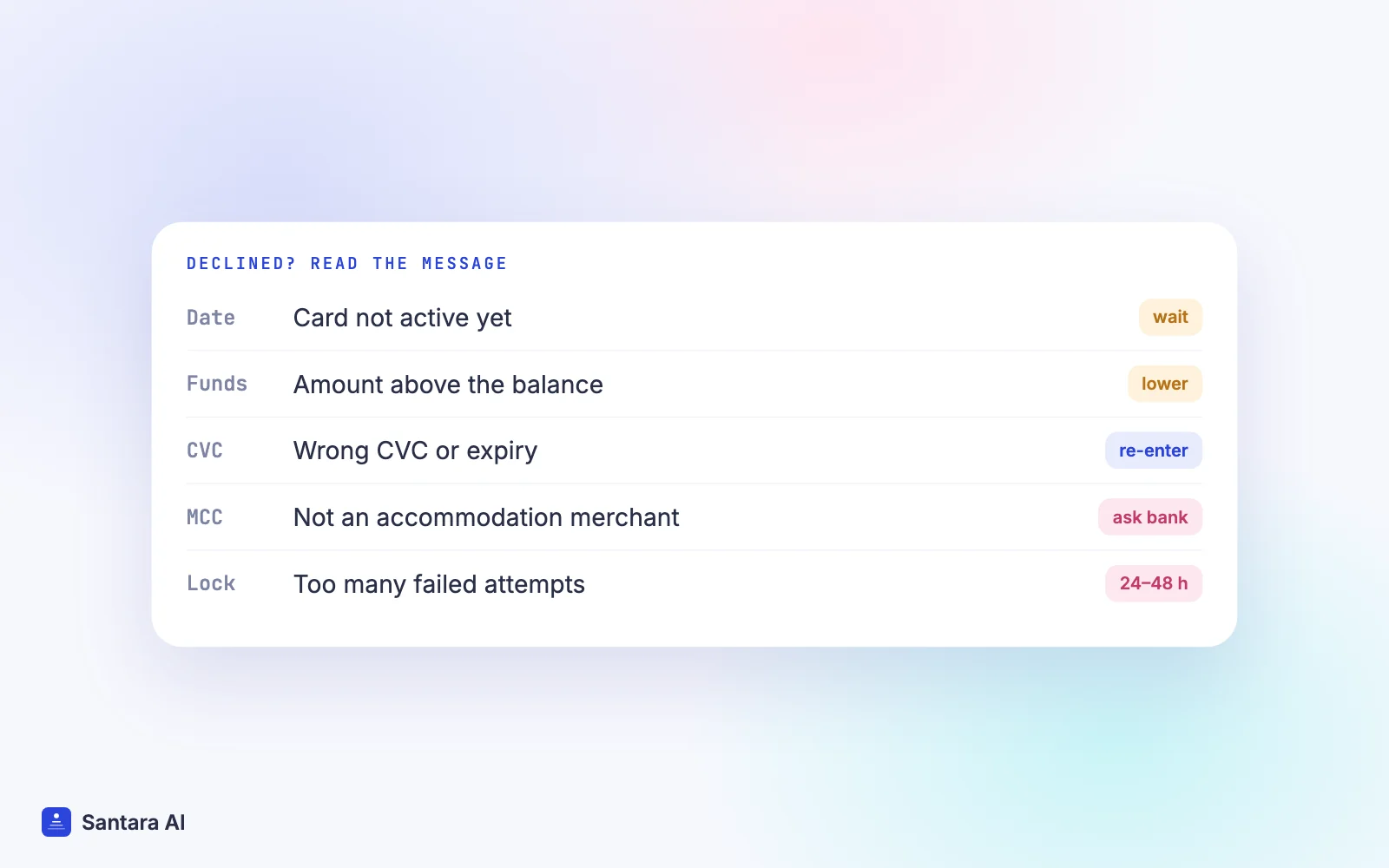
If a charge fails, the reason appears on the reservation details page about 30 minutes later, according to the VCC guide. The most common messages and fixes:
| Message | What it means | What to do |
| Don't honor / can't be authorized before activation date | The card isn't active yet | Wait for the activation date |
| Don't honor / insufficient funds | You charged more than the balance | Charge the exact balance; collect excluded fees from the guest |
| Invalid CVC or expiry | A typing error | Re-enter the details from the extranet |
| Invalid merchant | Your terminal isn't set up as accommodation | Ask your payment provider to fix the merchant code |
| Security lock | Too many failed attempts | Wait 24–48 hours, then try once |
| Transaction not permitted | Blocked for another reason | Contact Booking.com through the extranet inbox |
If a card shows a zero balance right after activation, Booking.com says loading can take a few seconds or minutes; check the amount on the extranet. If it is still declined after troubleshooting, ask your payment provider about the decline code, then contact Booking.com through the extranet inbox.
Expiry, refunds and chargebacks
Expiry. You can charge a VCC for up to 12 months from the check-out date. After that the card expires, the funds go back to Booking.com, and no new card is issued for that reservation.
Refunds. If a booking is cancelled or changed after you charged the card and the guest is owed money, Booking.com refunds the guest directly and you refund the virtual card. You find the cards to refund under Finance, then Virtual cards management, then Virtual cards to refund, with the reason, deadline and amount. You can still refund an expired card by entering the current month as the expiry date.
Deadlines. The two guides word this differently. The VCC guide gives 45 days from the first refund reminder email. The Payments by Booking.com guide says refunds by virtual card must be made within 60 days of the check-in date. Treat whichever comes first as your deadline. After it, Booking.com starts a chargeback, and your bank or provider may charge you a fee for that.
No-shows and cancellation fees
Under Payments by Booking.com, the joining guide says Booking.com tries to collect no-show and late cancellation fees for non-prepaid reservations. If it succeeds, you are paid through your normal payout method, which for VCC properties means a card. If it fails, Booking.com waives the commission on that reservation.
You still have to report it. Booking.com's no-show guide says the "Mark as a no-show" button is available only from midnight on the check-in date until 48 hours after the planned check-out date. Commission applies to any no-show or cancellation fee you charge; if you waive the fee and mark the no-show in time, no commission is charged. Miss the window and full commission on the original booking applies.
If you collect payments yourself and the guest's card fails, Booking.com's invalid card guide explains how to mark it invalid; the guest then gets 24 hours (shorter for last-minute bookings) to update it before you may cancel.
A worked example (hypothetical)
Say you run a two-bedroom villa near Ubud. You joined Booking.com four months ago, use Payments by Booking.com with VCC payout, and haven't yet met the criteria for early charging. A guest books three nights at $120, with free cancellation until seven days before arrival. Your extranet has a per-person tourist fee set as excluded.
| Date | What happens | Card status |
| 1 March | Guest books and pays Booking.com online | Not active |
| 3 April | Free cancellation ends | Still not active (new property rule) |
| 10 April | Guest checks in; you collect the tourist fee in person | Not active |
| 11 April | One day after check-in | Active: charge the balance shown |
| 13 April | Guest checks out | Reminder emails start if uncharged |
| 13 April next year | 12 months after check-out | Card expires |
If the guest had booked the non-refundable rate, the card would have been active from 1 March. Once you meet Booking.com's criteria for early charging, the same flexible booking would become chargeable on 3 April. The money arrives on your timeline only after your own bank settles the charge, minus whatever transaction fee it takes.
How Santara AI fits around Booking.com payouts
Santara AI does not touch the card itself. Card numbers, balances and charges stay in the Booking.com extranet and your own terminal. What Santara AI does is keep the rest of the booking straight.
When you connect Booking.com, its reservations, changes and cancellations land on the same calendar as your Airbnb, Agoda and direct bookings. A cancelled Booking.com stay frees the dates, and those dates go back to your other channels. Booking.com guest messages arrive in the Santara AI inbox, so a question about an excluded tourist fee can be answered with the rest of the conversation.
In Reports, revenue is recorded as the net payout. The monthly owner statement shows gross revenue minus channel fees minus expenses for each property, which is where you can record a card transaction fee or a chargeback fee as an expense.
What Santara AI does not do
Santara AI does not process or hold Booking.com payouts, charge or refund virtual credit cards, mark no-shows, or show card balances. Those steps stay in the Booking.com extranet. It does not calculate a management fee on the owner statement.
FAQ
When can I charge a Booking.com virtual credit card?
On the activation date shown on the reservation. Non-refundable bookings activate on the booking date; other bookings activate when at least 90% non-refundable. New properties, or those not meeting Booking.com's criteria, can charge one day after check-in.
Why was my Booking.com virtual card declined?
The usual reasons are charging before the activation date, charging more than the balance, a typing error in the CVC or expiry, or a terminal not registered as an accommodation merchant. The reason appears on the reservation page about 30 minutes after the failed attempt.
How long is a Booking.com virtual credit card valid?
You can charge it for up to 12 months from the check-out date. After that it expires and the funds return to Booking.com; no new card is issued.
Can I switch from virtual card to bank transfer?
Only if Booking.com offers it for your property, under Finance settings in the extranet, and you can't switch back. Booking.com's VCC guide says that for properties outside the European Economic Area and some other countries the switch isn't offered, and the alternative is leaving Payments by Booking.com.
Keep reading
- Is Booking.com Genius or Preferred worth it?
- Double booking happened: what to do in the first hour
- Villa owner statements and management fees
Your first 3 months are free.
Join For Free