How to list on Booking.com: registration to first booking (2026)
How to list on Booking.com from its partner pages: property type, registration, payments, policies, location and KYP checks, going open/bookable, first week.
 Tai Pham
Booking.com is often the second platform a host adds after Airbnb, and for many villas and guesthouses in Southeast Asia it becomes the first. If you are working out how to list on Booking.com, the registration form itself is quick; Booking.com says it takes about 15 minutes. What catches new partners out is everything after the form: location checks, a compliance form, temporary payment limits, and an extranet that thinks in room types and rate plans rather than single listings.
This guide follows Booking.com's own partner pages only, checked on 22 October 2026: the join page, its step-by-step registration guide and the going-live help articles. It covers choosing a property type, the registration steps, payments, policies, verification, going open/bookable, and what to check in your first week. Where Booking.com does not publish something, we say so.
If you are still deciding between platforms, read our comparison of Agoda vs Booking.com for hosts first. This post assumes you have decided to list.
Before you start: pick the right property type
Booking.com's registration guide warns that the property type cannot be changed later; if you pick the wrong one, you start over. So decide before you click.
| Property type | Booking.com's description | Fits |
| Apartment | Self-contained space in a building, with a private kitchen | A serviced apartment or condo unit |
| Home | Entire residential property: house, villa, B&B, chalet, cottage | A whole villa or holiday home |
| Hotel | Commercial stay with services, including hostels, resorts, lodges | A guesthouse or small resort sold per room |
| Alternative place | Unique stays like boats, camping, country houses | Glamping, treehouses |
For most vacation rentals, Booking.com recommends Homes, then Entire place, then Vacation home. The guide also notes that a vacation home can only be rented as a whole unit, while a guest house is rented per room. If you run four rooms in one building in Hội An and want to sell them separately, that difference matters.
Properties at different addresses each get their own registration. Units at the same address are added as rooms inside one property. If you already have one property, the primary account holder adds the next one from the extranet.
How to list on Booking.com, step by step
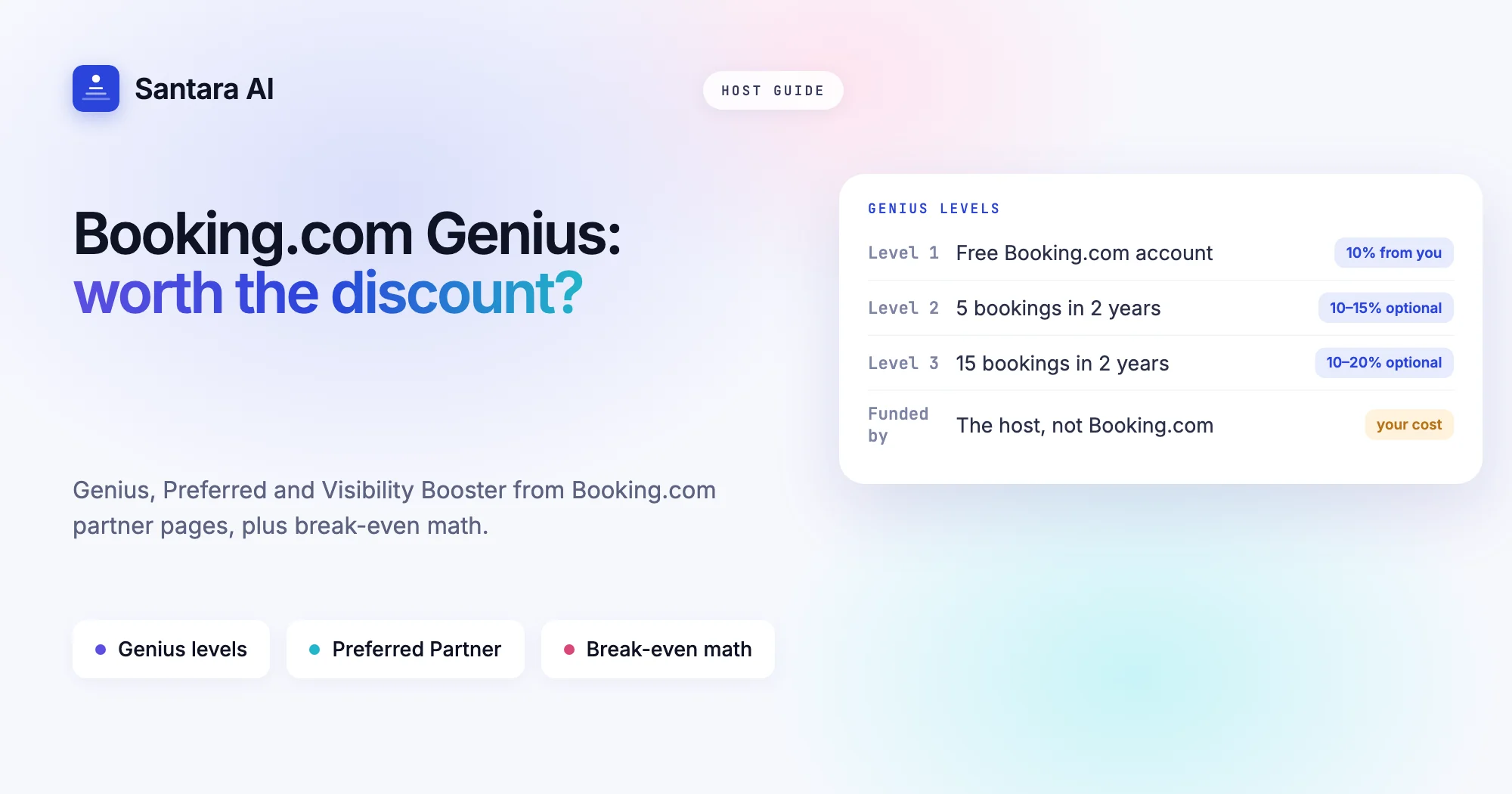
The registration guide walks through these steps in this order.
Step 1
Create a partner account
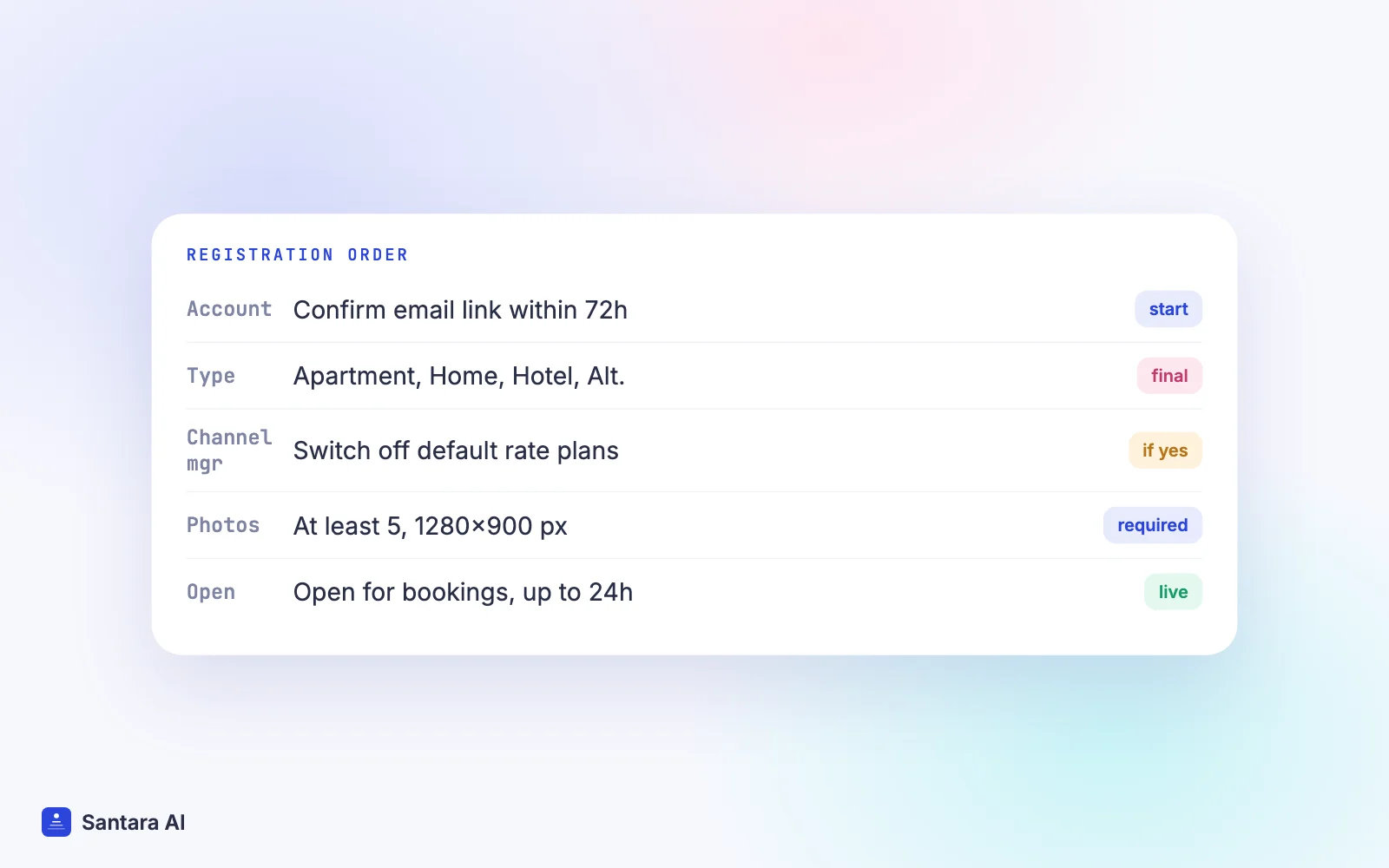
This is separate from a guest account. Use an email you check often; the confirmation link must be clicked within 72 hours. Booking.com notes some private business domains block the email.
Step 2
Choose the property type
As above. You can also import details (name, photos, calendar) from a listing on another platform, such as Airbnb, by pasting its link.
Step 3
Add name and address
Use the address where guests arrive, not your postal address. Booking.com may send a verification letter there, so check it twice.
Step 4
Say whether you use a channel manager
If you will connect one, Booking.com asks you to switch off its suggested price, promotions and rate plans during setup (see the next section).
Step 5
Occupancy, facilities and house rules
Room types, beds, maximum adults and children, facilities, whether children, pets and events are allowed, and check-in and check-out times.
Step 6
Photos
At least five photos of 1280 × 900 pixels or more to continue; Booking.com recommends ten or more. No watermarks, screens or number plates.
Step 7
Payments, price and rate plans
Choose how guests pay, set a nightly price, and create at least one rate plan with a cancellation policy.
Step 8
Open your calendar and finish
Pick your first available date, accept the contract terms, then click Open for bookings.
You can pause at any step. Your progress is saved, and "Continue your registration" on the join page picks it up again. Booking.com also writes its own property description from the details you enter and translates it, so complete facility lists help you in search.
The channel manager question during registration
This is the step most new partners skim, and it can cost you. Booking.com's guide says that if you choose "Yes, I'll connect this listing to my channel manager", you should manually switch off the suggested price per night, promotions and rate plans: the Standard rate plan's price per group size, the Non-refundable rate plan, and the Weekly rate plan, saving each one. Booking.com warns that if you skip this, you may receive double bookings and reservations you cannot fulfil.
If you are not using a channel manager yet, you can sync calendars with another platform by pasting an iCal link from it, but Booking.com notes that iCal is only available for certain property types and itself recommends a connectivity provider or channel manager. Our post on iCal vs a channel manager explains why.
Payments and commission
During registration you choose how guests pay: on arrival, by card, or through Payments by Booking.com where you are eligible. According to the registration guide:
- With Payments by Booking.com, Booking.com handles the payment, guests pay before arriving, and you choose payouts daily, weekly or monthly.
- Without it, there is no payout schedule. Guests pay you directly, usually at check-in or check-out.
Commission is set in your Accommodation Agreement, which you receive after registration. Booking.com says the rate depends on property type and country, is charged on the full reservation cost including fees such as cleaning, and is invoiced monthly. It also charges commission on non-refundable bookings whether or not the guest stays. Booking.com does not publish one rate, so our Airbnb vs Booking.com fees guide and the OTA fee calculator are the way to compare with your own contract.
Tax settings, including VAT and whether local taxes are included in your rates, sit under the Finance tab in the extranet. Booking.com tells partners to check their own tax registration duties locally.
Policies to set before your first booking
Booking.com's article on setting policies and payments splits them in two:
- Property policies (Property, then Property policies): house rules, children and pet policies, accepted payment methods.
- Reservation policies (Property, then Reservation policies): cancellation and prepayment terms, which you then link to one or more rate plans.
It recommends setting three soon: a prepayment policy, a cancellation policy (ideally a flexible and a non-refundable option), and a damage policy that lets you ask for a deposit. It also says that if you use a connectivity provider, some policies may need to be set in that system; the extranet's Connection management page shows which.
Verification: location, KYP and the "No Prepayment" period
After you open, Booking.com may ask for final checks, shown as a banner on the extranet Home page. Two are common.
Location verification. Booking.com's location verification article lists three methods: a video upload, a letter with a code, or a video call. You cannot choose; Booking.com assigns one. A video must be under three weeks old and show, in one continuous take, the street sign, the outside, the walk inside, and every room, kitchen and bathroom; Booking.com says it reviews videos within two weeks. A letter can take up to 35 days to arrive. If the location stays unverified, Booking.com may close the property for bookings and hold payouts.
Know Your Partner (KYP). The Compliance Center article explains that only the primary account holder can open the Compliance Center, where the KYP form asks for business, ownership, tax, identity or address details depending on whether you are a company or an individual.
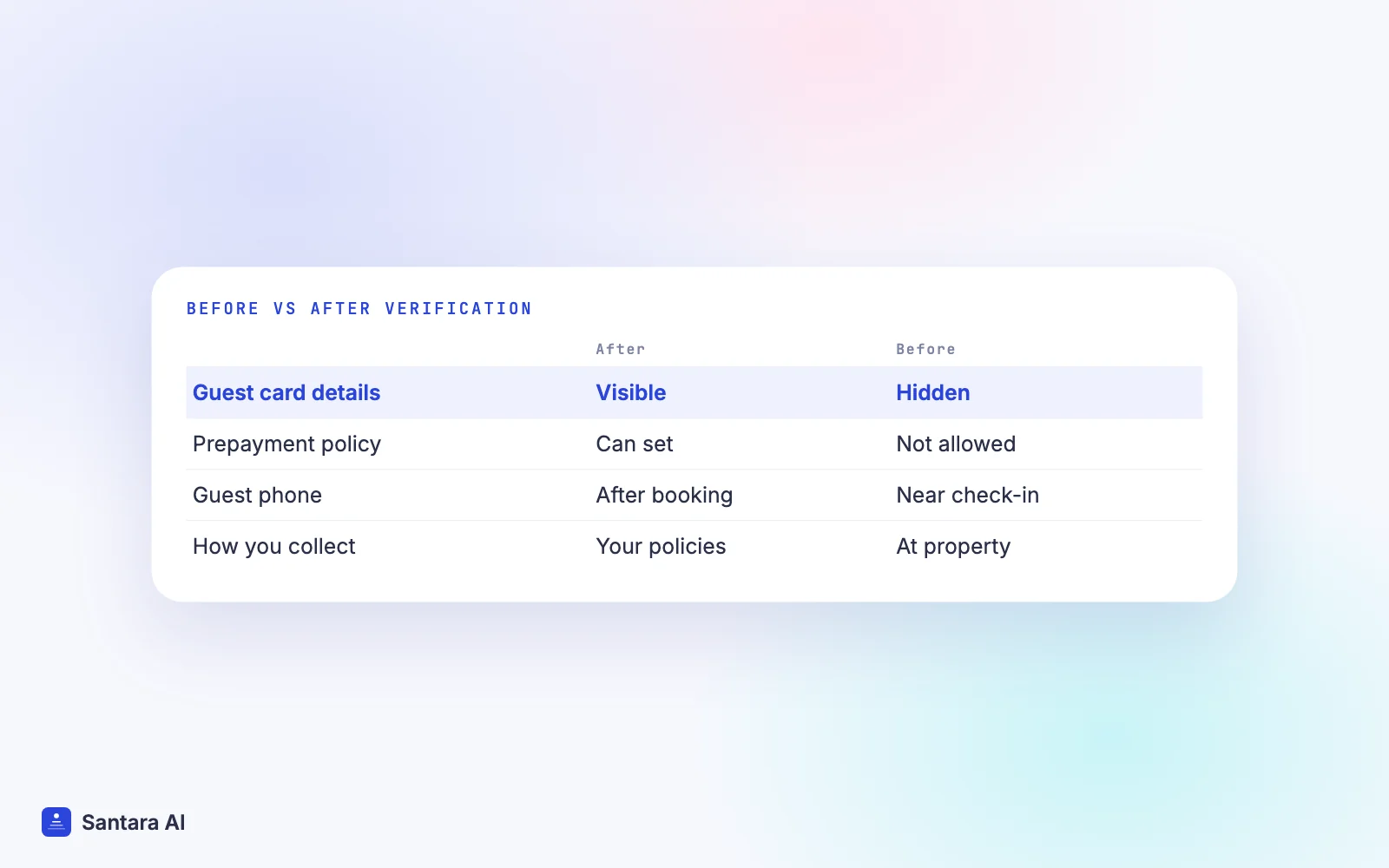
Until verification passes, a temporary "No Prepayment" restriction applies to all new partners. You cannot see guests' card details for regular bookings, cannot set prepayment policies, and guest phone numbers appear only closer to check-in. Booking.com tells you to collect payment at the property, by cash or your own card terminal, and to say so in your messages to guests. The exceptions are no-shows and cancelled non-refundable bookings, where a fee applies.
Going open/bookable
Clicking Open for bookings sets your status to open/bookable. Booking.com says it can take up to 24 hours to appear on the site, and your calendar opens automatically for the next 18 months, minus any imported blocked days. If the property still shows as closed, the guide suggests checking the Home tab for a "Make my property live" banner; if there is no banner, more checks may be pending. If the status is open but you do not appear in search, open more dates under Rates and availability, then Calendar.
You can pause later with the snooze function, but Booking.com's join page notes that any bookings already received must be honoured.
First-week checks
- Preview your property page from the extranet (the eye icon) and read it as a guest would.
- Tag photos in the extranet ("living room", "pool") so they match guest searches.
- Set minimum and maximum length of stay under Rates and availability.
- Confirm your rate plans each have the right cancellation policy attached.
- Add staff users with only the access they need (Account, then Create and manage users).
- Install the Pulse app so guest messages reach your phone.
- If you are new and under "No Prepayment", write a message template explaining payment on arrival.
How Santara AI fits once you are live
Santara AI does not create Booking.com properties; you register with Booking.com as above, then connect the property you already have. Santara AI replaces both the PMS and the channel manager, and Booking.com is one of its 54 channels, listed on the integrations page.
To connect, enable the connectivity provider shown in the Santara AI connect dialog in your Booking.com extranet, then type your Hotel ID into Santara AI. Your Booking.com rooms load and you map each one to a room in Santara AI. Nothing is pushed until you confirm each room's unit count, so a room type with three identical units is sold as three, never four. After that, availability, nightly rate, minimum and maximum stay, closed to arrival or departure and stop sell set on one calendar push to Booking.com and to your other channels, and Booking.com bookings, changes and cancellations come back onto the same calendar. Our Booking.com channel manager guide covers mapping in detail.
Booking.com guest messages arrive in the Santara AI inbox, where AI drafts a reply you check before pressing Send.
What stays in the Booking.com extranet
Photos, descriptions, policies, payments, location verification, the KYP form and commission invoices are all handled in Booking.com's own extranet. Santara AI does not push listing content, collect guest payments or verify your property for you.
FAQ
Is it free to list on Booking.com?
Booking.com says registration is free. It earns commission on each reservation, set in your agreement and varying by country and property type, invoiced monthly.
How long does Booking.com verification take?
It depends on the method Booking.com assigns. Video uploads are reviewed within two weeks, and a verification letter can take up to 35 days to arrive. Until then, new partners have a temporary "No Prepayment" restriction.
Can I list a villa on Booking.com without a channel manager?
Yes. You can manage the calendar in the extranet, and some property types can sync by iCal. If you also sell on Airbnb or Agoda, Booking.com itself recommends a channel manager.
Why is my Booking.com property not showing in search?
Booking.com says it can take up to 24 hours after going live. Check the extranet Home tab for a "Make my property live" banner or verification task, and make sure enough dates are open in your calendar.
Keep reading
- Airbnb and Booking.com without double bookings
- How to list on Airbnb, step by step
- Short-term rental glossary
Your first 3 months are free.
Join For Free