Airbnb cancellation policy for hosts: options, fees and exceptions
Every Airbnb cancellation policy hosts can choose, date-specific and non-refundable options, what a host cancellation costs, and the reasons Airbnb accepts.
 Tai Pham
Your Airbnb cancellation policy decides two things: how much you keep when a guest cancels, and how many guests feel safe booking you in the first place. Most hosts pick one when they create the listing and never look at it again. Then a guest cancels a week before Christmas, and they find out what "Moderate" actually means.
The other side matters just as much. When you, the host, cancel, Airbnb charges a fee, can block your calendar and can take away your Superhost badge. Those rules are stricter than many hosts expect, and a calendar mix-up does not count as a good reason.
This guide uses only Airbnb's and Booking.com's own help pages, checked on 27 October 2026. It covers the guest cancellation policies you can choose, the newer tools most hosts miss (date-specific policies and the non-refundable option), the Major Disruptive Events policy, what a host cancellation costs, and the reasons Airbnb accepts for cancelling without penalty. A short checklist at the end helps you choose.
The Airbnb cancellation policy options for stays under 28 nights
Airbnb's article on cancellation policies for your home lists four standard policies any host can choose for reservations of 27 or fewer nights. Every one of them includes a 24-hour window: guests can cancel for a full refund, including taxes, within 24 hours of the booking being confirmed, as long as it was confirmed at least 7 days before check-in.
| Policy | Full refund if guest cancels | Later cancellation: what you are paid |
| Flexible | Until 24 hours before check-in | Each night stayed, plus one more night |
| Moderate | Until 5 days before check-in | One additional night plus 50% of unspent nights |
| Limited | Until 14 days before check-in | 50% if 7 to 14 days out; 100% if under 7 days |
| Firm | Until 30 days before check-in | 50% if 7 to 30 days out; 100% if under 7 days |
Limited is the newest. Airbnb says it is available for reservations booked on or after 1 October 2025, so older guides won't mention it.
Three more policies exist, but only for hosts Airbnb invites: Strict (a 50% refund if the guest cancels 7 or more days out; under 7 days, only taxes are refunded), Super strict 30 days and Super strict 60 days. If you don't see them in your settings, you haven't been invited.
Times are always based on the listing's local time zone, per the same article. And Airbnb asks you to make sure your chosen policy complies with local rules.
Long-term stays have their own policy
Reservations of 28 nights or more use a separate long-term policy, chosen next to the standard one. There are two options in help article 475:
- Firm: full refund if the guest cancels at least 30 days before check-in. After that, you are paid for nights spent plus 30 more nights.
- Strict: full refund only if the guest cancels within 48 hours of booking and at least 28 days before check-in. After that, you are paid for nights spent plus the next 30 nights.
If a monthly guest shortens their stay with less than 30 days' notice, Airbnb lets you enforce or waive the policy for that change. Enforcing charges the guest for up to 30 nights from the alteration request. If you run a quiet-season monthly rate in Da Nang or Ubud, decide in advance which you will do, so you answer consistently.
Two tools most hosts miss
Date-specific policies for peak dates
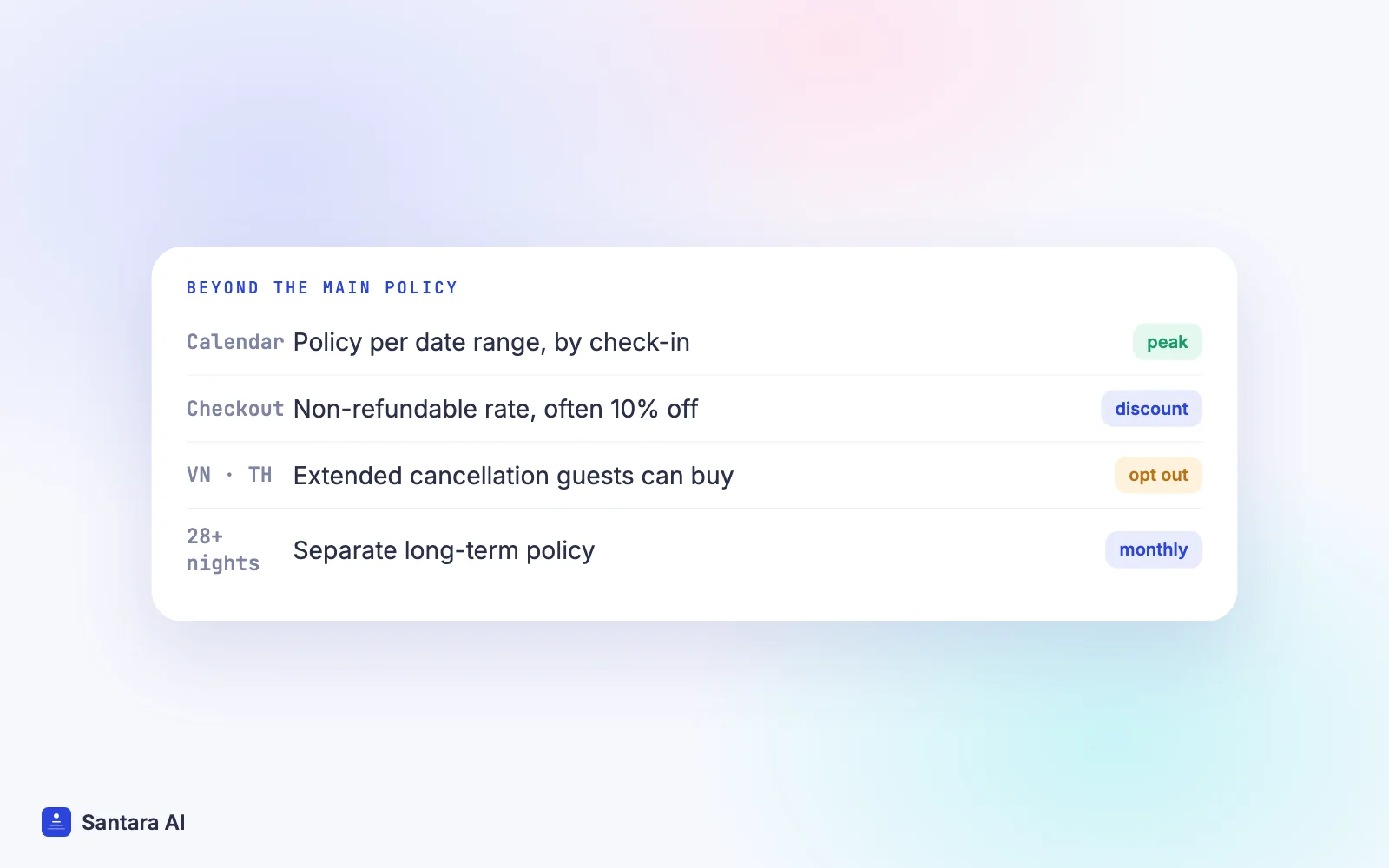
Since you can only pick one standard policy per listing, many hosts choose Firm all year to protect New Year and Tết. That costs them bookings in the quiet months. Airbnb now lets you set cancellation policies directly from your calendar: select dates, open Custom settings, choose Cancellation policy, then save.
The rules Airbnb gives:
- The policy follows the guest's check-in date. A stay that spans two policies uses the one attached to check-in.
- Existing bookings keep the policy they were made under.
- You can edit or remove a date-specific policy only for unbooked dates. Removing it reverts those dates to your main short-term policy.
This is the cleanest way to run Flexible in the rainy season and Firm over Christmas, Lebaran or Tết. Our peak-season pricing guide has the 2027 holiday dates to plan around.
The non-refundable option
You can also offer a discounted, non-refundable rate on top of your standard policy. Airbnb says the discount you set is "typically 10% off the base price" (everywhere but China). Guests choose at checkout. If they took the non-refundable rate and cancel after any free cancellation period, you keep your full payout. The option only applies when checkout is within 60 days, and not to pre-approvals or special offers.
The extended cancellation option (Vietnam and Thailand, not Indonesia)
In some countries guests can buy an extended cancellation option from Airbnb, which lets them cancel for a full refund up to 24 hours before check-in. Airbnb's list includes Vietnam and Thailand; Indonesia was not on it when we checked. Listings with Moderate, Limited, Firm or Strict policies are mostly eligible automatically. Airbnb says you are still paid under your own policy if such a guest cancels, and these cancellations don't affect your cancellation rate or Superhost status. You can opt out per listing under Your space, Cancellation policy, then Additional policy options.
When your policy is overridden: Major Disruptive Events
Your policy can be set aside. Airbnb's Major Disruptive Events Policy covers large events after booking that stop the stay or make it illegal: declared public health emergencies, mandatory travel restrictions such as evacuation orders, war or unrest, prolonged utility outages affecting most homes in an area, and unforeseeable natural disasters or severe weather.
It does not cover foreseeable weather (Airbnb's own example is hurricane season), a guest's illness, flight cancellations or strikes, or non-binding travel advisories. For a host in central Vietnam during typhoon season, that distinction matters: a normal stormy week is not a covered event, while a government evacuation order may be.
When the policy applies, guests get a refund or credit whatever your policy says. You can cancel without fees, but the dates are blocked and you receive no payout for them.
What it costs when you cancel as the host
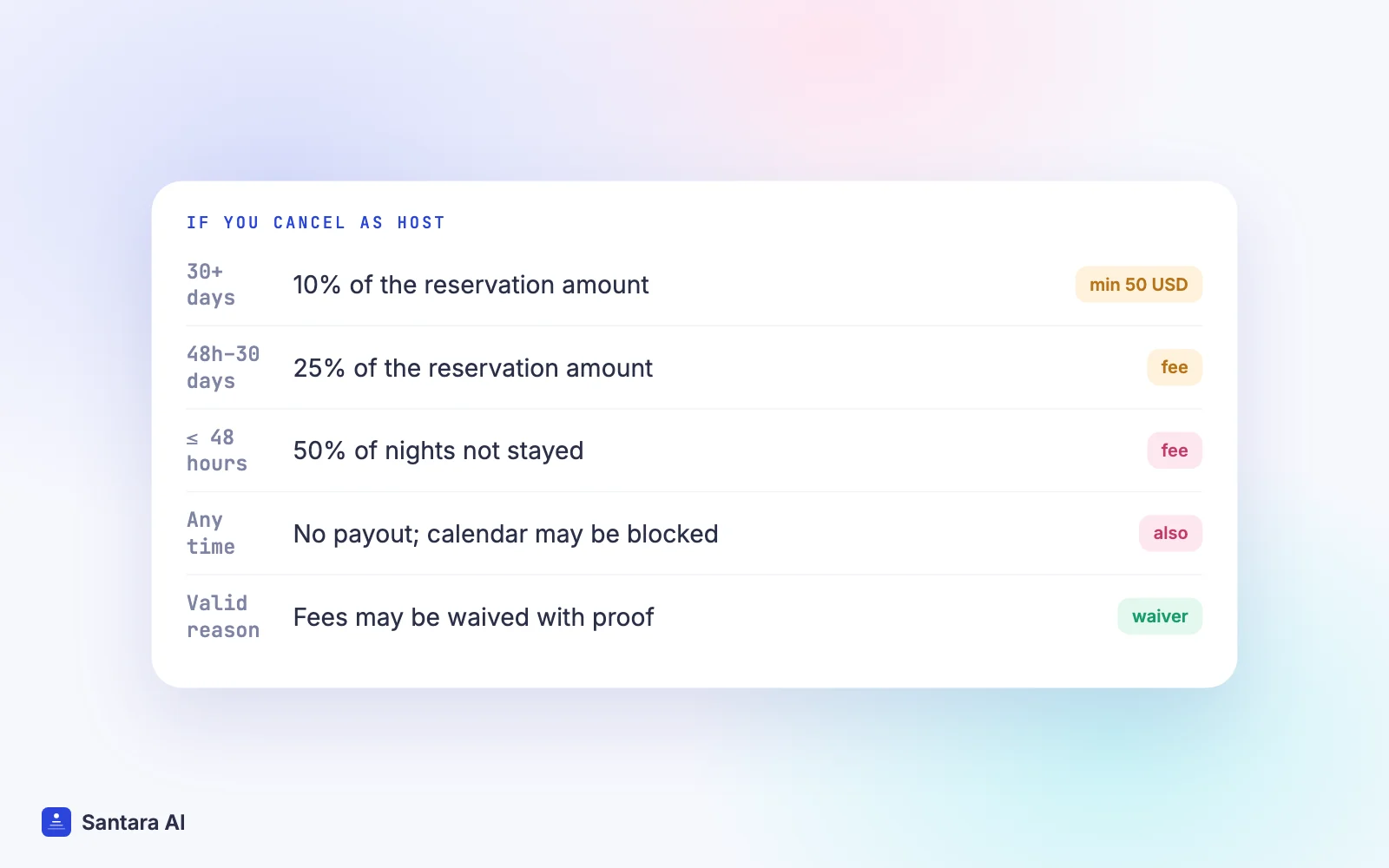
This is the part to read twice. Airbnb's Host Cancellation Policy, effective 9 October 2023, sets a fee with a minimum of 50 USD:
| When you cancel | Fee |
| 48 hours or less before check-in, or after check-in | 50% of the amount for nights not stayed |
| Between 48 hours and 30 days before | 25% of the reservation amount |
| More than 30 days before | 10% of the reservation amount |
The reservation amount includes the nightly rate, cleaning fee and pet fees, but not taxes or guest fees. Fees are usually withheld from your next payouts, and you also lose the payout for that reservation.
Here is a hypothetical example. Say a 4-night stay at 100 USD a night plus a 30 USD cleaning fee, so a 430 USD reservation amount:
- Cancel 40 days out: 10% is 43 USD, raised to the 50 USD minimum.
- Cancel 20 days out: 25% is 107.50 USD.
- Cancel the night before: 50% of the amount for the four unstayed nights, so at least 200 USD, or 215 USD if the cleaning fee is counted in.
Fees are not the only consequence. Airbnb may block the listing's calendar for those dates, and hosts who cancel without a valid reason can lose Superhost status (which requires a cancellation rate under 1%) or have the listing or account suspended. If that happens, our guide to an Airbnb listing suspended explains the next steps. Airbnb also says you can be held responsible for a cancellation you didn't start, for example after a double booking or swapping in a different property.
If a guest's stay is cancelled by you on or after the day of check-in, Airbnb lets the guest leave a review. Before check-in day, they can't.
Cancelling with fewer consequences
Airbnb's article on cancelling without adverse consequences lists the valid reasons for home hosts:
Step 1
Circumstances beyond your control
Major damage to the home or emergency repairs, such as a gas leak or burst pipe. Expect to send photos or videos.
Step 2
Serious personal illness
Illness that stops you from hosting. Airbnb's example of proof is a doctor's letter.
Step 3
Proof a guest will break the rules
Evidence that the guest plans to break a house rule, hold an unauthorised party or break the Party and Events Policy.
Step 4
A Major Disruptive Event
Declared emergencies or government travel restrictions, as above.
Step 5
Instant Book guests who raise red flags
For Instant Book reservations only: a guest who will likely break a rule, or has several unfavourable reviews or too little profile information. Our Instant Book guide covers this in detail.
Three rules apply whatever the reason. Cancel promptly. If check-in is within 24 hours, you can't cancel online and must contact Airbnb. And never ask the guest to cancel for you: the host policy forbids it.
One line on that page is aimed at hosts who use software. If a problem comes from an API software provider and forces a cancellation, Airbnb says you must provide evidence of the provider's outage to ask for a waiver. A double booking caused by a slow or wrong calendar is not on the list. If one happens anyway, follow what to do after a double booking.
Booking.com works per rate plan
On Booking.com, a cancellation policy is attached to each rate plan rather than the whole property. Its partner article on setting up cancellation policies says you create a policy under Property, then Reservation policies, choose whether to offer free cancellation and for how long, and link it to one or more rate plans. You can add temporary exceptions for high-demand dates. A Non-Refundable Rate needs a non-refundable policy first.
Booking.com also says confirmed bookings are legally binding. If a guest asks to cancel, you use Request to cancel reservation up to 48 hours before check-in, or Waive cancellation fee if you decide not to charge it, per its cancellations article. Our Booking.com listing guide covers the rest of the setup.
How to choose your Airbnb cancellation policy: a checklist
Airbnb's own guide to choosing a policy advises starting with the most flexible policy your business can carry. It says 44% of Airbnb guests call free cancellation one of their top needs, and that listings with a free cancellation period longer than 48 hours after booking are highlighted in search. Weigh that against your own risk:
- How fast do your dates rebook? If a cancelled week in your area usually refills, Flexible or Moderate costs little.
- How far ahead do guests book you? Firm protects long-lead holiday bookings; it does little for a city flat booked three days out.
- Do you have peak dates? Use date-specific policies instead of running Firm all year.
- Is your calendar right on every channel? A host cancellation is far more expensive than any guest cancellation. Fix the calendar before tightening anything.
- Are your fees current? Payouts after Airbnb's fee change differ from older guides; see our Airbnb host-only fee explainer.
How Santara AI helps
Santara AI doesn't choose cancellation policies for you. You set them on Airbnb and in the Booking.com extranet, and refunds and fees stay with each platform.
What Santara AI does is keep the calendar honest, which is what protects you from the expensive kind of cancellation. It replaces both the PMS and the channel manager: new bookings, changes and cancellations from every connected channel land on one calendar per room. When a guest cancels on Airbnb or Booking.com, the freed dates go back to the other channels, and a booking on one channel lowers availability on all the others. Availability is capped at each room's unit count, so a one-unit room is never offered twice. Double bookings become rare, though not impossible: an edit made directly on an OTA, or two guests booking in the short gap before an update arrives, can still cause one.
Guest messages from Airbnb and Booking.com arrive in the Santara AI inbox, where AI drafts a reply. Nothing sends until you press Send, which helps when you need to explain a policy to a guest before they cancel.
What Santara AI does not do
It does not cancel reservations on the OTA, process refunds, appeal cancellation fees or file Major Disruptive Events claims. Those steps happen on Airbnb or in the Booking.com extranet.
FAQ
What is the best Airbnb cancellation policy for hosts?
There isn't one best policy. Airbnb suggests the most flexible policy your business can carry. Many hosts use Flexible or Moderate as the base and set Firm only on peak dates with date-specific policies.
Can I change my Airbnb cancellation policy for existing bookings?
No. Airbnb says a change applies only to future reservations. Pending and confirmed bookings keep the policy they were made under.
How much does Airbnb charge a host for cancelling?
10%, 25% or 50% of the reservation amount depending on timing, with a 50 USD minimum, plus the lost payout. The calendar may be blocked and Superhost status can be affected.
Can a host cancel an Airbnb booking without penalty?
Yes, for valid reasons such as major damage, serious illness, proof of a planned party or a Major Disruptive Event, usually with documentation. Within 24 hours of check-in you must contact Airbnb.
Keep reading
- How to become an Airbnb Superhost
- Airbnb vs Booking.com fees for hosts
- How to list on Airbnb and Booking.com without double bookings
Your first 3 months are free.
Join For Free