Airbnb Instant Book: should you turn it on? Rules and checklist
What Airbnb Instant Book is, the guest requirements you can set, penalty-free cancellations and their limits, ranking, and Booking.com's Request to Book.
 Tai Pham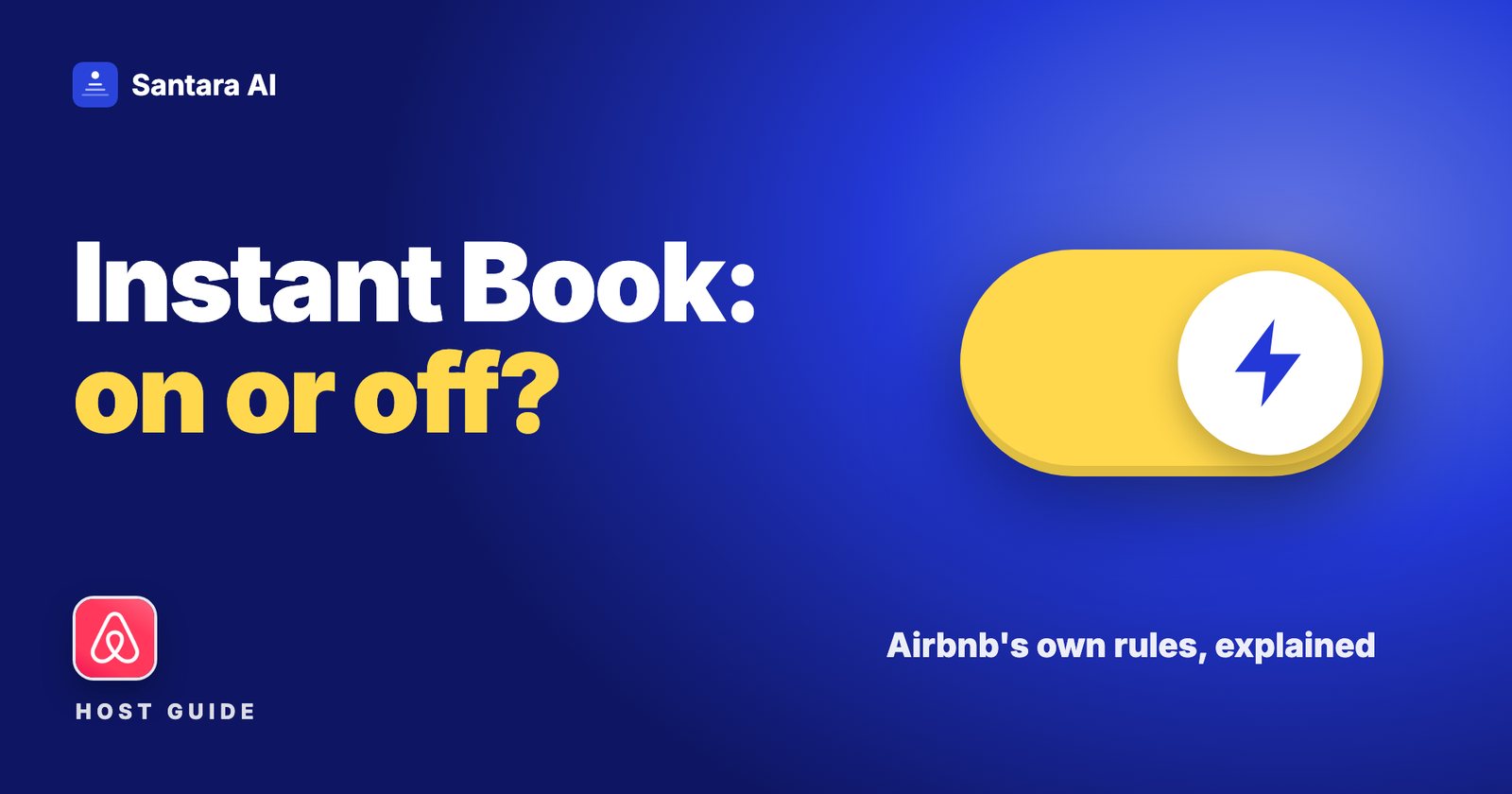
Few Airbnb settings cause as much argument among hosts as Instant Book. One host swears it doubled their bookings. Another turned it off after one bad party and never looked back. Both are describing their own experience, and neither tells you what Airbnb's rules actually are.
This guide sticks to what Airbnb and Booking.com say on their own help pages, checked on 26 October 2026. You will learn what Airbnb Instant Book is, which guest requirements you can set, when you can cancel an instant booking without penalty and where that protection stops, what Airbnb says about Instant Book and search ranking, and how Booking.com handles the same choice. At the end there is a decision checklist so you can make the call for your own place.
The short version: Instant Book is less risky than many hosts think, but only if your calendar is accurate on every channel and your house rules are written clearly. If either of those is weak, fix it first.
What Airbnb Instant Book is
With Instant Book on, guests can reserve your place without waiting for your approval. Airbnb's Instant Book article describes it from the guest side: places with Instant Book can be booked immediately, with no request sent to the host first, and guests can filter search results to show only those places.
With Instant Book off, guests send a request, and you accept or decline. According to Airbnb's Resource Center guide to Instant Book, you must accept, decline or message the guest within 24 hours when a request arrives.
Two details from Airbnb's booking settings article are worth knowing:
- You turn Instant Book on or off per listing: Listings, then the listing, then Booking settings in the listing editor.
- Instant Book isn't available if a guest reserves within 2 days of check-in and needs to arrive outside your check-in window. In that case you get a request, which you can decline.
Guest requirements you can set
Instant Book doesn't mean anyone can book. Every guest must meet Airbnb's own booking requirements. According to the Resource Center guide, that includes Airbnb's identity verification process and agreeing to your house rules. On top of that, you can add your own requirements, and Airbnb says you must have Instant Book on to add them.
| Requirement | What it means | Source |
| Airbnb's booking requirements | Applies to all guests; includes identity verification and accepting your house rules | Resource Center |
| Good track record (optional) | Guests who completed a reservation without incident or bad reviews | Help 484 |
| Pre-reservation message (optional) | A preset message with questions the guest answers when booking | Help 484 |
Two consequences of these settings:
- If a guest doesn't meet your requirements, your listing may not appear in their search results, per help 484. A guest who doesn't qualify can still send you a request, according to the Resource Center guide.
- If local rules require you to see a government ID at check-in, the Resource Center guide says you can ask for it by messaging the guest in Airbnb. Our guest registration guide explains when Vietnam and Indonesia require it.
The pre-reservation message is the most underused tool here. A short question ("What brings you to Ubud, and who is travelling with you?") gives you context before arrival without blocking honest guests.
Cancelling an Instant Book reservation without penalty
This is the safety valve that makes Instant Book workable, and it has limits. Airbnb's article on cancelling as a host without adverse consequences says that for Instant Book reservations you can cancel without penalty in certain situations, for example when:
- The guest makes it clear they are likely to break a house rule, such as bringing a pet or smoking.
- The guest has several unfavourable reviews, or too little profile information to reassure you.
The limits, from the same page:
- If check-in is less than 24 hours away, you can't cancel online for these reasons. You must contact Airbnb.
- If you cancel a large number of Instant Book reservations, you may be required to turn Instant Book off.
- Cancellations that don't qualify bring fees and other consequences under the host cancellation policy.
Airbnb is equally clear about what is never allowed: cancelling for a reason that breaks its Nondiscrimination Policy. "Something felt off" about a guest's name or photo is not a valid reason. A guest who says they will bring six friends to a two-person flat is.
One more limit hosts forget: a calendar error is not a valid reason. The Resource Center guide warns that cancelling because of a calendar mistake can lead to cancellation fees. That is why calendar accuracy comes before Instant Book. If you list on several sites, read how to list on Airbnb and Booking.com without double bookings first.
What Airbnb says about Instant Book and ranking
Airbnb's search results article says listings that can be booked instantly "may rank higher in search results". For listings without Instant Book, it says the algorithm looks at how quickly hosts respond and how often they reject requests to book.
So the honest reading is: Instant Book is one positive signal, not a guarantee, and turning it off is not a penalty as long as you respond quickly and rarely decline. Guests filtering for Instant Book won't see you if it's off. Our post on how Airbnb search ranking works covers price, quality and the other factors Airbnb names.
Booking.com: instant booking or Request to Book
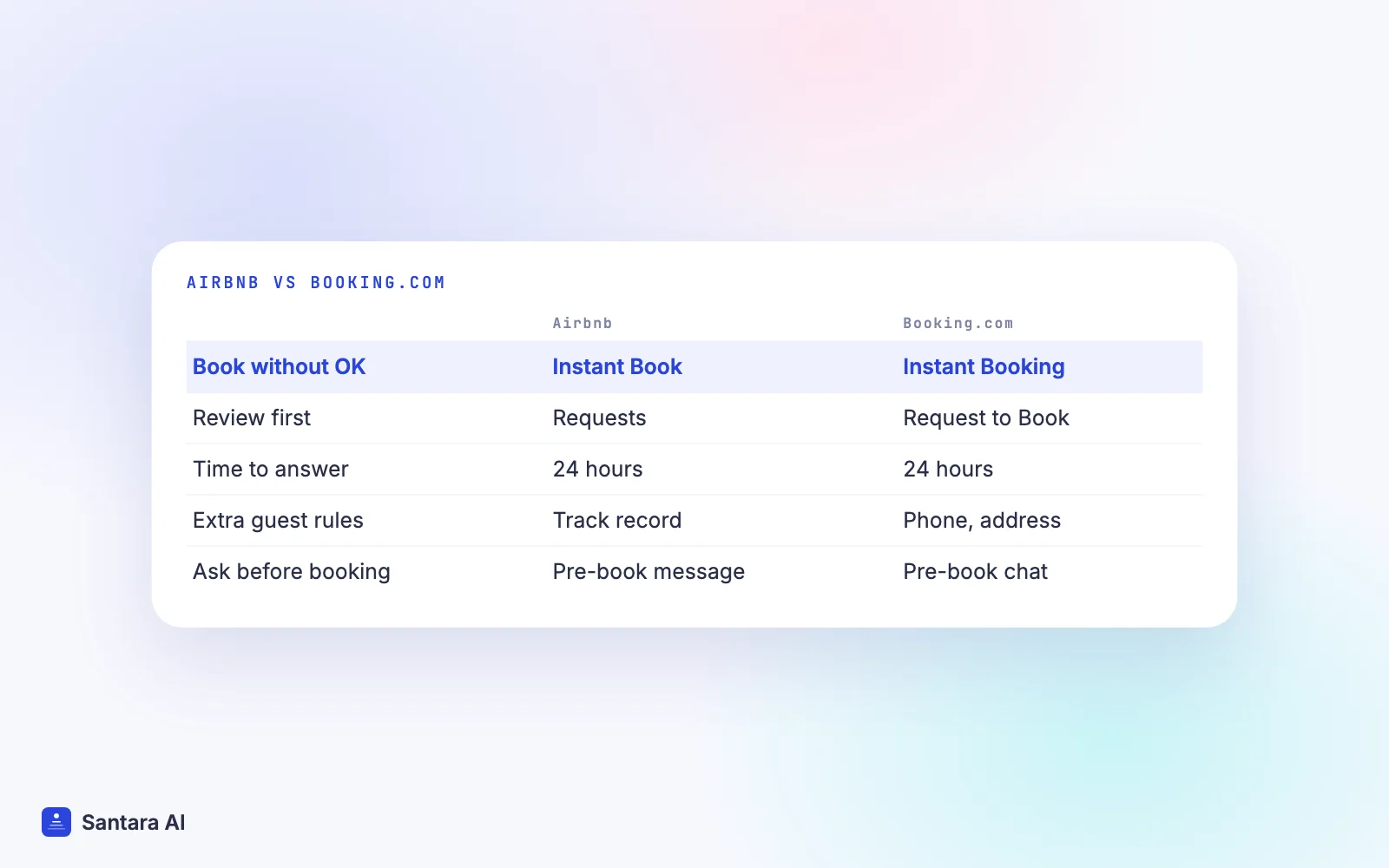
Booking.com approaches the same choice differently. According to its partner help article Understanding and using Request to Book, you choose between two models:
- Instant Booking: guests book your property immediately.
- Request to Book: guests send a request, and you accept or decline it.
Booking.com's host article on Request to Book says the feature is available globally for vacation rental partners. Key rules from the help article:
- Request to Book is only shown to guests checking in more than three days ahead. Last-minute guests are sent to instant booking properties.
- You have 24 hours to accept or decline. If you don't respond, the request expires and is declined automatically. Booking.com sends a reminder after four hours.
- Booking.com says Request to Book "requires more management time than Instant Booking and can result in fewer bookings and potentially less revenue".
- Inquiries don't block dates on your calendar, so overlapping requests can arrive for the same nights.
- Before declining, review Booking.com's non-discrimination guidelines. Frequent declines can hurt how guests experience your property.
Booking.com also lets you require guests to have a verified phone number or home address before they book, per its guest requirements article.
Airbnb Instant Book on or off: a decision checklist
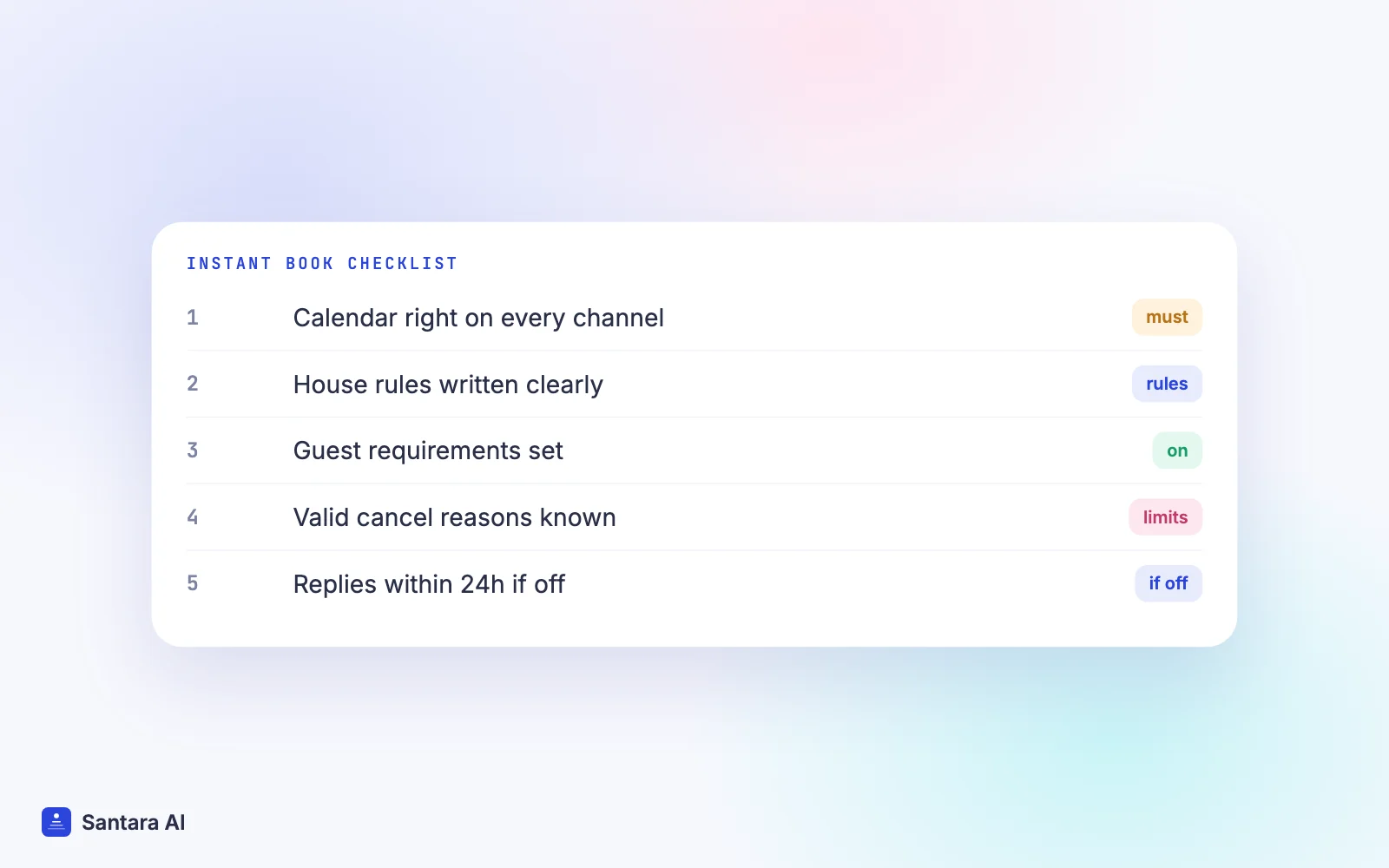
Work through these in order. If you can't tick a step, that is the thing to fix, not a reason to stay off forever.
Step 1
Your calendar is right on every channel
Every booking from every site must close the dates everywhere else, quickly. If you rely on iCal links or manual blocks, read iCal vs channel manager before turning Instant Book on. A double booking caused by your calendar is a host cancellation.
Step 2
Your house rules say what you actually mean
Guests agree to your house rules before an Instant Book reservation. Clear rules on parties, guest count, pets and smoking are what make a penalty-free cancellation possible later. Our house manual template has wording you can adapt.
Step 3
You have set guest requirements
Turn on the good track record requirement if your place is high value or in a quiet building, and add a pre-reservation message with one or two questions.
Step 4
You know your valid cancellation reasons
Read Airbnb's penalty-free cancellation article once now, not after a bad booking. Note the 24-hour limit.
Step 5
If you stay off, you can reply within 24 hours
Requests expire, and slow replies and frequent declines count against you. If you can't reliably answer within a day, Instant Book is likely the safer option.
How Santara AI fits with Instant Book
The first step in the checklist is where Santara AI helps most. It replaces both the PMS and the channel manager: every new booking, change and cancellation from each connected channel lands on one calendar per room, and a booking on one channel lowers availability on all the others. Airbnb, Booking.com, Agoda, Traveloka, Tiket.com and other connected channels are fed from that same calendar, and availability is capped at the room's unit count, so a one-unit room is never offered twice. Double bookings become rare; the remaining causes are usually manual edits made directly on an OTA or a wrong unit count.
Guest messages from Airbnb, Booking.com and Expedia arrive in the Santara AI inbox, where AI drafts a reply. Nothing is sent until you press Send, which helps you answer questions within Airbnb's 24-hour window.
What Santara AI does not do here
Instant Book, guest requirements, house rules and Booking.com's Request to Book are set on each platform, not in Santara AI. Accepting or declining requests and cancelling reservations also happen on Airbnb or in the Booking.com extranet or Pulse app. Santara AI does not screen guests.
FAQ
Should I turn on Airbnb Instant Book?
Turn it on if your calendar is accurate on every channel, your house rules are clear and you have set guest requirements. Leave it off only if you can reliably answer every request within 24 hours.
Can I cancel an Airbnb Instant Book reservation without penalty?
In some cases, yes: for example, if the guest signals they will break a house rule, or has several unfavourable reviews or too little profile information. Within 24 hours of check-in you must contact Airbnb, and cancelling many Instant Book reservations may lead Airbnb to require you to turn it off.
Does Instant Book help Airbnb ranking?
Airbnb says instantly bookable listings may rank higher. For listings without it, Airbnb looks at how fast you respond and how often you decline requests.
Does Booking.com have Instant Book?
Booking.com offers instant booking, and Request to Book as an option for vacation rentals. Request to Book is only shown to guests booking more than three days ahead, and you have 24 hours to respond.
Keep reading
Your first 3 months are free.
Join For Free